<?xml version="1.0" encoding="utf-8"?>
<feed xmlns="http://www.w3.org/2005/Atom">
    <id>https://maester.dev/blog</id>
    <title>Maester Blog</title>
    <updated>2026-02-11T00:00:00.000Z</updated>
    <generator>https://github.com/jpmonette/feed</generator>
    <link rel="alternate" href="https://maester.dev/blog"/>
    <subtitle>Maester Blog</subtitle>
    <icon>https://maester.dev/img/favicon.ico</icon>
    <entry>
        <title type="html"><![CDATA[Introducing Maester 2.0 🚀]]></title>
        <id>https://maester.dev/blog/maester-2-0</id>
        <link href="https://maester.dev/blog/maester-2-0"/>
        <updated>2026-02-11T00:00:00.000Z</updated>
        <summary type="html"><![CDATA[A major release with 400+ commits, 15+ new security tests, XSPM integration, enhanced reports, and more.]]></summary>
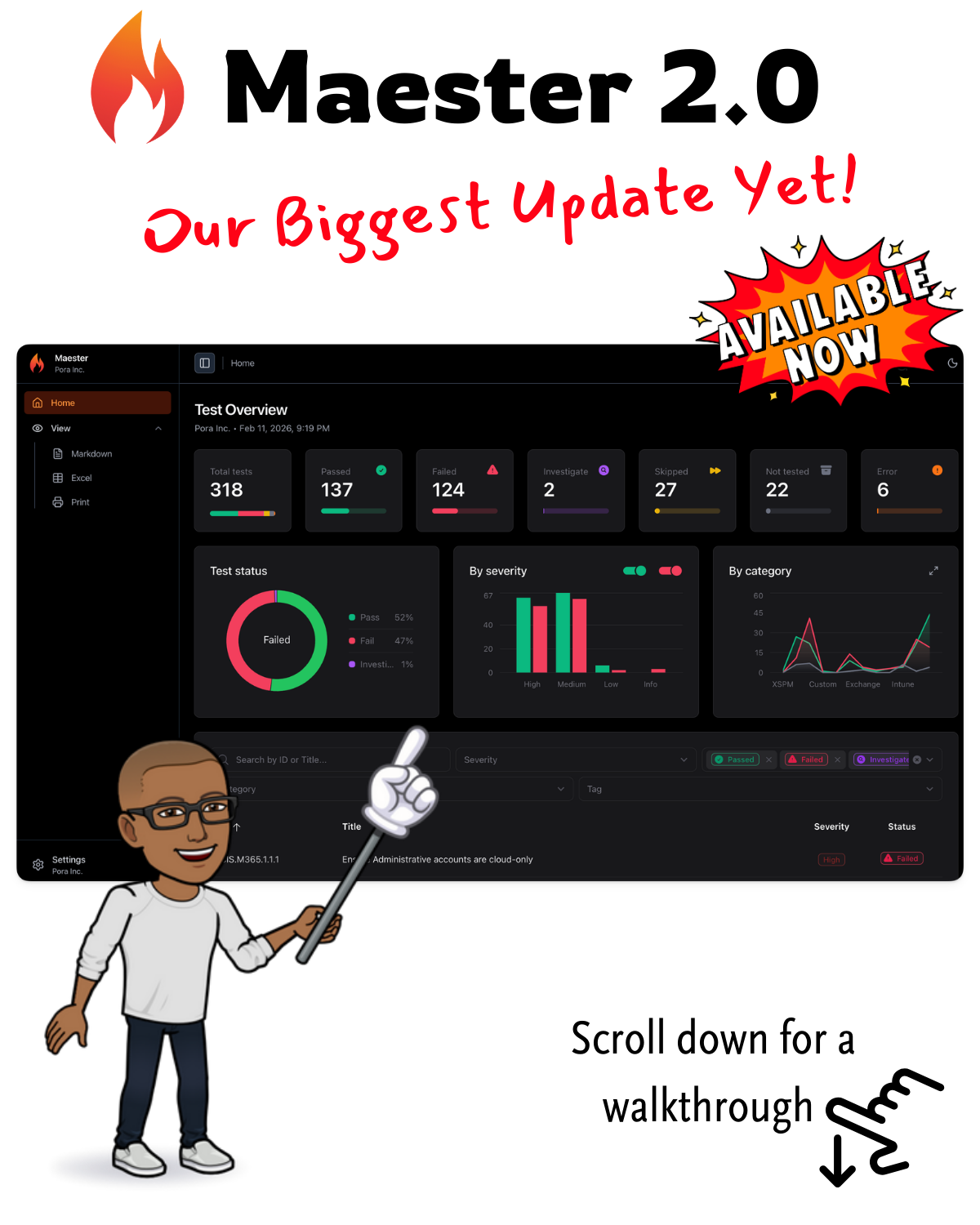
        <content type="html"><![CDATA[<p>We're excited to announce <strong>Maester 2.0</strong> - our biggest release yet! With over 400 commits since version 1.3.0, this release brings powerful new capabilities for Microsoft 365 security testing.</p>
<hr>
<h2 class="anchor anchorTargetStickyNavbar_Vzrq" id="-highlights-at-a-glance">🎯 Highlights at a Glance<a href="https://maester.dev/blog/maester-2-0#-highlights-at-a-glance" class="hash-link" aria-label="Direct link to 🎯 Highlights at a Glance" title="Direct link to 🎯 Highlights at a Glance" translate="no">​</a></h2>
<ul>
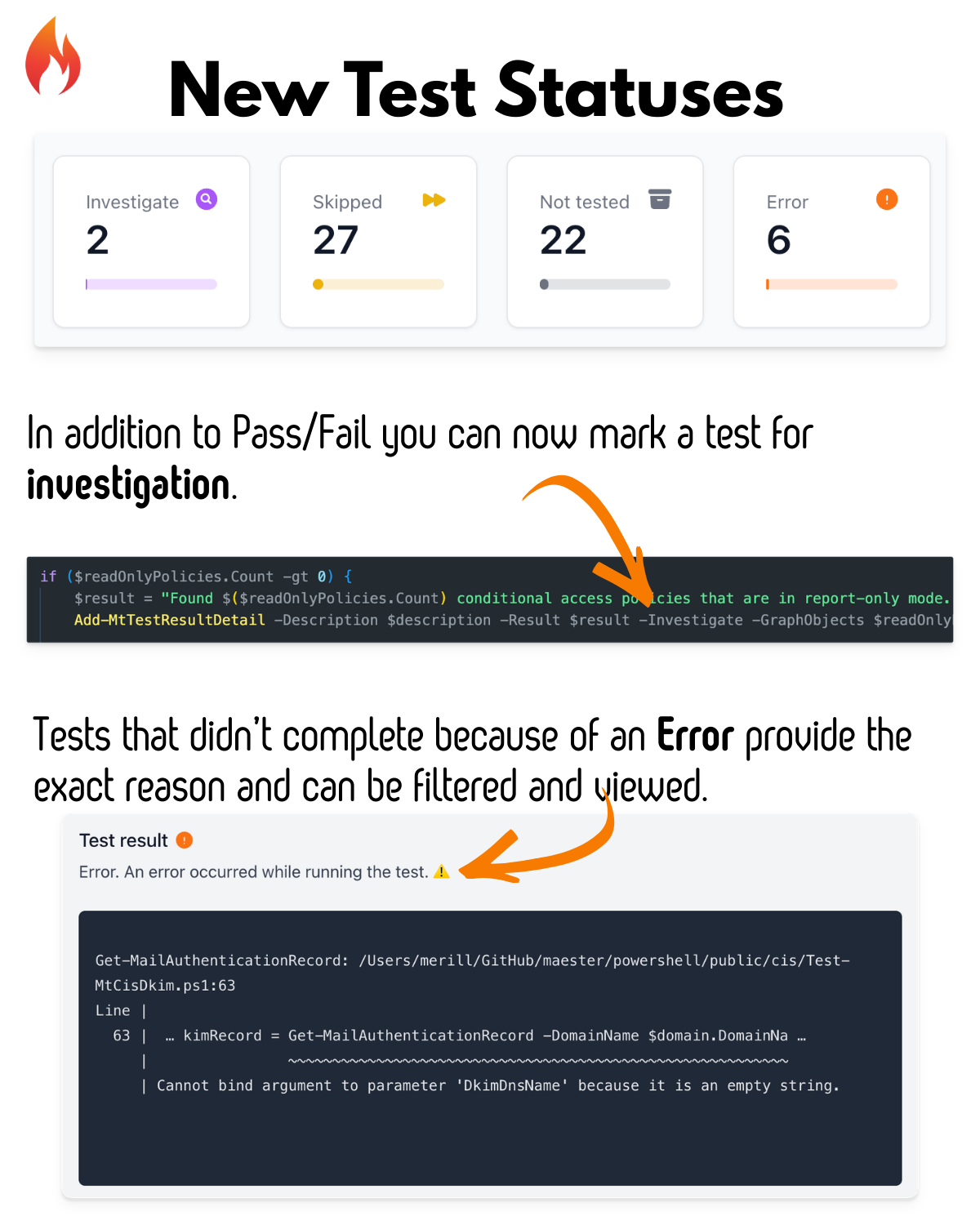
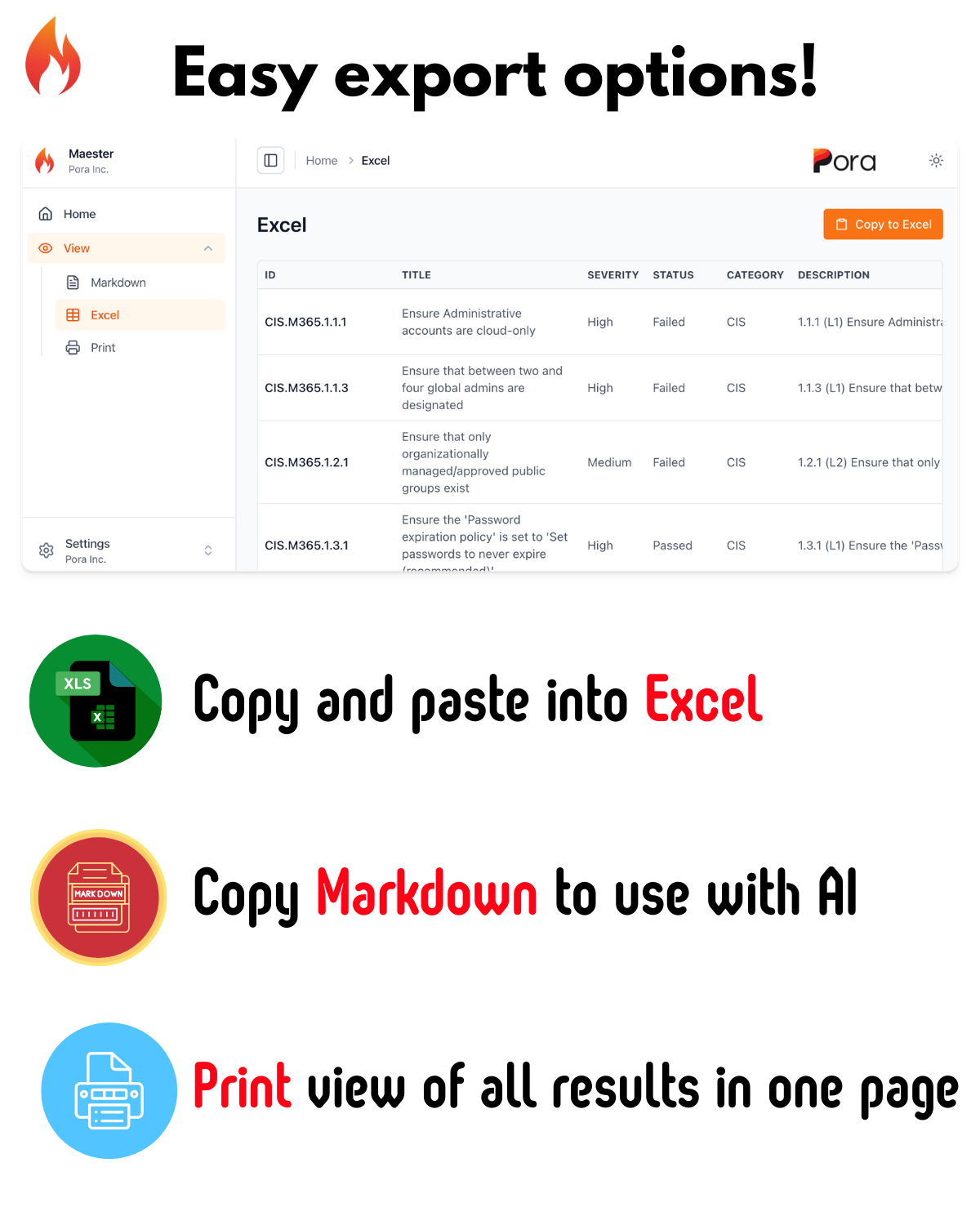
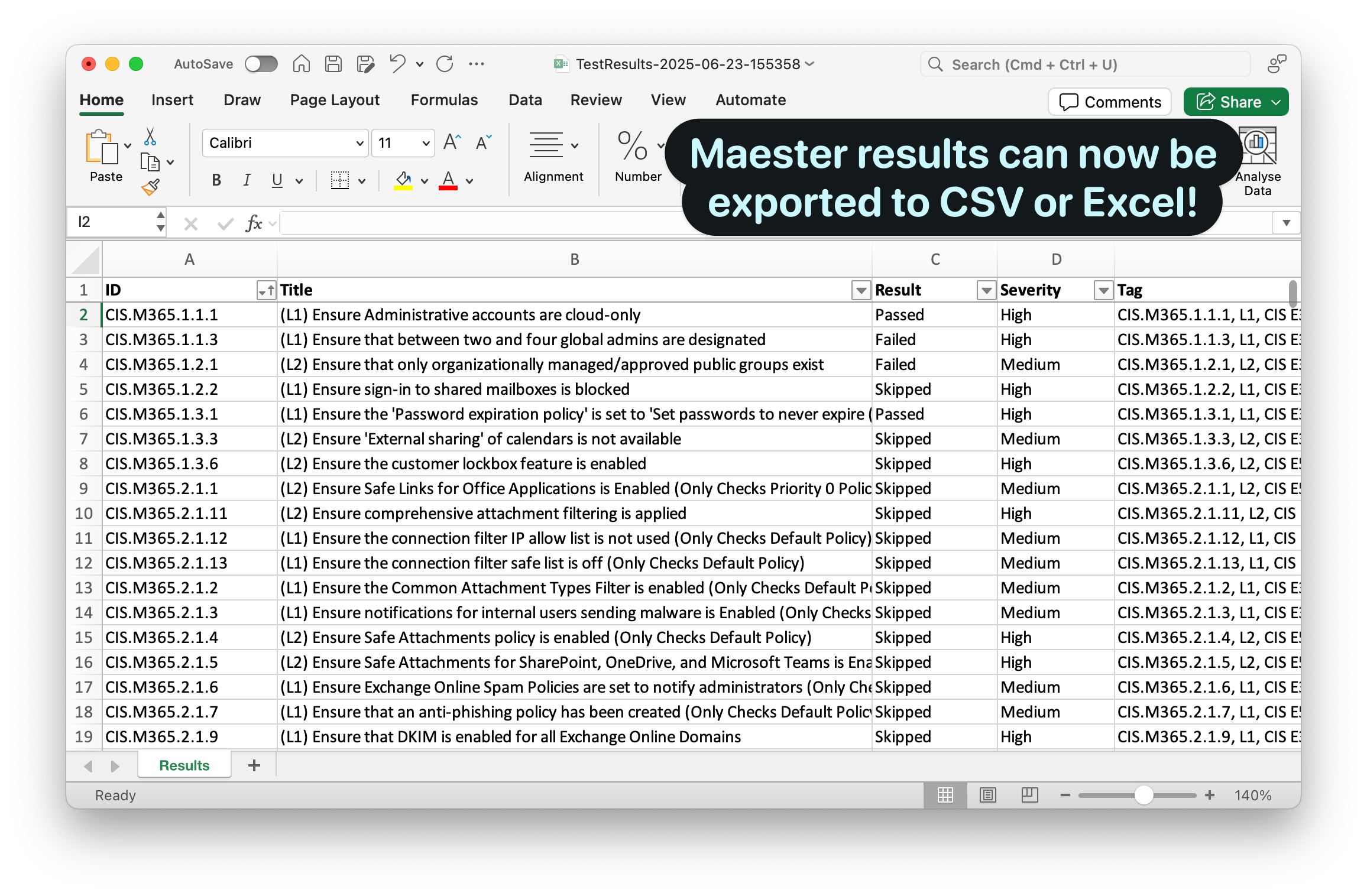
<li class=""><strong>Brand new reporting capabilities</strong> with print, markdown, and Excel export views</li>
<li class=""><strong>New Security Tests</strong> covering Intune, Entra ID, Conditional Access and Azure</li>
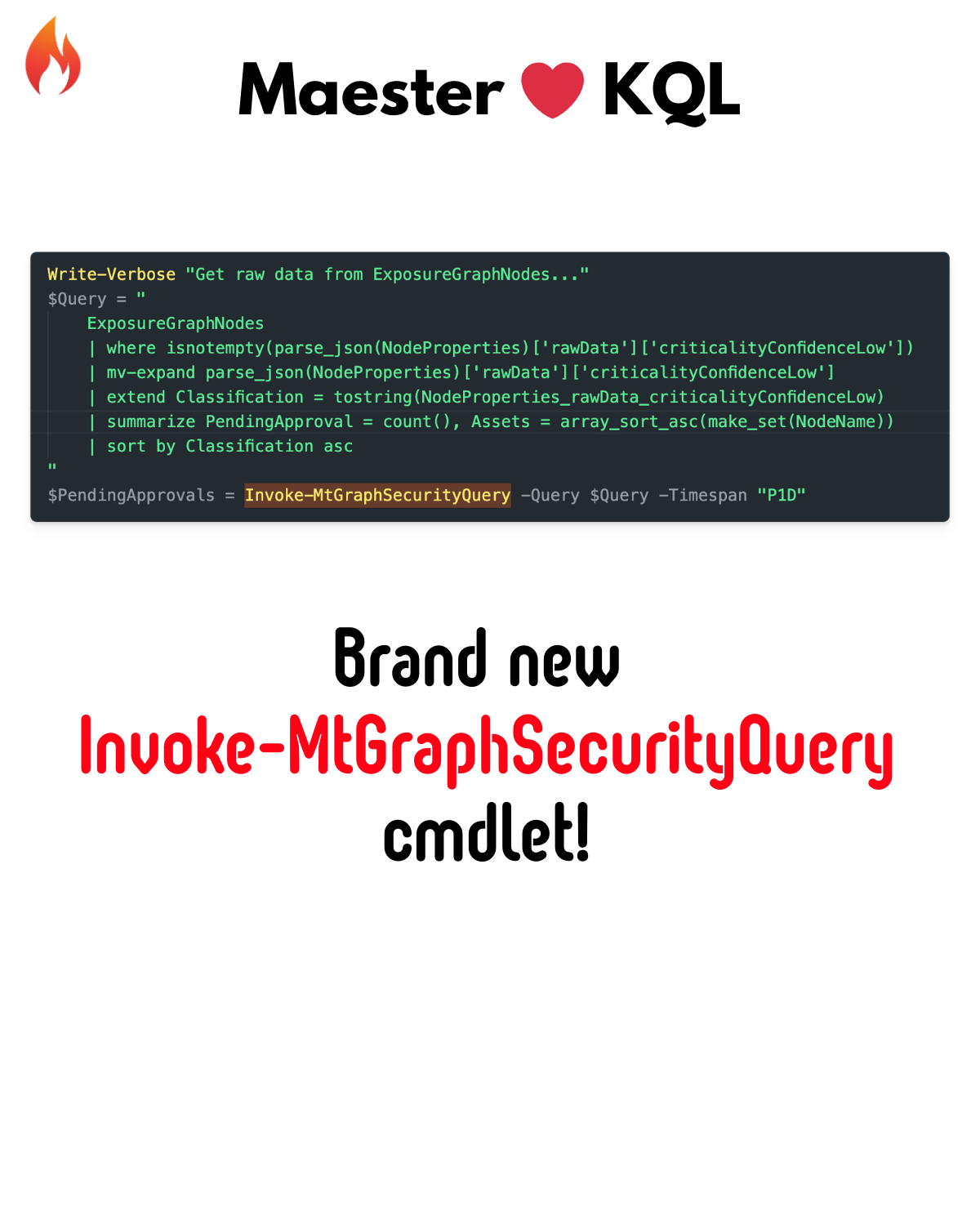
<li class=""><strong>Microsoft Security Exposure Management (XSPM) Integration</strong> - Leverage Defender insights</li>
<li class=""><strong>Enhanced HTML Report</strong> with print, markdown, and Excel export views</li>
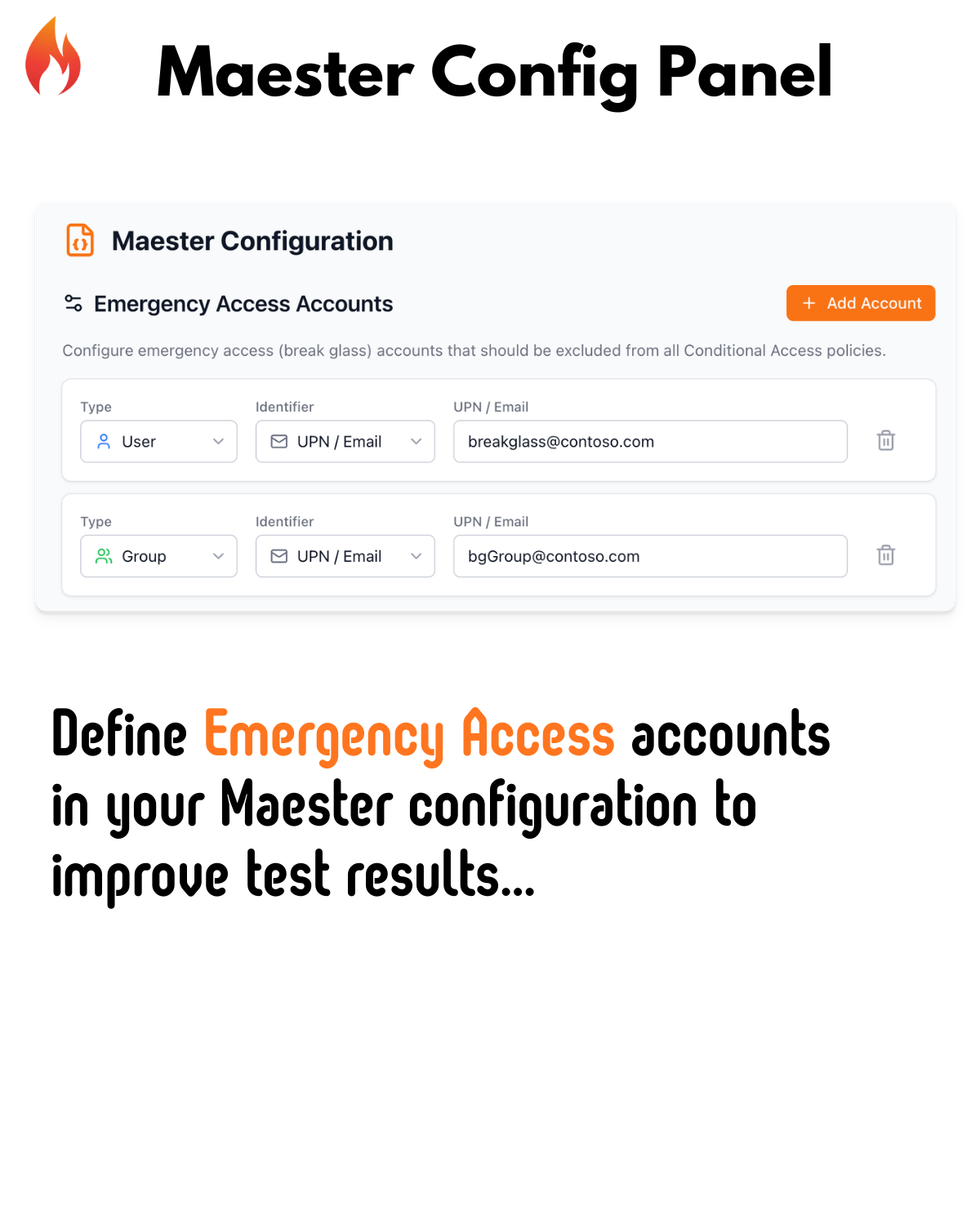
<li class=""><strong>Emergency Access Accounts Configuration</strong> - Define your break-glass accounts</li>
<li class=""><strong>New Maester App Management Commands</strong> - Simplified DevOps pipeline setup</li>
</ul>
<hr>
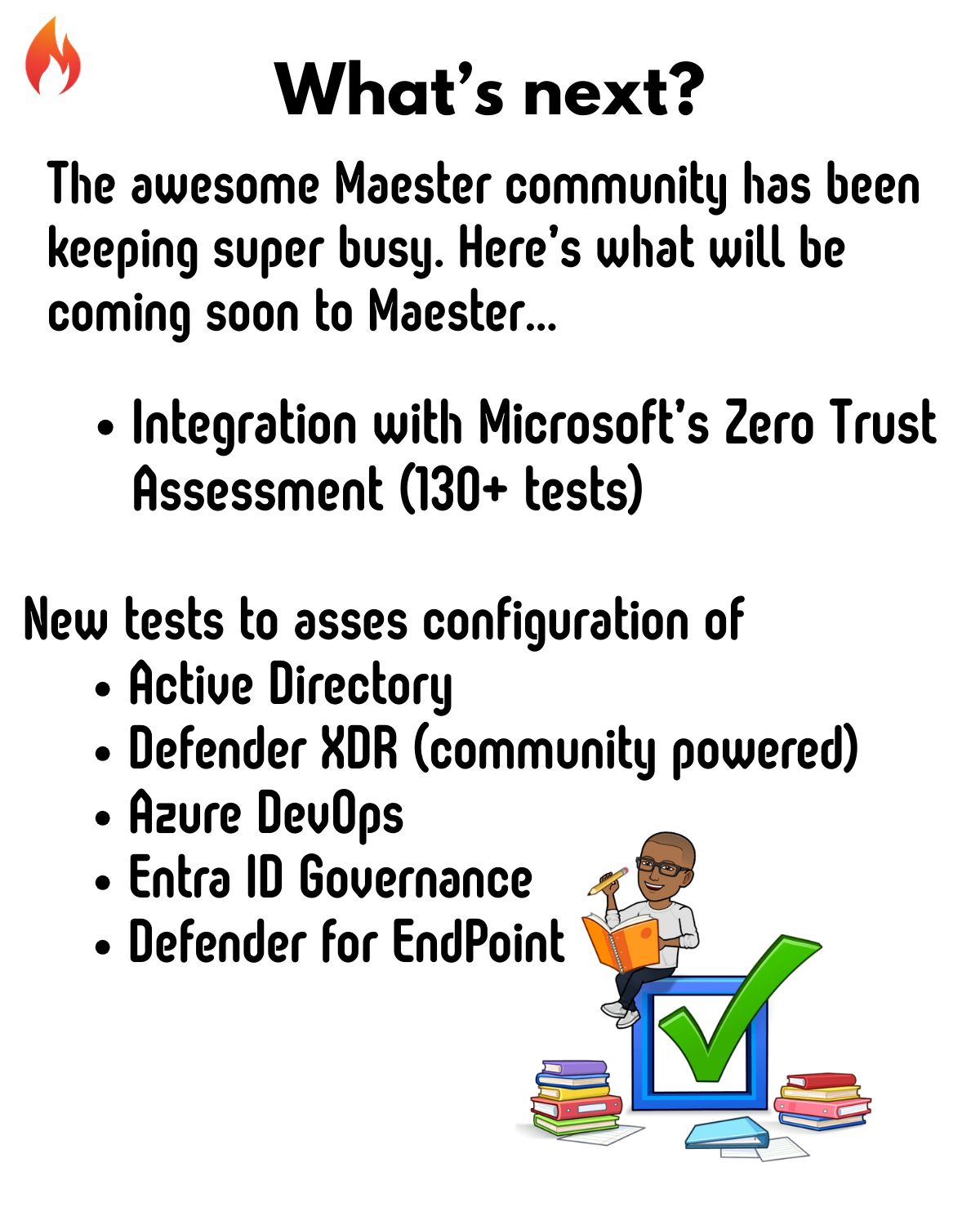
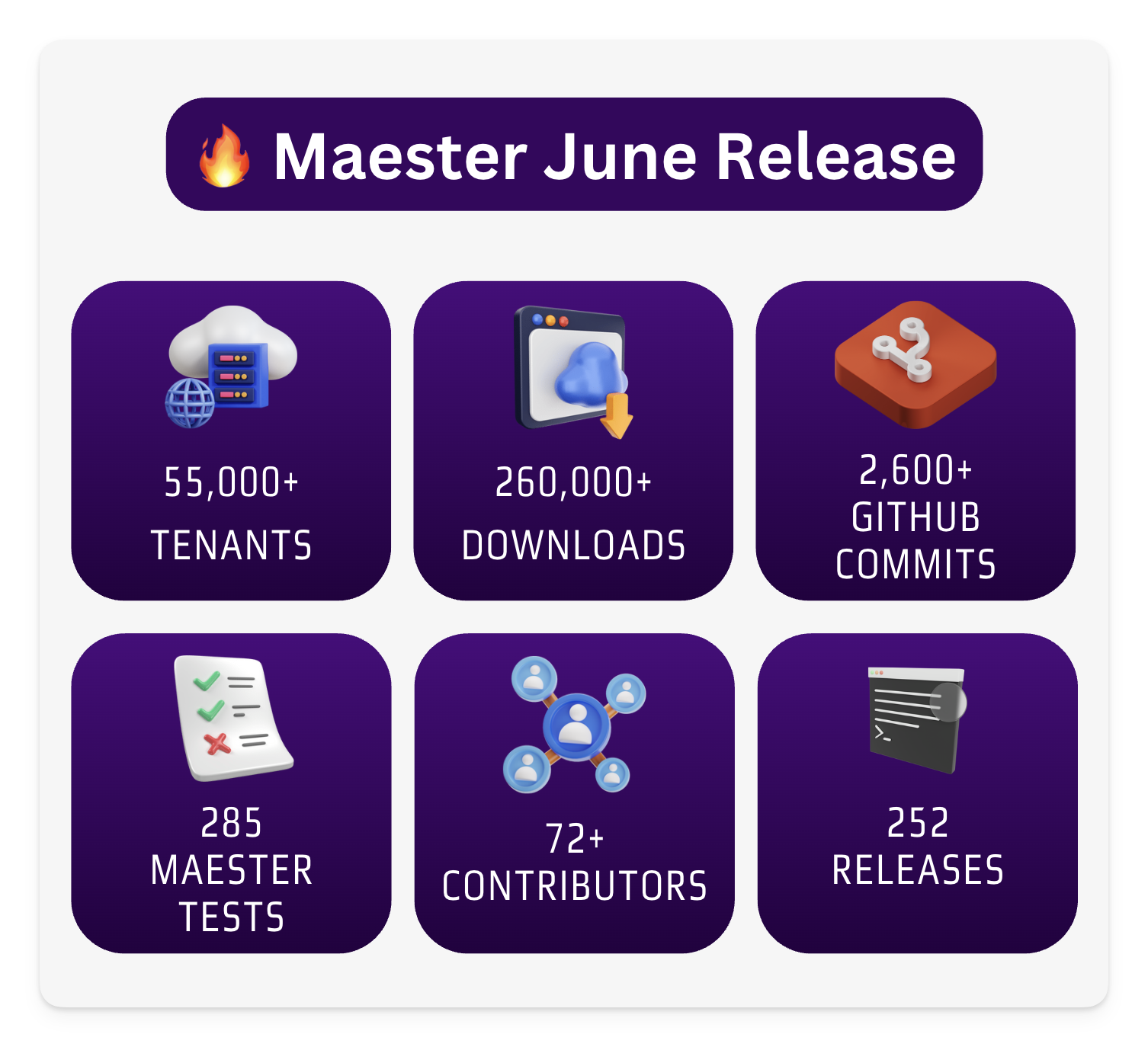
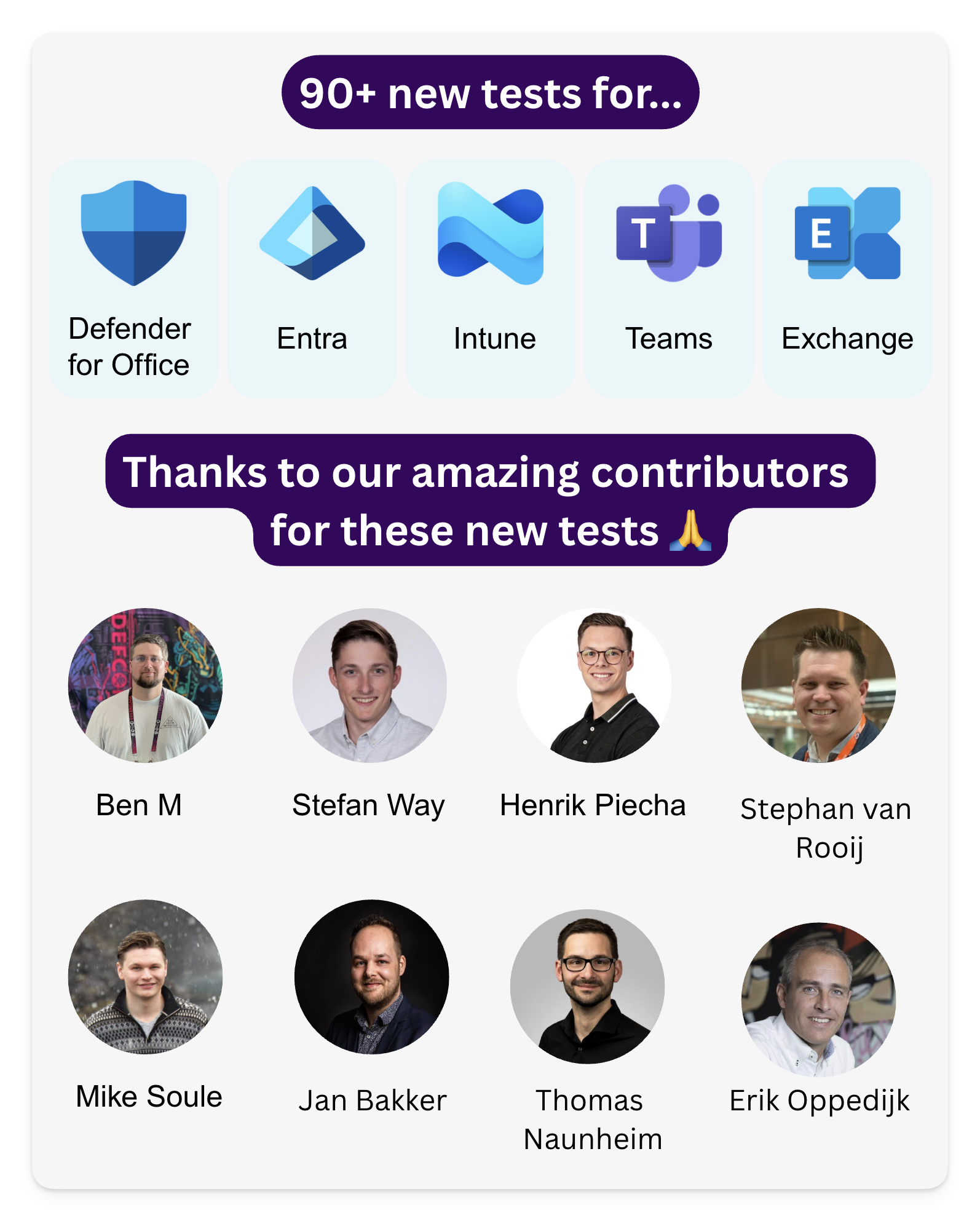
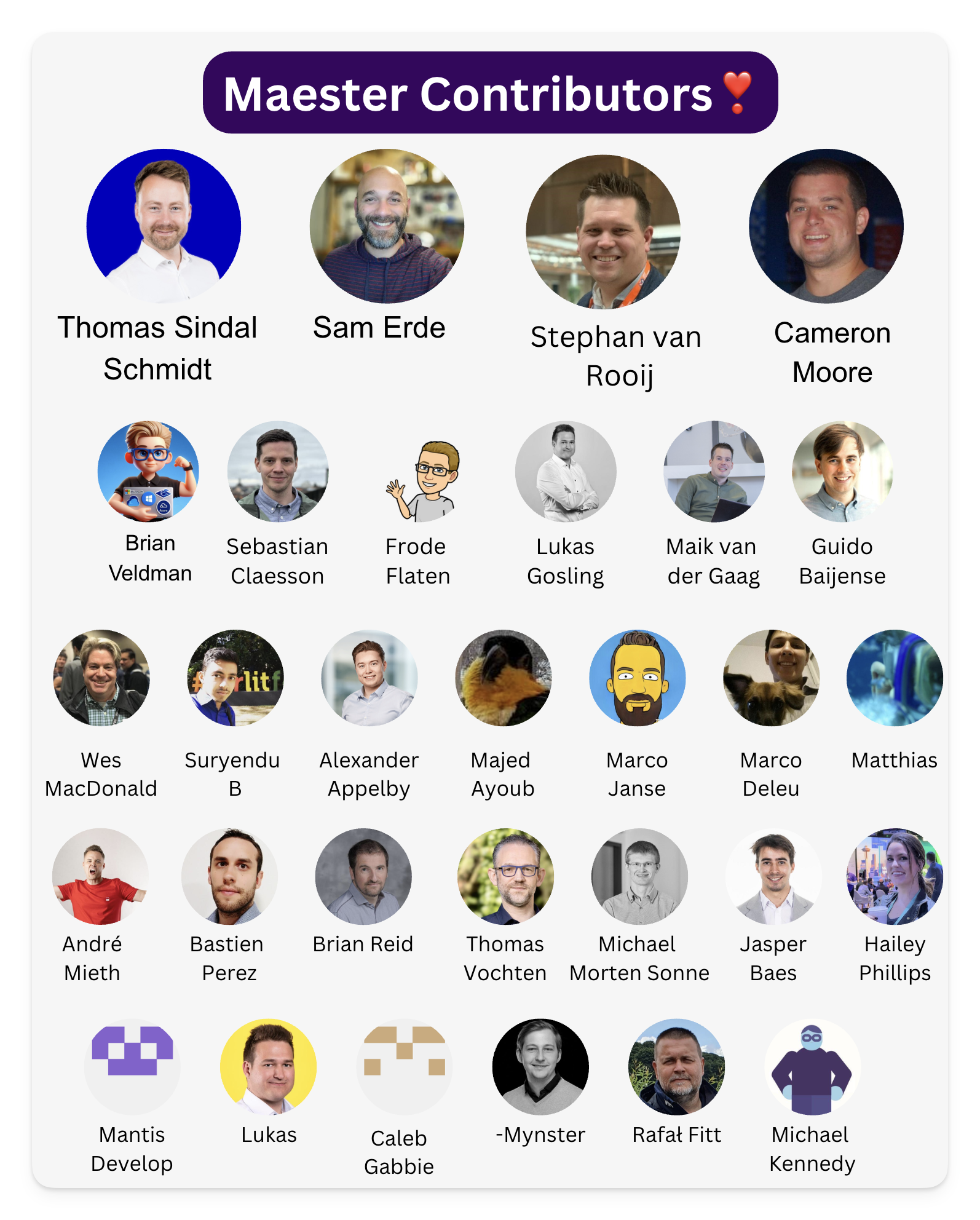
<p>Here's a deeper dive into what's new in Maester 2.0:</p>
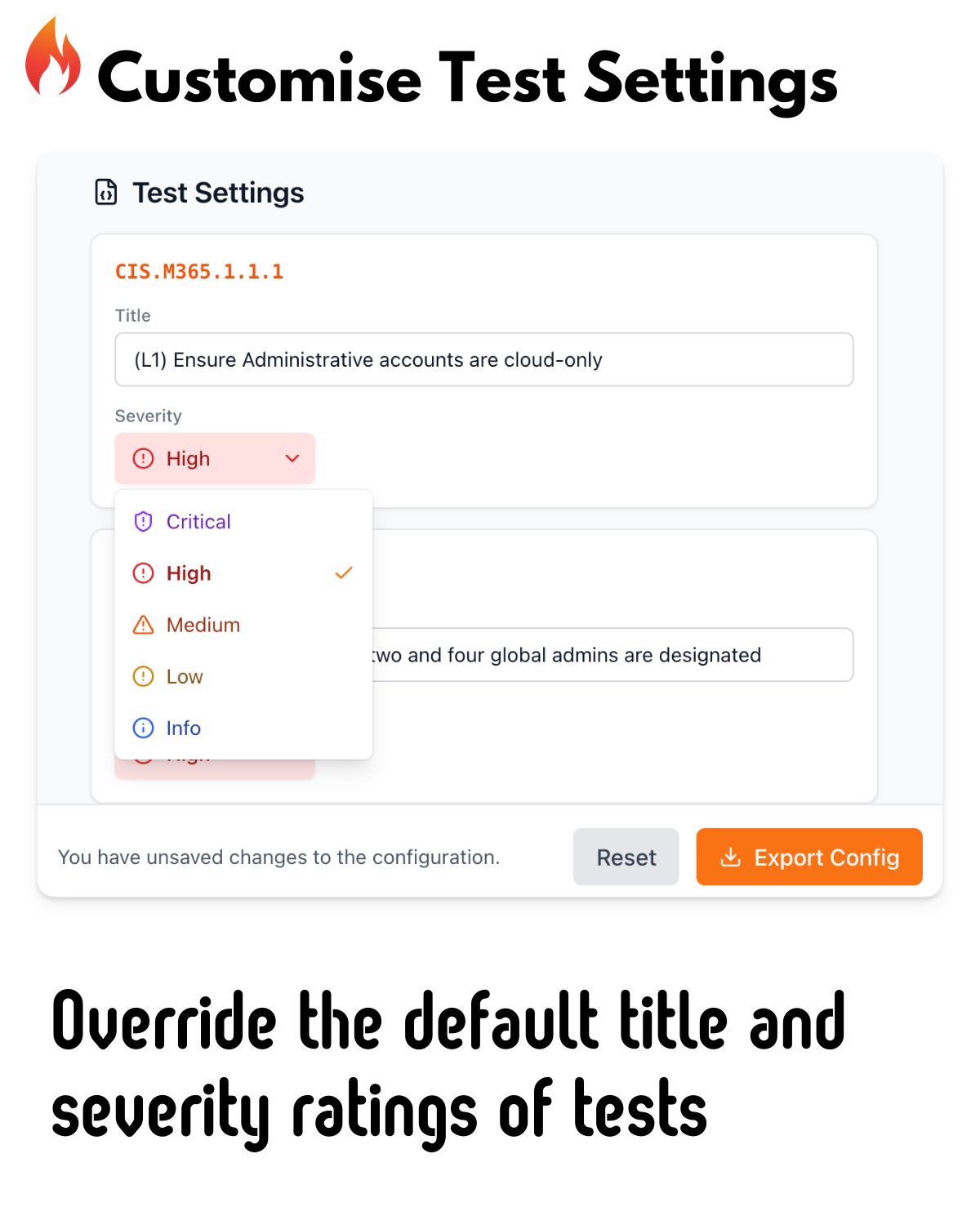
<p><img decoding="async" loading="lazy" alt="Maester 2.0" src="https://maester.dev/assets/images/1-a359f05832240a22ca2a8d51e03f8e6a.png" width="1200" height="1500" class="img_ev3q"></p>
<p><img decoding="async" loading="lazy" alt="Maester 2.0" src="https://maester.dev/assets/images/2-01468de32a9fd2e193639fcc7432313e.png" width="1200" height="1500" class="img_ev3q"></p>
<p><img decoding="async" loading="lazy" alt="Maester 2.0" src="https://maester.dev/assets/images/3-dd2f1561e5613eb88132372e7c4beee8.png" width="1200" height="1500" class="img_ev3q"></p>
<p><img decoding="async" loading="lazy" alt="Maester 2.0" src="https://maester.dev/assets/images/4-b6fd270657769a5972513a3ad84d9019.png" width="1200" height="1500" class="img_ev3q"></p>
<p><img decoding="async" loading="lazy" alt="Maester 2.0" src="https://maester.dev/assets/images/5-9a0657510694fb6f98e62357d4496e11.png" width="1200" height="1500" class="img_ev3q"></p>
<p><img decoding="async" loading="lazy" alt="Maester 2.0" src="https://maester.dev/assets/images/6-9b26a6872e1ec9e6924d7355203a36f8.png" width="1200" height="1500" class="img_ev3q"></p>
<p><img decoding="async" loading="lazy" alt="Maester 2.0" src="https://maester.dev/assets/images/7-22839899a29a57466503cb2e52e3106e.png" width="1200" height="1500" class="img_ev3q"></p>
<p><img decoding="async" loading="lazy" alt="Maester 2.0" src="https://maester.dev/assets/images/8-1337cc79dc1b58d948b311827bfc9edd.png" width="1200" height="1500" class="img_ev3q"></p>
<p><img decoding="async" loading="lazy" alt="Maester 2.0" src="https://maester.dev/assets/images/9-4eaf801463553248e50fd24b48b28159.png" width="1200" height="1500" class="img_ev3q"></p>
<p><img decoding="async" loading="lazy" alt="Maester 2.0" src="https://maester.dev/assets/images/10-62adc70ad6dac8b8bc4b3c7d9cfa1673.png" width="1200" height="1500" class="img_ev3q"></p>
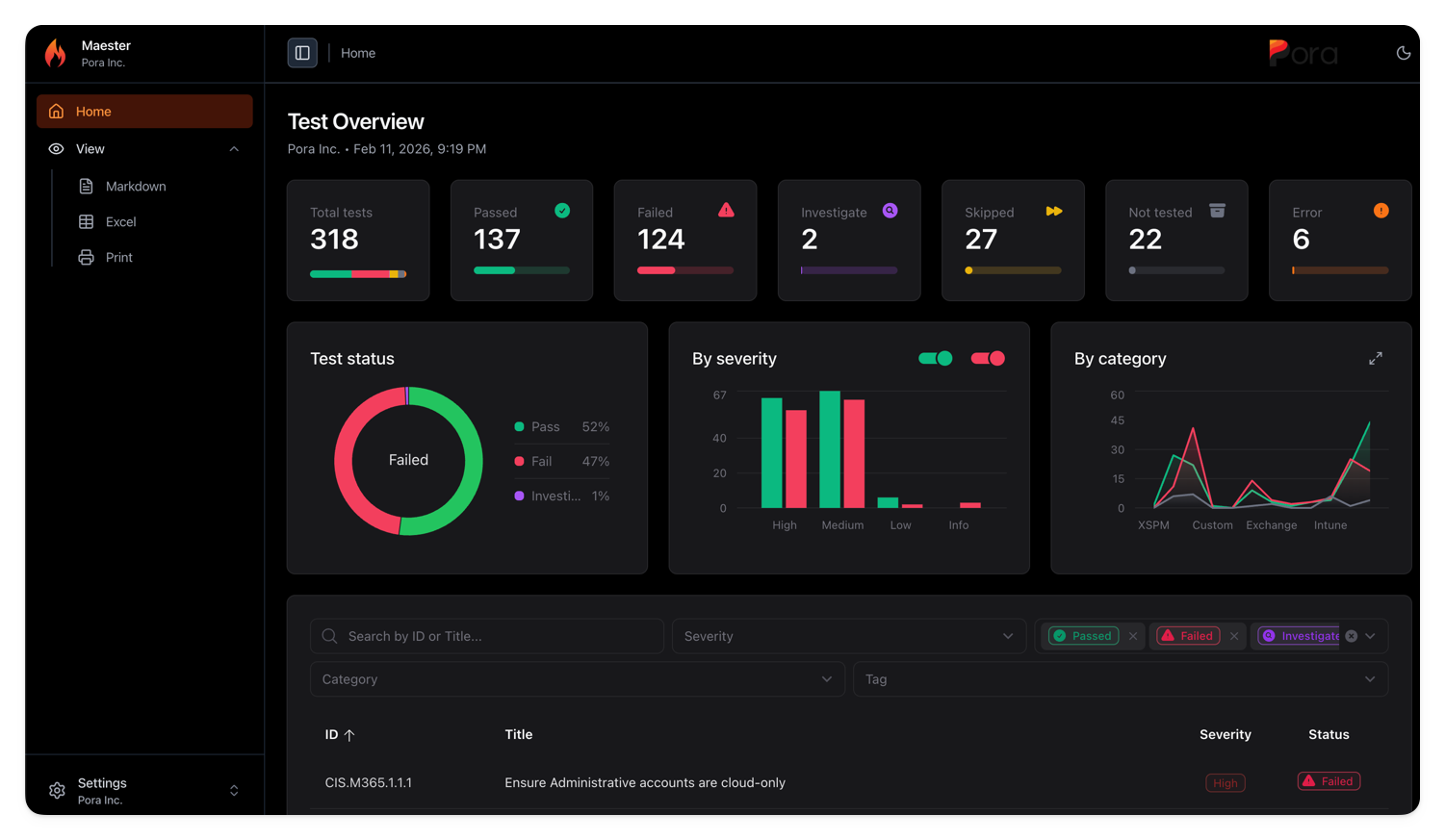
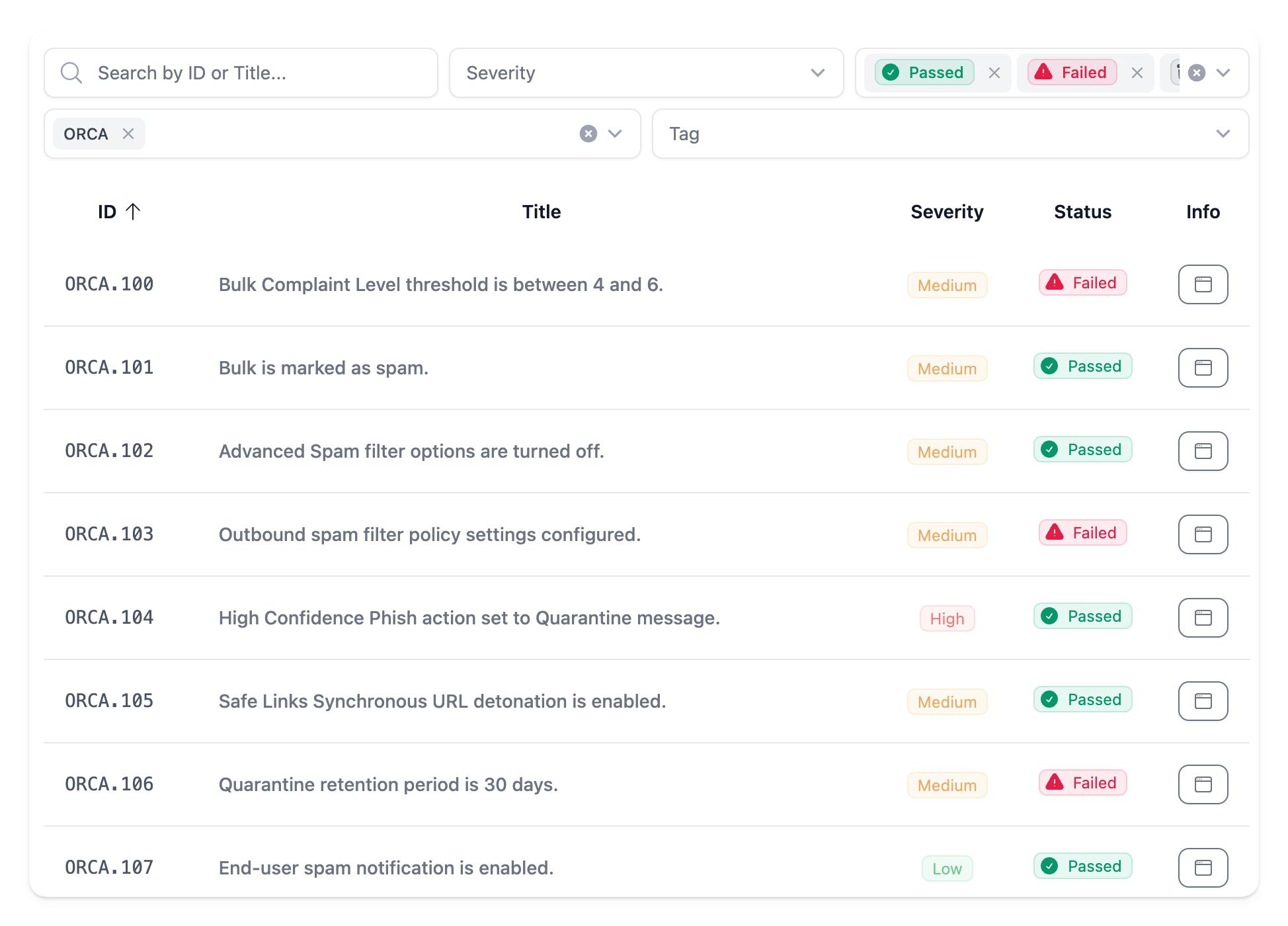
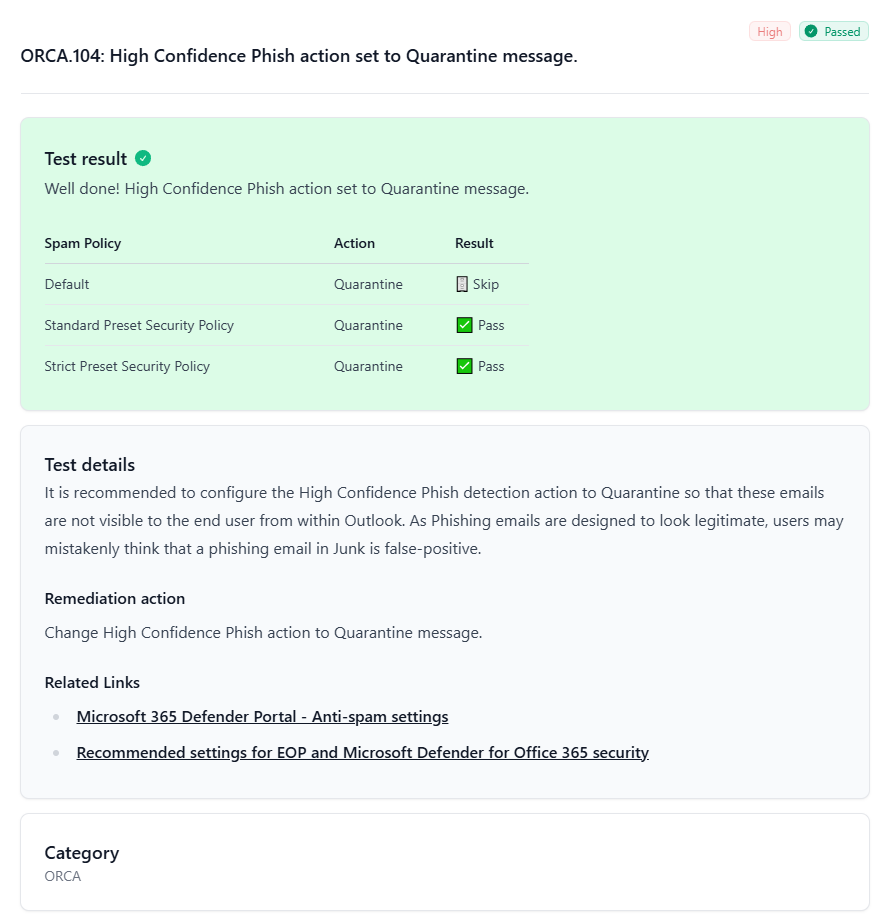
<h2 class="anchor anchorTargetStickyNavbar_Vzrq" id="new-reporting-capabilities">New Reporting Capabilities<a href="https://maester.dev/blog/maester-2-0#new-reporting-capabilities" class="hash-link" aria-label="Direct link to New Reporting Capabilities" title="Direct link to New Reporting Capabilities" translate="no">​</a></h2>
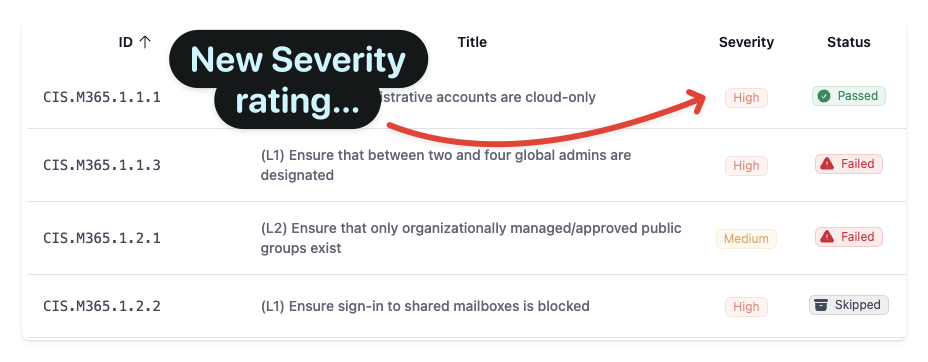
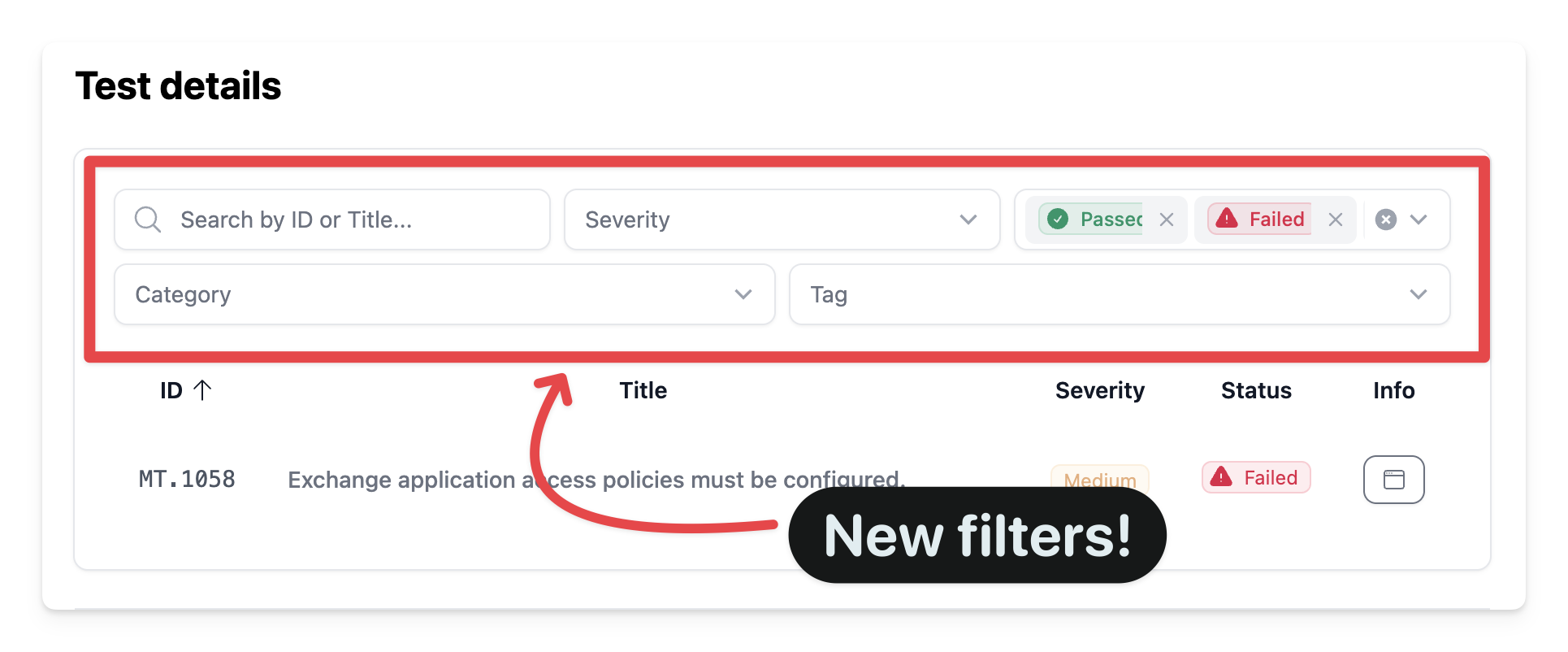
<p>The Maester report has been completely redesigned with new views and capabilities.</p>
<p><img decoding="async" loading="lazy" alt="Report Views" src="https://maester.dev/assets/images/maester-2.0-report-5120c39dde3bb454cce441328f8d0ccc.png" width="1501" height="873" class="img_ev3q"></p>
<h2 class="anchor anchorTargetStickyNavbar_Vzrq" id="-new-security-tests">🔐 New Security Tests<a href="https://maester.dev/blog/maester-2-0#-new-security-tests" class="hash-link" aria-label="Direct link to 🔐 New Security Tests" title="Direct link to 🔐 New Security Tests" translate="no">​</a></h2>
<p>We've added over 15 new tests to help you secure your Microsoft 365 environment. Here are the highlights:</p>
<h4 class="anchor anchorTargetStickyNavbar_Vzrq" id="intune-security">Intune Security<a href="https://maester.dev/blog/maester-2-0#intune-security" class="hash-link" aria-label="Direct link to Intune Security" title="Direct link to Intune Security" translate="no">​</a></h4>
<table><thead><tr><th>Test ID</th><th>Description</th></tr></thead><tbody><tr><td><strong>MT.1053</strong></td><td>Ensure intune device clean-up rule is configured</td></tr><tr><td><strong>MT.1054</strong></td><td>Ensure built-in Device Compliance Policy marks devices with no compliance policy assigned as 'Not compliant'</td></tr><tr><td><strong>MT.1092</strong></td><td>Intune APNS certificate should be valid for more than 30 days</td></tr><tr><td><strong>MT.1093</strong></td><td>Apple Automated Device Enrollment Tokens should be valid for more than 30 days</td></tr><tr><td><strong>MT.1094</strong></td><td>Apple Volume Purchase Program Tokens should be valid for more than 30 days</td></tr><tr><td><strong>MT.1095</strong></td><td>Android Enterprise account connection should be healthy</td></tr><tr><td><strong>MT.1096</strong></td><td>Ensure at least one Intune Multi Admin Approval policy is configured</td></tr><tr><td><strong>MT.1097</strong></td><td>Ensure all Intune Certificate Connectors are healthy and running supported versions</td></tr><tr><td><strong>MT.1098</strong></td><td>Mobile Threat Defense Connectors should be healthy</td></tr><tr><td><strong>MT.1099</strong></td><td>Windows Diagnostic Data Processing should be enabled</td></tr><tr><td><strong>MT.1100</strong></td><td>Intune Diagnostic Settings should include Audit Logs</td></tr><tr><td><strong>MT.1101</strong></td><td>Default Branding Profile should be customized</td></tr><tr><td><strong>MT.1102</strong></td><td>Windows Feature Update Policy Settings should not reference end of support builds</td></tr><tr><td><strong>MT.1103</strong></td><td>Ensure Intune RBAC groups are protected by Restricted Management Administrative Units or Role Assignable groups</td></tr><tr><td><strong>MT.1105</strong></td><td>Ensure MDM Authority is set to Intune</td></tr></tbody></table>
<h3 class="anchor anchorTargetStickyNavbar_Vzrq" id="identity--access-management">Identity &amp; Access Management<a href="https://maester.dev/blog/maester-2-0#identity--access-management" class="hash-link" aria-label="Direct link to Identity &amp; Access Management" title="Direct link to Identity &amp; Access Management" translate="no">​</a></h3>
<table><thead><tr><th>Test ID</th><th>Description</th></tr></thead><tbody><tr><td><strong>MT.1068</strong></td><td>Restrict non-admin users from creating tenants</td></tr><tr><td><strong>MT.1069</strong></td><td>Restrict non-admin users from creating security groups</td></tr><tr><td><strong>MT.1070</strong></td><td>Restrict device join permissions to selected users</td></tr><tr><td><strong>MT.1071</strong></td><td>Ensure Conditional Access policy covers Azure DevOps</td></tr><tr><td><strong>MT.1073</strong></td><td>Block soft/hard matching for on-prem sync objects</td></tr><tr><td><strong>MT.1074</strong></td><td>Limit onmicrosoft.com domain usage</td></tr><tr><td><strong>MT.1075</strong></td><td>Require explicit assignment of third-party Entra apps</td></tr></tbody></table>
<h3 class="anchor anchorTargetStickyNavbar_Vzrq" id="azure-security">Azure Security<a href="https://maester.dev/blog/maester-2-0#azure-security" class="hash-link" aria-label="Direct link to Azure Security" title="Direct link to Azure Security" translate="no">​</a></h3>
<table><thead><tr><th>Test ID</th><th>Description</th></tr></thead><tbody><tr><td><strong>MT.1063</strong></td><td>All App Registration owners should have MFA enabled</td></tr><tr><td><strong>MT.1065</strong></td><td>Ensure Soft Delete is enabled on Recovery Services Vaults</td></tr><tr><td><strong>MT.1083</strong></td><td>Ensure Delicensing Resiliency is enabled</td></tr></tbody></table>
<p><strong>Why it matters:</strong></p>
<ul>
<li class="">Prevent shadow IT by restricting tenant and group creation</li>
<li class="">Protect your hybrid identity by blocking on-prem sync attacks</li>
<li class="">Secure your Azure backup infrastructure</li>
</ul>
<p><strong>How to use:</strong></p>
<div class="language-powershell codeBlockContainer_Ckt0 theme-code-block" style="--prism-color:#9EFEFF;--prism-background-color:#2D2A55"><div class="codeBlockContent_QJqH"><pre tabindex="0" class="prism-code language-powershell codeBlock_bY9V thin-scrollbar" style="color:#9EFEFF;background-color:#2D2A55"><code class="codeBlockLines_e6Vv"><span class="token-line" style="color:#9EFEFF"><span class="token comment" style="color:rgb(179, 98, 255);font-style:italic"># Run all new tests</span><span class="token plain"></span><br></span><span class="token-line" style="color:#9EFEFF"><span class="token plain"></span><span class="token function" style="color:rgb(250, 208, 0)">Invoke-Maester</span><span class="token plain"> </span><span class="token operator" style="color:rgb(255, 157, 0)">-</span><span class="token plain">Tag </span><span class="token string" style="color:rgb(165, 255, 144)">"MT.1068"</span><span class="token punctuation" style="color:rgb(255, 255, 255)">,</span><span class="token plain"> </span><span class="token string" style="color:rgb(165, 255, 144)">"MT.1069"</span><span class="token punctuation" style="color:rgb(255, 255, 255)">,</span><span class="token plain"> </span><span class="token string" style="color:rgb(165, 255, 144)">"MT.1070"</span><span class="token plain"></span><br></span><span class="token-line" style="color:#9EFEFF"><span class="token plain" style="display:inline-block"></span><br></span><span class="token-line" style="color:#9EFEFF"><span class="token plain"></span><span class="token comment" style="color:rgb(179, 98, 255);font-style:italic"># Run all Entra tests</span><span class="token plain"></span><br></span><span class="token-line" style="color:#9EFEFF"><span class="token plain"></span><span class="token function" style="color:rgb(250, 208, 0)">Invoke-Maester</span><span class="token plain"> </span><span class="token operator" style="color:rgb(255, 157, 0)">-</span><span class="token plain">Tag </span><span class="token string" style="color:rgb(165, 255, 144)">"Entra"</span><br></span></code></pre></div></div>
<hr>
<h2 class="anchor anchorTargetStickyNavbar_Vzrq" id="️-microsoft-security-exposure-management-xspm-tests">🛡️ Microsoft Security Exposure Management (XSPM) Tests<a href="https://maester.dev/blog/maester-2-0#%EF%B8%8F-microsoft-security-exposure-management-xspm-tests" class="hash-link" aria-label="Direct link to 🛡️ Microsoft Security Exposure Management (XSPM) Tests" title="Direct link to 🛡️ Microsoft Security Exposure Management (XSPM) Tests" translate="no">​</a></h2>
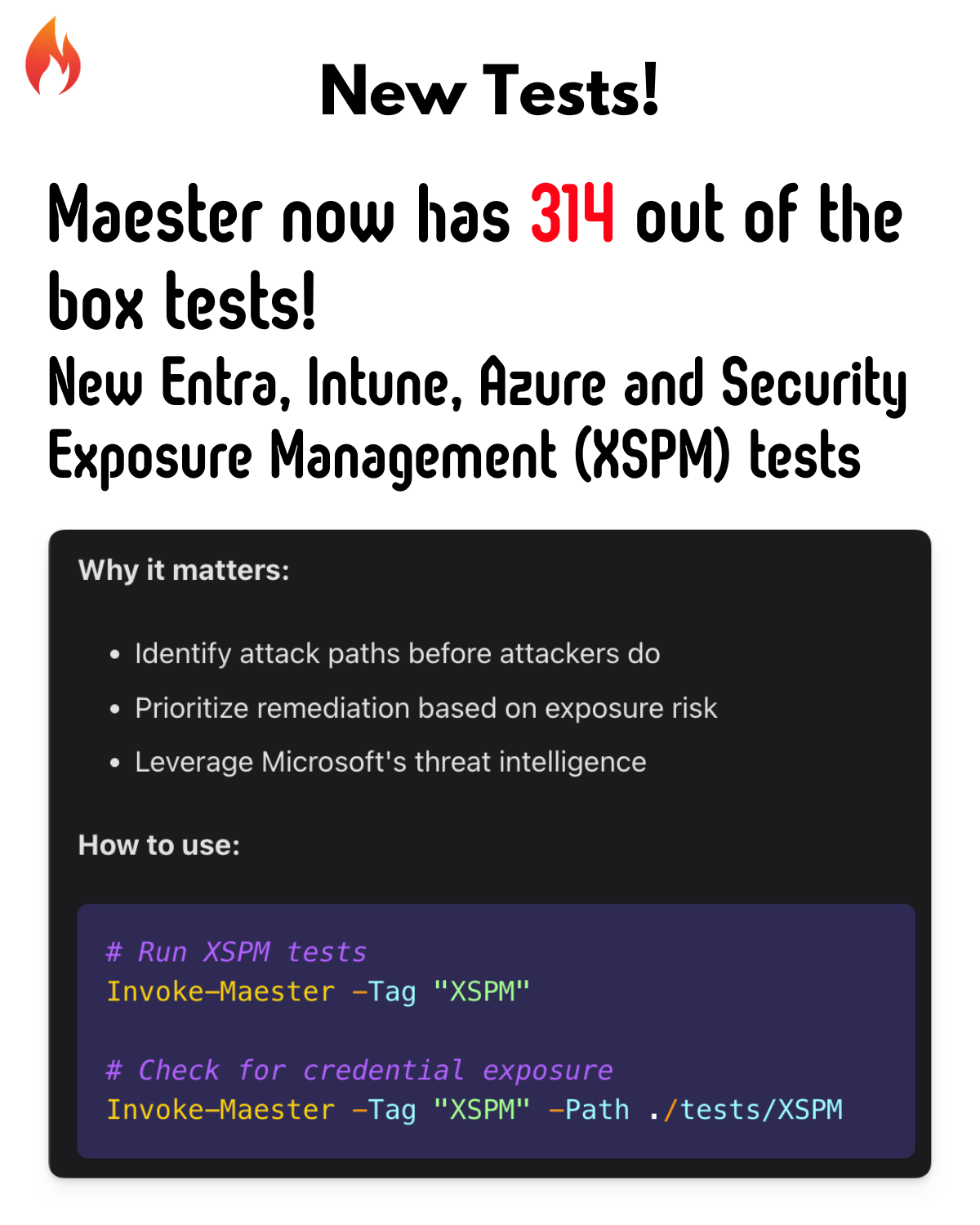
<p>A brand new category! Integrate with <strong>Microsoft Security Exposure Management</strong> to test for exposure risks across your environment.</p>
<h3 class="anchor anchorTargetStickyNavbar_Vzrq" id="new-xspm-tests">New XSPM Tests<a href="https://maester.dev/blog/maester-2-0#new-xspm-tests" class="hash-link" aria-label="Direct link to New XSPM Tests" title="Direct link to New XSPM Tests" translate="no">​</a></h3>
<table><thead><tr><th>Test</th><th>Description</th></tr></thead><tbody><tr><td><strong>Privileged API Owners</strong></td><td>App registrations with privileged API permissions and external owners</td></tr><tr><td><strong>Privileged Role Owners</strong></td><td>Apps with privileged roles and external owners</td></tr><tr><td><strong>Unused Permissions</strong></td><td>Apps with privileged but unused permissions</td></tr><tr><td><strong>Credential Guard</strong></td><td>Devices with critical credentials not protected by Credential Guard</td></tr><tr><td><strong>TPM Protection</strong></td><td>Devices with critical credentials not protected by TPM</td></tr><tr><td><strong>Exposed Credentials</strong></td><td>Privileged users with exposed credentials</td></tr><tr><td><strong>Hybrid Role Assignments</strong></td><td>Hybrid users with assigned Entra ID roles</td></tr><tr><td><strong>High Exposure Devices</strong></td><td>Publicly exploitable devices with high exposure scores</td></tr></tbody></table>
<p><strong>Why it matters:</strong></p>
<ul>
<li class="">Identify attack paths before attackers do</li>
<li class="">Prioritize remediation based on exposure risk</li>
<li class="">Leverage Microsoft's threat intelligence</li>
</ul>
<p><strong>How to use:</strong></p>
<div class="language-powershell codeBlockContainer_Ckt0 theme-code-block" style="--prism-color:#9EFEFF;--prism-background-color:#2D2A55"><div class="codeBlockContent_QJqH"><pre tabindex="0" class="prism-code language-powershell codeBlock_bY9V thin-scrollbar" style="color:#9EFEFF;background-color:#2D2A55"><code class="codeBlockLines_e6Vv"><span class="token-line" style="color:#9EFEFF"><span class="token comment" style="color:rgb(179, 98, 255);font-style:italic"># Run XSPM tests</span><span class="token plain"></span><br></span><span class="token-line" style="color:#9EFEFF"><span class="token plain"></span><span class="token function" style="color:rgb(250, 208, 0)">Invoke-Maester</span><span class="token plain"> </span><span class="token operator" style="color:rgb(255, 157, 0)">-</span><span class="token plain">Tag </span><span class="token string" style="color:rgb(165, 255, 144)">"XSPM"</span><span class="token plain"></span><br></span><span class="token-line" style="color:#9EFEFF"><span class="token plain" style="display:inline-block"></span><br></span><span class="token-line" style="color:#9EFEFF"><span class="token plain"></span><span class="token comment" style="color:rgb(179, 98, 255);font-style:italic"># Check for credential exposure</span><span class="token plain"></span><br></span><span class="token-line" style="color:#9EFEFF"><span class="token plain"></span><span class="token function" style="color:rgb(250, 208, 0)">Invoke-Maester</span><span class="token plain"> </span><span class="token operator" style="color:rgb(255, 157, 0)">-</span><span class="token plain">Tag </span><span class="token string" style="color:rgb(165, 255, 144)">"XSPM"</span><span class="token plain"> </span><span class="token operator" style="color:rgb(255, 157, 0)">-</span><span class="token plain">Path </span><span class="token punctuation" style="color:rgb(255, 255, 255)">.</span><span class="token operator" style="color:rgb(255, 157, 0)">/</span><span class="token plain">tests/XSPM</span><br></span></code></pre></div></div>
<hr>
<h2 class="anchor anchorTargetStickyNavbar_Vzrq" id="-enhanced-html-report">📊 Enhanced HTML Report<a href="https://maester.dev/blog/maester-2-0#-enhanced-html-report" class="hash-link" aria-label="Direct link to 📊 Enhanced HTML Report" title="Direct link to 📊 Enhanced HTML Report" translate="no">​</a></h2>
<p>The Maester report has been completely redesigned with new views and capabilities.</p>
<h3 class="anchor anchorTargetStickyNavbar_Vzrq" id="new-report-features">New Report Features<a href="https://maester.dev/blog/maester-2-0#new-report-features" class="hash-link" aria-label="Direct link to New Report Features" title="Direct link to New Report Features" translate="no">​</a></h3>
<table><thead><tr><th>Feature</th><th>Description</th></tr></thead><tbody><tr><td><strong>Print View</strong></td><td>Clean, printer-friendly format for executive reports</td></tr><tr><td><strong>Markdown Export</strong></td><td>Copy results as markdown for docs and tickets</td></tr><tr><td><strong>Excel Export</strong></td><td>Download test results for further analysis</td></tr><tr><td><strong>Config Editor</strong></td><td>View and manage test configurations in the report</td></tr><tr><td><strong>Severity Charts</strong></td><td>Visual breakdown of issues by severity</td></tr><tr><td><strong>Dark Mode</strong></td><td>Beautiful dark mode for late-night security reviews</td></tr></tbody></table>
<p><strong>Why it matters:</strong></p>
<ul>
<li class="">Share results with stakeholders in their preferred format</li>
<li class="">Track remediation progress over time</li>
<li class="">Present findings to leadership with professional reports</li>
</ul>
<p><strong>How to use:</strong></p>
<div class="language-powershell codeBlockContainer_Ckt0 theme-code-block" style="--prism-color:#9EFEFF;--prism-background-color:#2D2A55"><div class="codeBlockContent_QJqH"><pre tabindex="0" class="prism-code language-powershell codeBlock_bY9V thin-scrollbar" style="color:#9EFEFF;background-color:#2D2A55"><code class="codeBlockLines_e6Vv"><span class="token-line" style="color:#9EFEFF"><span class="token comment" style="color:rgb(179, 98, 255);font-style:italic"># Generate the enhanced report</span><span class="token plain"></span><br></span><span class="token-line" style="color:#9EFEFF"><span class="token plain"></span><span class="token function" style="color:rgb(250, 208, 0)">Invoke-Maester</span><span class="token plain"> </span><span class="token operator" style="color:rgb(255, 157, 0)">-</span><span class="token plain">OutputFolder </span><span class="token punctuation" style="color:rgb(255, 255, 255)">.</span><span class="token operator" style="color:rgb(255, 157, 0)">/</span><span class="token plain">results</span><br></span><span class="token-line" style="color:#9EFEFF"><span class="token plain" style="display:inline-block"></span><br></span><span class="token-line" style="color:#9EFEFF"><span class="token plain"></span><span class="token comment" style="color:rgb(179, 98, 255);font-style:italic"># Open the HTML report and explore the new views</span><span class="token plain"></span><br></span><span class="token-line" style="color:#9EFEFF"><span class="token plain"></span><span class="token comment" style="color:rgb(179, 98, 255);font-style:italic"># Click the tabs: Print | Markdown | Excel | Config</span><br></span></code></pre></div></div>
<hr>
<h2 class="anchor anchorTargetStickyNavbar_Vzrq" id="-emergency-access-accounts">🚨 Emergency Access Accounts<a href="https://maester.dev/blog/maester-2-0#-emergency-access-accounts" class="hash-link" aria-label="Direct link to 🚨 Emergency Access Accounts" title="Direct link to 🚨 Emergency Access Accounts" translate="no">​</a></h2>
<p>Define your break-glass accounts in the Maester configuration to improve test accuracy.</p>
<p><strong>Why it matters:</strong></p>
<ul>
<li class="">Tests correctly identify your emergency access accounts</li>
<li class="">No more false positives on Conditional Access exclusions</li>
<li class="">Audit trail for break-glass account usage</li>
</ul>
<p><strong>How to use:</strong></p>
<p>Edit your <code>maester-config.json</code>:</p>
<div class="language-json codeBlockContainer_Ckt0 theme-code-block" style="--prism-color:#9EFEFF;--prism-background-color:#2D2A55"><div class="codeBlockContent_QJqH"><pre tabindex="0" class="prism-code language-json codeBlock_bY9V thin-scrollbar" style="color:#9EFEFF;background-color:#2D2A55"><code class="codeBlockLines_e6Vv"><span class="token-line" style="color:#9EFEFF"><span class="token punctuation" style="color:rgb(255, 255, 255)">{</span><span class="token plain"></span><br></span><span class="token-line" style="color:#9EFEFF"><span class="token plain">  </span><span class="token property" style="color:rgb(255, 157, 0)">"GlobalSettings"</span><span class="token operator" style="color:rgb(255, 157, 0)">:</span><span class="token plain"> </span><span class="token punctuation" style="color:rgb(255, 255, 255)">{</span><span class="token plain"></span><br></span><span class="token-line" style="color:#9EFEFF"><span class="token plain">    </span><span class="token property" style="color:rgb(255, 157, 0)">"EmergencyAccessAccounts"</span><span class="token operator" style="color:rgb(255, 157, 0)">:</span><span class="token plain"> </span><span class="token punctuation" style="color:rgb(255, 255, 255)">[</span><span class="token plain"></span><br></span><span class="token-line" style="color:#9EFEFF"><span class="token plain">      </span><span class="token string" style="color:rgb(165, 255, 144)">"emergency-admin@contoso.com"</span><span class="token punctuation" style="color:rgb(255, 255, 255)">,</span><span class="token plain"></span><br></span><span class="token-line" style="color:#9EFEFF"><span class="token plain">      </span><span class="token string" style="color:rgb(165, 255, 144)">"break-glass-group-id"</span><span class="token plain"></span><br></span><span class="token-line" style="color:#9EFEFF"><span class="token plain">    </span><span class="token punctuation" style="color:rgb(255, 255, 255)">]</span><span class="token plain"></span><br></span><span class="token-line" style="color:#9EFEFF"><span class="token plain">  </span><span class="token punctuation" style="color:rgb(255, 255, 255)">}</span><span class="token plain"></span><br></span><span class="token-line" style="color:#9EFEFF"><span class="token plain"></span><span class="token punctuation" style="color:rgb(255, 255, 255)">}</span><br></span></code></pre></div></div>
<p>Then run your tests:</p>
<div class="language-powershell codeBlockContainer_Ckt0 theme-code-block" style="--prism-color:#9EFEFF;--prism-background-color:#2D2A55"><div class="codeBlockContent_QJqH"><pre tabindex="0" class="prism-code language-powershell codeBlock_bY9V thin-scrollbar" style="color:#9EFEFF;background-color:#2D2A55"><code class="codeBlockLines_e6Vv"><span class="token-line" style="color:#9EFEFF"><span class="token function" style="color:rgb(250, 208, 0)">Invoke-Maester</span><span class="token plain"></span><br></span><span class="token-line" style="color:#9EFEFF"><span class="token plain"></span><span class="token comment" style="color:rgb(179, 98, 255);font-style:italic"># Tests will now recognize your defined emergency access accounts</span><br></span></code></pre></div></div>
<hr>
<h2 class="anchor anchorTargetStickyNavbar_Vzrq" id="-maester-app-management">⚡ Maester App Management<a href="https://maester.dev/blog/maester-2-0#-maester-app-management" class="hash-link" aria-label="Direct link to ⚡ Maester App Management" title="Direct link to ⚡ Maester App Management" translate="no">​</a></h2>
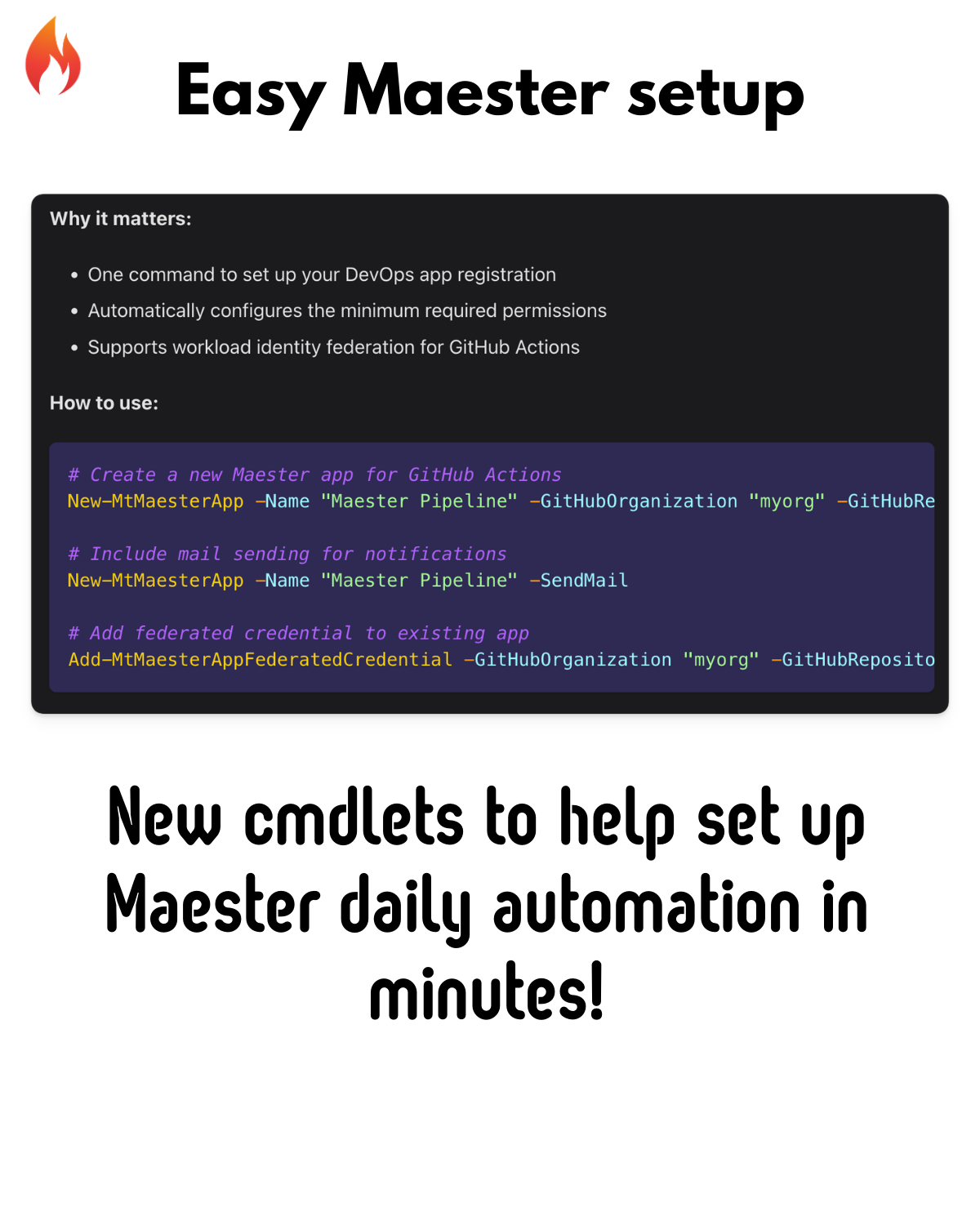
<p>New cmdlets to simplify setting up Maester for DevOps pipelines.</p>
<h3 class="anchor anchorTargetStickyNavbar_Vzrq" id="new-commands">New Commands<a href="https://maester.dev/blog/maester-2-0#new-commands" class="hash-link" aria-label="Direct link to New Commands" title="Direct link to New Commands" translate="no">​</a></h3>
<table><thead><tr><th>Command</th><th>Description</th></tr></thead><tbody><tr><td><code>New-MtMaesterApp</code></td><td>Create a Maester app with required permissions</td></tr><tr><td><code>Get-MtMaesterApp</code></td><td>Retrieve existing Maester app details</td></tr><tr><td><code>Update-MtMaesterApp</code></td><td>Update app permissions and settings</td></tr><tr><td><code>Add-MtMaesterAppFederatedCredential</code></td><td>Add GitHub Actions federated credentials</td></tr></tbody></table>
<p><strong>Why it matters:</strong></p>
<ul>
<li class="">One command to set up your DevOps app registration</li>
<li class="">Automatically configures the minimum required permissions</li>
<li class="">Supports workload identity federation for GitHub Actions</li>
</ul>
<p><strong>How to use:</strong></p>
<div class="language-powershell codeBlockContainer_Ckt0 theme-code-block" style="--prism-color:#9EFEFF;--prism-background-color:#2D2A55"><div class="codeBlockContent_QJqH"><pre tabindex="0" class="prism-code language-powershell codeBlock_bY9V thin-scrollbar" style="color:#9EFEFF;background-color:#2D2A55"><code class="codeBlockLines_e6Vv"><span class="token-line" style="color:#9EFEFF"><span class="token comment" style="color:rgb(179, 98, 255);font-style:italic"># Create a new Maester app for GitHub Actions</span><span class="token plain"></span><br></span><span class="token-line" style="color:#9EFEFF"><span class="token plain"></span><span class="token function" style="color:rgb(250, 208, 0)">New-MtMaesterApp</span><span class="token plain"> </span><span class="token operator" style="color:rgb(255, 157, 0)">-</span><span class="token plain">Name </span><span class="token string" style="color:rgb(165, 255, 144)">"Maester Pipeline"</span><span class="token plain"> </span><span class="token operator" style="color:rgb(255, 157, 0)">-</span><span class="token plain">GitHubOrganization </span><span class="token string" style="color:rgb(165, 255, 144)">"myorg"</span><span class="token plain"> </span><span class="token operator" style="color:rgb(255, 157, 0)">-</span><span class="token plain">GitHubRepository </span><span class="token string" style="color:rgb(165, 255, 144)">"maester-tests"</span><span class="token plain"></span><br></span><span class="token-line" style="color:#9EFEFF"><span class="token plain" style="display:inline-block"></span><br></span><span class="token-line" style="color:#9EFEFF"><span class="token plain"></span><span class="token comment" style="color:rgb(179, 98, 255);font-style:italic"># Include mail sending for notifications</span><span class="token plain"></span><br></span><span class="token-line" style="color:#9EFEFF"><span class="token plain"></span><span class="token function" style="color:rgb(250, 208, 0)">New-MtMaesterApp</span><span class="token plain"> </span><span class="token operator" style="color:rgb(255, 157, 0)">-</span><span class="token plain">Name </span><span class="token string" style="color:rgb(165, 255, 144)">"Maester Pipeline"</span><span class="token plain"> </span><span class="token operator" style="color:rgb(255, 157, 0)">-</span><span class="token plain">SendMail</span><br></span><span class="token-line" style="color:#9EFEFF"><span class="token plain" style="display:inline-block"></span><br></span><span class="token-line" style="color:#9EFEFF"><span class="token plain"></span><span class="token comment" style="color:rgb(179, 98, 255);font-style:italic"># Add federated credential to existing app</span><span class="token plain"></span><br></span><span class="token-line" style="color:#9EFEFF"><span class="token plain"></span><span class="token function" style="color:rgb(250, 208, 0)">Add-MtMaesterAppFederatedCredential</span><span class="token plain"> </span><span class="token operator" style="color:rgb(255, 157, 0)">-</span><span class="token plain">GitHubOrganization </span><span class="token string" style="color:rgb(165, 255, 144)">"myorg"</span><span class="token plain"> </span><span class="token operator" style="color:rgb(255, 157, 0)">-</span><span class="token plain">GitHubRepository </span><span class="token string" style="color:rgb(165, 255, 144)">"maester-tests"</span><br></span></code></pre></div></div>
<hr>
<h2 class="anchor anchorTargetStickyNavbar_Vzrq" id="-test-inventory-discovery">🔍 Test Inventory Discovery<a href="https://maester.dev/blog/maester-2-0#-test-inventory-discovery" class="hash-link" aria-label="Direct link to 🔍 Test Inventory Discovery" title="Direct link to 🔍 Test Inventory Discovery" translate="no">​</a></h2>
<p>A new command to discover and explore available tests.</p>
<p><strong>Why it matters:</strong></p>
<ul>
<li class="">Understand what tests are available before running</li>
<li class="">Filter tests by tags or capabilities</li>
<li class="">Export inventory for documentation</li>
</ul>
<p><strong>How to use:</strong></p>
<div class="language-powershell codeBlockContainer_Ckt0 theme-code-block" style="--prism-color:#9EFEFF;--prism-background-color:#2D2A55"><div class="codeBlockContent_QJqH"><pre tabindex="0" class="prism-code language-powershell codeBlock_bY9V thin-scrollbar" style="color:#9EFEFF;background-color:#2D2A55"><code class="codeBlockLines_e6Vv"><span class="token-line" style="color:#9EFEFF"><span class="token comment" style="color:rgb(179, 98, 255);font-style:italic"># Get all available tests grouped by tag</span><span class="token plain"></span><br></span><span class="token-line" style="color:#9EFEFF"><span class="token plain"></span><span class="token variable" style="color:rgb(255, 238, 128)">$inventory</span><span class="token plain"> = </span><span class="token function" style="color:rgb(250, 208, 0)">Get-MtTestInventory</span><span class="token plain"></span><br></span><span class="token-line" style="color:#9EFEFF"><span class="token plain" style="display:inline-block"></span><br></span><span class="token-line" style="color:#9EFEFF"><span class="token plain"></span><span class="token comment" style="color:rgb(179, 98, 255);font-style:italic"># View tests for a specific tag</span><span class="token plain"></span><br></span><span class="token-line" style="color:#9EFEFF"><span class="token plain"></span><span class="token variable" style="color:rgb(255, 238, 128)">$inventory</span><span class="token punctuation" style="color:rgb(255, 255, 255)">[</span><span class="token string" style="color:rgb(165, 255, 144)">'CIS'</span><span class="token punctuation" style="color:rgb(255, 255, 255)">]</span><span class="token plain"></span><br></span><span class="token-line" style="color:#9EFEFF"><span class="token plain" style="display:inline-block"></span><br></span><span class="token-line" style="color:#9EFEFF"><span class="token plain"></span><span class="token comment" style="color:rgb(179, 98, 255);font-style:italic"># Export inventory to CSV</span><span class="token plain"></span><br></span><span class="token-line" style="color:#9EFEFF"><span class="token plain"></span><span class="token function" style="color:rgb(250, 208, 0)">Get-MtTestInventory</span><span class="token plain"> </span><span class="token operator" style="color:rgb(255, 157, 0)">-</span><span class="token plain">OutputType CSV </span><span class="token operator" style="color:rgb(255, 157, 0)">-</span><span class="token plain">ExportPath </span><span class="token punctuation" style="color:rgb(255, 255, 255)">.</span><span class="token operator" style="color:rgb(255, 157, 0)">/</span><span class="token plain">TestInventory</span><span class="token punctuation" style="color:rgb(255, 255, 255)">.</span><span class="token plain">csv</span><br></span></code></pre></div></div>
<hr>
<h2 class="anchor anchorTargetStickyNavbar_Vzrq" id="-improvements--fixes">🔧 Improvements &amp; Fixes<a href="https://maester.dev/blog/maester-2-0#-improvements--fixes" class="hash-link" aria-label="Direct link to 🔧 Improvements &amp; Fixes" title="Direct link to 🔧 Improvements &amp; Fixes" translate="no">​</a></h2>
<h3 class="anchor anchorTargetStickyNavbar_Vzrq" id="performance">Performance<a href="https://maester.dev/blog/maester-2-0#performance" class="hash-link" aria-label="Direct link to Performance" title="Direct link to Performance" translate="no">​</a></h3>
<ul>
<li class="">Optimized <code>Invoke-MtGraphRequest</code> for faster batch operations</li>
<li class="">Improved <code>ConvertTo-QueryString</code> with better null handling</li>
</ul>
<h3 class="anchor anchorTargetStickyNavbar_Vzrq" id="cisa-compliance">CISA Compliance<a href="https://maester.dev/blog/maester-2-0#cisa-compliance" class="hash-link" aria-label="Direct link to CISA Compliance" title="Direct link to CISA Compliance" translate="no">​</a></h3>
<ul>
<li class="">Enhanced CISA test accuracy and reliability</li>
<li class="">Individual test IDs for CA What-If analysis</li>
</ul>
<h3 class="anchor anchorTargetStickyNavbar_Vzrq" id="cis-benchmarks">CIS Benchmarks<a href="https://maester.dev/blog/maester-2-0#cis-benchmarks" class="hash-link" aria-label="Direct link to CIS Benchmarks" title="Direct link to CIS Benchmarks" translate="no">​</a></h3>
<ul>
<li class="">Improved DKIM test with skip logic for onmicrosoft.com domains</li>
<li class="">Cleaner test names without level numbers for better readability</li>
</ul>
<h3 class="anchor anchorTargetStickyNavbar_Vzrq" id="defender-for-identity">Defender for Identity<a href="https://maester.dev/blog/maester-2-0#defender-for-identity" class="hash-link" aria-label="Direct link to Defender for Identity" title="Direct link to Defender for Identity" translate="no">​</a></h3>
<ul>
<li class="">Refactored health issue detection</li>
<li class="">Better integration with MDI alerts</li>
</ul>
<hr>
<h2 class="anchor anchorTargetStickyNavbar_Vzrq" id="-thank-you-to-our-contributors">🙏 Thank You to Our Contributors<a href="https://maester.dev/blog/maester-2-0#-thank-you-to-our-contributors" class="hash-link" aria-label="Direct link to 🙏 Thank You to Our Contributors" title="Direct link to 🙏 Thank You to Our Contributors" translate="no">​</a></h2>
<p>This release wouldn't be possible without our amazing community:</p>
<ul>
<li class="">@tdcthosc - CISA improvements, CIS refactors, Invoke-Maester enhancements</li>
<li class="">@f-bader - Emergency access accounts feature</li>
<li class="">@HenrikPiecha - MT.1070, MT.1071, MT.1073 tests</li>
<li class="">@marcel-ngn - MT.1068, MT.1069 tests</li>
<li class="">@RobbeVandenDaele - XSPM device checks</li>
<li class="">@SamErde - Bug fixes and workflow improvements</li>
<li class="">@brianveldman - Azure security tests</li>
<li class="">@l-gosling - GitLab and Teams integration</li>
<li class="">@kij - HTML report improvements</li>
<li class="">And many more!</li>
</ul>
<hr>
<h2 class="anchor anchorTargetStickyNavbar_Vzrq" id="-get-started">🚀 Get Started<a href="https://maester.dev/blog/maester-2-0#-get-started" class="hash-link" aria-label="Direct link to 🚀 Get Started" title="Direct link to 🚀 Get Started" translate="no">​</a></h2>
<p>Update to Maester 2.0 today:</p>
<div class="language-powershell codeBlockContainer_Ckt0 theme-code-block" style="--prism-color:#9EFEFF;--prism-background-color:#2D2A55"><div class="codeBlockContent_QJqH"><pre tabindex="0" class="prism-code language-powershell codeBlock_bY9V thin-scrollbar" style="color:#9EFEFF;background-color:#2D2A55"><code class="codeBlockLines_e6Vv"><span class="token-line" style="color:#9EFEFF"><span class="token comment" style="color:rgb(179, 98, 255);font-style:italic"># Update the Maester module</span><span class="token plain"></span><br></span><span class="token-line" style="color:#9EFEFF"><span class="token plain"></span><span class="token function" style="color:rgb(250, 208, 0)">Update-Module</span><span class="token plain"> Maester </span><span class="token operator" style="color:rgb(255, 157, 0)">-</span><span class="token plain">Force</span><br></span><span class="token-line" style="color:#9EFEFF"><span class="token plain" style="display:inline-block"></span><br></span><span class="token-line" style="color:#9EFEFF"><span class="token plain"></span><span class="token comment" style="color:rgb(179, 98, 255);font-style:italic"># Update your test files</span><span class="token plain"></span><br></span><span class="token-line" style="color:#9EFEFF"><span class="token plain">cd maester-tests</span><br></span><span class="token-line" style="color:#9EFEFF"><span class="token plain"></span><span class="token function" style="color:rgb(250, 208, 0)">Update-MaesterTests</span><span class="token plain"></span><br></span><span class="token-line" style="color:#9EFEFF"><span class="token plain" style="display:inline-block"></span><br></span><span class="token-line" style="color:#9EFEFF"><span class="token plain"></span><span class="token comment" style="color:rgb(179, 98, 255);font-style:italic"># Run the tests with the new features</span><span class="token plain"></span><br></span><span class="token-line" style="color:#9EFEFF"><span class="token plain"></span><span class="token function" style="color:rgb(250, 208, 0)">Invoke-Maester</span><br></span></code></pre></div></div>
<hr>
<h2 class="anchor anchorTargetStickyNavbar_Vzrq" id="-learn-more">📚 Learn More<a href="https://maester.dev/blog/maester-2-0#-learn-more" class="hash-link" aria-label="Direct link to 📚 Learn More" title="Direct link to 📚 Learn More" translate="no">​</a></h2>
<ul>
<li class=""><a href="https://maester.dev/docs" target="_blank" rel="noopener noreferrer" class="">Maester Documentation</a></li>
<li class=""><a href="https://github.com/maester365/maester" target="_blank" rel="noopener noreferrer" class="">GitHub Repository</a></li>
<li class=""><a href="https://discord.gg/maester" target="_blank" rel="noopener noreferrer" class="">Join us on Discord</a></li>
</ul>
<p>Have feedback or found a bug? <a href="https://github.com/maester365/maester/issues" target="_blank" rel="noopener noreferrer" class="">Open an issue</a> on GitHub!</p>
<p>Happy testing! 🎉</p>]]></content>
        <author>
            <name>Maester Team</name>
            <uri>https://github.com/maester365</uri>
        </author>
        <category label="maester" term="maester"/>
        <category label="release" term="release"/>
        <category label="security" term="security"/>
        <category label="entra" term="entra"/>
        <category label="m365" term="m365"/>
    </entry>
    <entry>
        <title type="html"><![CDATA[The end of code signing]]></title>
        <id>https://maester.dev/blog/the-end-of-code-signing</id>
        <link href="https://maester.dev/blog/the-end-of-code-signing"/>
        <updated>2025-11-01T00:00:00.000Z</updated>
        <summary type="html"><![CDATA[An announcement that the Maester module code will no longer be signed.]]></summary>
        <content type="html"><![CDATA[<p>When we started with Maester, we were in the luxurious position to use a code signing certificate for all published versions. This, sadly, ends today.</p>
<h2 class="anchor anchorTargetStickyNavbar_Vzrq" id="code-signing-and-powershell">Code signing and PowerShell<a href="https://maester.dev/blog/the-end-of-code-signing#code-signing-and-powershell" class="hash-link" aria-label="Direct link to Code signing and PowerShell" title="Direct link to Code signing and PowerShell" translate="no">​</a></h2>
<p>Regardless if you publish a PowerShell module to the PowerShell gallery or just have a PowerShell script in your home folder, the code in those files, normally is just that, code. But if you have a code signing certificate from a trusted certification authority, you can use this to sign the PowerShell files, which allows anybody else to verify that nobody has tampered with the contents.</p>
<p>This concept is great in theory, but has a few downsides:</p>
<ul>
<li class="">Code Signing certificates are very expensive.</li>
<li class="">With the recent changes to code signing certificates, they have to reside inside a HSM, adding operational cost.</li>
<li class="">As an open source project you might sign code that is not yours.</li>
</ul>
<p>The current code signing certificate that Fabian offered at the beginning still has a few months until it's no longer valid, but at the end of this period it won't be extended anymore. Therefore we had to make the decision if we want to sign Maester going forward. There are a few projects out there that offer code signing to open source tools for free, but there are a lot of requirements regarding external code sources that made this road unfeasible for us.</p>
<p>In the end, code signing a PowerShell module adds some value, but the cost outweighs the need, and we decided to stop now.</p>
<p>Starting from version <strong>1.4.0</strong> and any pre-release starting from <strong>1.3.101</strong>, the module will no longer be signed.</p>
<h3 class="anchor anchorTargetStickyNavbar_Vzrq" id="why-should-i-care">Why should I care?<a href="https://maester.dev/blog/the-end-of-code-signing#why-should-i-care" class="hash-link" aria-label="Direct link to Why should I care?" title="Direct link to Why should I care?" translate="no">​</a></h3>
<p>If you use Maester in a CI/CD pipeline with managed workers, nothing will noticeably change. The workers don't persist the module information after running, it and the next run will go through the module installation like always.</p>
<p>But if you have Maester installed on your own machine, PowerShell will throw the following error, calling out that the new version is no longer signed.</p>
<div class="language-powershell codeBlockContainer_Ckt0 theme-code-block" style="--prism-color:#9EFEFF;--prism-background-color:#2D2A55"><div class="codeBlockContent_QJqH"><pre tabindex="0" class="prism-code language-powershell codeBlock_bY9V thin-scrollbar" style="color:#9EFEFF;background-color:#2D2A55"><code class="codeBlockLines_e6Vv"><span class="token-line" style="color:#9EFEFF"><span class="token function" style="color:rgb(250, 208, 0)">Update-Module</span><span class="token plain"> Maester </span><span class="token operator" style="color:rgb(255, 157, 0)">-</span><span class="token plain">AllowPrerelease</span><br></span></code></pre></div></div>
<p><img decoding="async" loading="lazy" alt="Install-Package: The version &amp;#39;1.3.105&amp;#39; of the module &amp;#39;Maester&amp;#39; being installed is not catalog signed. Ensure that the version &amp;#39;1.3.105&amp;#39; of the module &amp;#39;Maester&amp;#39; has the catalog file &amp;#39;Maester.cat&amp;#39; and signed with the same publisher &amp;#39;CN=Fabian Bader,
O=Fabian Bader, L=Hamburg, C=DE&amp;#39; as the previously-installed module &amp;#39;Maester&amp;#39; with version &amp;#39;1.3.0&amp;#39; under the directory &amp;#39;C:\Users\Fabian\Documents\PowerShell\Modules\Maester\1.3.0&amp;#39;. If you still want to install or update, use -SkipPublisherCheck parameter." src="https://maester.dev/assets/images/errormessage-0803afe1513efb3d66fcea1aa1753ba3.png" width="1115" height="183" class="img_ev3q"></p>
<blockquote>
<p>Install-Package: The version '1.3.105' of the module 'Maester' being installed is not catalog signed. Ensure that the version '1.3.105' of the module 'Maester' has the catalog file 'Maester.cat' and signed with the same publisher 'CN=Fabian Bader, O=Fabian Bader, L=Hamburg, C=DE' as the previously-installed module 'Maester' with version '1.3.0' under the directory 'C:\Users\Fabian\Documents\PowerShell\Modules\Maester\1.3.0'. If you still want to install or update, use -SkipPublisherCheck parameter.</p>
</blockquote>
<p>Sadly, the <code>-SkipPublisherCheck</code> switch is not available for the <code>Update-Module</code> cmdlet.</p>
<h3 class="anchor anchorTargetStickyNavbar_Vzrq" id="solution">Solution<a href="https://maester.dev/blog/the-end-of-code-signing#solution" class="hash-link" aria-label="Direct link to Solution" title="Direct link to Solution" translate="no">​</a></h3>
<p>The solution is to install the new version once with:</p>
<div class="language-powershell codeBlockContainer_Ckt0 theme-code-block" style="--prism-color:#9EFEFF;--prism-background-color:#2D2A55"><div class="codeBlockContent_QJqH"><pre tabindex="0" class="prism-code language-powershell codeBlock_bY9V thin-scrollbar" style="color:#9EFEFF;background-color:#2D2A55"><code class="codeBlockLines_e6Vv"><span class="token-line" style="color:#9EFEFF"><span class="token function" style="color:rgb(250, 208, 0)">Install-Module</span><span class="token plain"> Maester </span><span class="token operator" style="color:rgb(255, 157, 0)">-</span><span class="token plain">AllowPrerelease </span><span class="token operator" style="color:rgb(255, 157, 0)">-</span><span class="token plain">Force </span><span class="token operator" style="color:rgb(255, 157, 0)">-</span><span class="token plain">SkipPublisherCheck</span><br></span></code></pre></div></div>
<p>We gladly welcome any <a href="https://github.com/maester365/maester/discussions" target="_blank" rel="noopener noreferrer" class="">feedback</a> or <a href="https://github.com/maester365/maester/issues" target="_blank" rel="noopener noreferrer" class="">suggestions for improvements</a>. You can also join our community on <a href="https://discord.gg/CQs76Wa9" target="_blank" rel="noopener noreferrer" class="">Discord</a>. Thank you!</p>]]></content>
        <author>
            <name>Fabian Bader</name>
            <uri>https://www.linkedin.com/in/fabianbader/</uri>
        </author>
        <category label="code-signing" term="code-signing"/>
    </entry>
    <entry>
        <title type="html"><![CDATA[What's New with Maester Tags]]></title>
        <id>https://maester.dev/blog/whats-new-with-maester-tags</id>
        <link href="https://maester.dev/blog/whats-new-with-maester-tags"/>
        <updated>2025-10-20T00:00:00.000Z</updated>
        <summary type="html"><![CDATA[An announcement about new and improved tags that replace current ones, and a new function to get an inventory of tests per tag.]]></summary>
        <content type="html"><![CDATA[<p>Today we are happy to announce that it is now easier to assess your M365 environment with specific types of tagged tests. Key Maester tags are now less ambiguous, and a new function makes it easy to see all of the tests associated with each tag! 🏷️</p>
<h2 class="anchor anchorTargetStickyNavbar_Vzrq" id="a-review-of-how-tags-are-used">A Review of How Tags are Used<a href="https://maester.dev/blog/whats-new-with-maester-tags#a-review-of-how-tags-are-used" class="hash-link" aria-label="Direct link to A Review of How Tags are Used" title="Direct link to A Review of How Tags are Used" translate="no">​</a></h2>
<p>When you run Maester with no tag-related parameters, it automatically includes all available tests <em>except</em> (1) tests that rely on features that are still in preview and (2) tests that can take a very long time in large environments. The goal with this default behavior is to quickly get meaningful results with minimum learning curve.</p>
<h3 class="anchor anchorTargetStickyNavbar_Vzrq" id="️-run-all-default-tests">🏷️ Run All Default Tests<a href="https://maester.dev/blog/whats-new-with-maester-tags#%EF%B8%8F-run-all-default-tests" class="hash-link" aria-label="Direct link to 🏷️ Run All Default Tests" title="Direct link to 🏷️ Run All Default Tests" translate="no">​</a></h3>
<div class="language-powershell codeBlockContainer_Ckt0 theme-code-block" style="--prism-color:#9EFEFF;--prism-background-color:#2D2A55"><div class="codeBlockContent_QJqH"><pre tabindex="0" class="prism-code language-powershell codeBlock_bY9V thin-scrollbar" style="color:#9EFEFF;background-color:#2D2A55"><code class="codeBlockLines_e6Vv"><span class="token-line" style="color:#9EFEFF"><span class="token function" style="color:rgb(250, 208, 0)">Invoke-Maester</span><span class="token plain"> </span><span class="token operator" style="color:rgb(255, 157, 0)">-</span><span class="token plain">Path </span><span class="token string" style="color:rgb(165, 255, 144)">'./maester-tests'</span><br></span></code></pre></div></div>
<p>Runs all the default tests in the folder <code>./maester-tests</code> (excludes long running and preview, as noted above) and generates a report of the results in the default <code>./test-results</code> location.</p>
<h3 class="anchor anchorTargetStickyNavbar_Vzrq" id="️-run-tests-with-specific-tags">🏷️ Run Tests with Specific Tags<a href="https://maester.dev/blog/whats-new-with-maester-tags#%EF%B8%8F-run-tests-with-specific-tags" class="hash-link" aria-label="Direct link to 🏷️ Run Tests with Specific Tags" title="Direct link to 🏷️ Run Tests with Specific Tags" translate="no">​</a></h3>
<p>You can use the <strong>Tag</strong> parameter to target tests with specific tags. For example:</p>
<div class="language-powershell codeBlockContainer_Ckt0 theme-code-block" style="--prism-color:#9EFEFF;--prism-background-color:#2D2A55"><div class="codeBlockContent_QJqH"><pre tabindex="0" class="prism-code language-powershell codeBlock_bY9V thin-scrollbar" style="color:#9EFEFF;background-color:#2D2A55"><code class="codeBlockLines_e6Vv"><span class="token-line" style="color:#9EFEFF"><span class="token function" style="color:rgb(250, 208, 0)">Invoke-Maester</span><span class="token plain"> </span><span class="token operator" style="color:rgb(255, 157, 0)">-</span><span class="token plain">Path </span><span class="token string" style="color:rgb(165, 255, 144)">'./maester-tests'</span><span class="token plain"> </span><span class="token operator" style="color:rgb(255, 157, 0)">-</span><span class="token plain">Tag </span><span class="token string" style="color:rgb(165, 255, 144)">'CA'</span><span class="token punctuation" style="color:rgb(255, 255, 255)">,</span><span class="token plain"> </span><span class="token string" style="color:rgb(165, 255, 144)">'MFA'</span><br></span></code></pre></div></div>
<p>Only run tests with the 'CA' or 'MFA' tags in the <code>./maester-tests</code> directory.</p>
<h3 class="anchor anchorTargetStickyNavbar_Vzrq" id="️-exclude-tests-with-specific-tags">🏷️ Exclude Tests with Specific Tags<a href="https://maester.dev/blog/whats-new-with-maester-tags#%EF%B8%8F-exclude-tests-with-specific-tags" class="hash-link" aria-label="Direct link to 🏷️ Exclude Tests with Specific Tags" title="Direct link to 🏷️ Exclude Tests with Specific Tags" translate="no">​</a></h3>
<div class="language-powershell codeBlockContainer_Ckt0 theme-code-block" style="--prism-color:#9EFEFF;--prism-background-color:#2D2A55"><div class="codeBlockContent_QJqH"><pre tabindex="0" class="prism-code language-powershell codeBlock_bY9V thin-scrollbar" style="color:#9EFEFF;background-color:#2D2A55"><code class="codeBlockLines_e6Vv"><span class="token-line" style="color:#9EFEFF"><span class="token function" style="color:rgb(250, 208, 0)">Invoke-Maester</span><span class="token plain"> </span><span class="token operator" style="color:rgb(255, 157, 0)">-</span><span class="token plain">ExcludeTag </span><span class="token string" style="color:rgb(165, 255, 144)">'App'</span><span class="token punctuation" style="color:rgb(255, 255, 255)">,</span><span class="token plain"> </span><span class="token string" style="color:rgb(165, 255, 144)">'Azure'</span><br></span></code></pre></div></div>
<p>Run all default tests <em>excluding</em> tests that are tagged with 'App' or 'Azure'. By default, tests that can take a very long time in large environments and tests that rely on preview features are still excluded as well.</p>
<h2 class="anchor anchorTargetStickyNavbar_Vzrq" id="what-has-changed">What has changed?<a href="https://maester.dev/blog/whats-new-with-maester-tags#what-has-changed" class="hash-link" aria-label="Direct link to What has changed?" title="Direct link to What has changed?" translate="no">​</a></h2>
<p>As noted above, Maester's default execution excludes long-running tests and tests in preview status. Two new switch parameters have been introduced so we can begin the removal of the ambiguous tags that targeted these two categories.</p>
<table><thead><tr><th>Original Tag</th><th>Original Intent</th><th>New Parameter</th></tr></thead><tbody><tr><td>All</td><td>"All" tests, including those still in preview.</td><td><strong>IncludePreview</strong></td></tr><tr><td>Full</td><td>"Full" tests, including those that may take a long time in large environments.</td><td><strong>IncludeLongRunning</strong></td></tr></tbody></table>
<p>As you can imagine, the original naming lead to many people adding the <code>All</code> and <code>Full</code> tags to their test scripts with the goal of being generally included. Now, running Maester with every available test can be accomplished as shown below. Note that you can still combine these parameters with other options:</p>
<h3 class="anchor anchorTargetStickyNavbar_Vzrq" id="️-run-maester-with-default-tests-long-running-tests-and-preview-tests">🏷️ Run Maester with Default Tests, Long-Running Tests, and Preview Tests<a href="https://maester.dev/blog/whats-new-with-maester-tags#%EF%B8%8F-run-maester-with-default-tests-long-running-tests-and-preview-tests" class="hash-link" aria-label="Direct link to 🏷️ Run Maester with Default Tests, Long-Running Tests, and Preview Tests" title="Direct link to 🏷️ Run Maester with Default Tests, Long-Running Tests, and Preview Tests" translate="no">​</a></h3>
<div class="language-powershell codeBlockContainer_Ckt0 theme-code-block" style="--prism-color:#9EFEFF;--prism-background-color:#2D2A55"><div class="codeBlockContent_QJqH"><pre tabindex="0" class="prism-code language-powershell codeBlock_bY9V thin-scrollbar" style="color:#9EFEFF;background-color:#2D2A55"><code class="codeBlockLines_e6Vv"><span class="token-line" style="color:#9EFEFF"><span class="token function" style="color:rgb(250, 208, 0)">Invoke-Maester</span><span class="token plain"> </span><span class="token operator" style="color:rgb(255, 157, 0)">-</span><span class="token plain">Path </span><span class="token string" style="color:rgb(165, 255, 144)">'./maester-tests'</span><span class="token plain"> </span><span class="token operator" style="color:rgb(255, 157, 0)">-</span><span class="token plain">IncludeLongRunning </span><span class="token operator" style="color:rgb(255, 157, 0)">-</span><span class="token plain">IncludePreview</span><br></span></code></pre></div></div>
<p>Runs all tests in the path <code>./maester-tests</code> including preview and long running tests.</p>
<h3 class="anchor anchorTargetStickyNavbar_Vzrq" id="️-run-maester-with-default-tests-and-long-running-tests-excluding-app-tests">🏷️ Run Maester with Default Tests and Long-Running Tests, Excluding 'App' Tests<a href="https://maester.dev/blog/whats-new-with-maester-tags#%EF%B8%8F-run-maester-with-default-tests-and-long-running-tests-excluding-app-tests" class="hash-link" aria-label="Direct link to 🏷️ Run Maester with Default Tests and Long-Running Tests, Excluding 'App' Tests" title="Direct link to 🏷️ Run Maester with Default Tests and Long-Running Tests, Excluding 'App' Tests" translate="no">​</a></h3>
<div class="language-powershell codeBlockContainer_Ckt0 theme-code-block" style="--prism-color:#9EFEFF;--prism-background-color:#2D2A55"><div class="codeBlockContent_QJqH"><pre tabindex="0" class="prism-code language-powershell codeBlock_bY9V thin-scrollbar" style="color:#9EFEFF;background-color:#2D2A55"><code class="codeBlockLines_e6Vv"><span class="token-line" style="color:#9EFEFF"><span class="token function" style="color:rgb(250, 208, 0)">Invoke-Maester</span><span class="token plain"> </span><span class="token operator" style="color:rgb(255, 157, 0)">-</span><span class="token plain">Path </span><span class="token string" style="color:rgb(165, 255, 144)">'./maester-tests'</span><span class="token plain"> </span><span class="token operator" style="color:rgb(255, 157, 0)">-</span><span class="token plain">IncludeLongRunning </span><span class="token operator" style="color:rgb(255, 157, 0)">-</span><span class="token plain">ExcludeTag </span><span class="token string" style="color:rgb(165, 255, 144)">'App'</span><br></span></code></pre></div></div>
<p>Runs all tests in the path <code>./maester-tests</code> including long running tests and excluding tests tagged with 'App'.</p>
<h3 class="anchor anchorTargetStickyNavbar_Vzrq" id="details">Details<a href="https://maester.dev/blog/whats-new-with-maester-tags#details" class="hash-link" aria-label="Direct link to Details" title="Direct link to Details" translate="no">​</a></h3>
<h4 class="anchor anchorTargetStickyNavbar_Vzrq" id="includelongrunning">IncludeLongRunning<a href="https://maester.dev/blog/whats-new-with-maester-tags#includelongrunning" class="hash-link" aria-label="Direct link to IncludeLongRunning" title="Direct link to IncludeLongRunning" translate="no">​</a></h4>
<p>These tests may take a long time in tenants that have a large number of user, group, or application objects. In the future, we hope to add the ability to set a dynamic threshold after checking the number of each object type in the tenant before testing. Then, for example, a tenants with less than a hypothetical threshold of 2000 users would run these tests by default, but tenants with more than 2000 users (as an example) would require the <strong>IncludeLongRunning</strong> switch to include these tests. Tenants with a very large number of users, groups, or applications can take hours to assess or even timeout completely due to the extra processing time required to get the objects and then report on them. Available memory on the system running Maester can also become a limiting factor in these scenarios.</p>
<h4 class="anchor anchorTargetStickyNavbar_Vzrq" id="includepreview">IncludePreview<a href="https://maester.dev/blog/whats-new-with-maester-tags#includepreview" class="hash-link" aria-label="Direct link to IncludePreview" title="Direct link to IncludePreview" translate="no">​</a></h4>
<p>Include tests that rely on functionality that is still in preview status. These might be tests that are based on new techniques that are still being validated by the Maester team or tests that are using a beta API.</p>
<div class="theme-admonition theme-admonition-info admonition_xJq3 alert alert--info"><div class="admonitionHeading_Gvgb"><span class="admonitionIcon_Rf37"><svg viewBox="0 0 14 16"><path fill-rule="evenodd" d="M7 2.3c3.14 0 5.7 2.56 5.7 5.7s-2.56 5.7-5.7 5.7A5.71 5.71 0 0 1 1.3 8c0-3.14 2.56-5.7 5.7-5.7zM7 1C3.14 1 0 4.14 0 8s3.14 7 7 7 7-3.14 7-7-3.14-7-7-7zm1 3H6v5h2V4zm0 6H6v2h2v-2z"></path></svg></span>info</div><div class="admonitionContent_BuS1"><p>We can use these two options with any other combination of tags or excluded tags. However, tag exclusions will always override inclusions.</p></div></div>
<h3 class="anchor anchorTargetStickyNavbar_Vzrq" id="how-will-this-affect-me">How Will This Affect Me?<a href="https://maester.dev/blog/whats-new-with-maester-tags#how-will-this-affect-me" class="hash-link" aria-label="Direct link to How Will This Affect Me?" title="Direct link to How Will This Affect Me?" translate="no">​</a></h3>
<p>We have done our best to deprecate the <code>All</code> and <code>Full</code> tags gracefully. They have been removed from all tests, but the <code>Invoke-Maester</code> function has also been updated to handle their use. However, this code may be removed in the future to keep Maester streamlined and easy to maintain. We currently support use of the tags and/or switches with the following logic:</p>
<ul>
<li class="">The <code>-IncludeLongRunning</code> switch is automatically enabled when the <strong>Full</strong> tag is included in the <strong>Tag</strong> parameter.</li>
<li class="">The <code>-IncludePreview</code> switch is automatically enabled when the <strong>All</strong> tag is included in the <strong>Tag</strong> parameter.</li>
</ul>
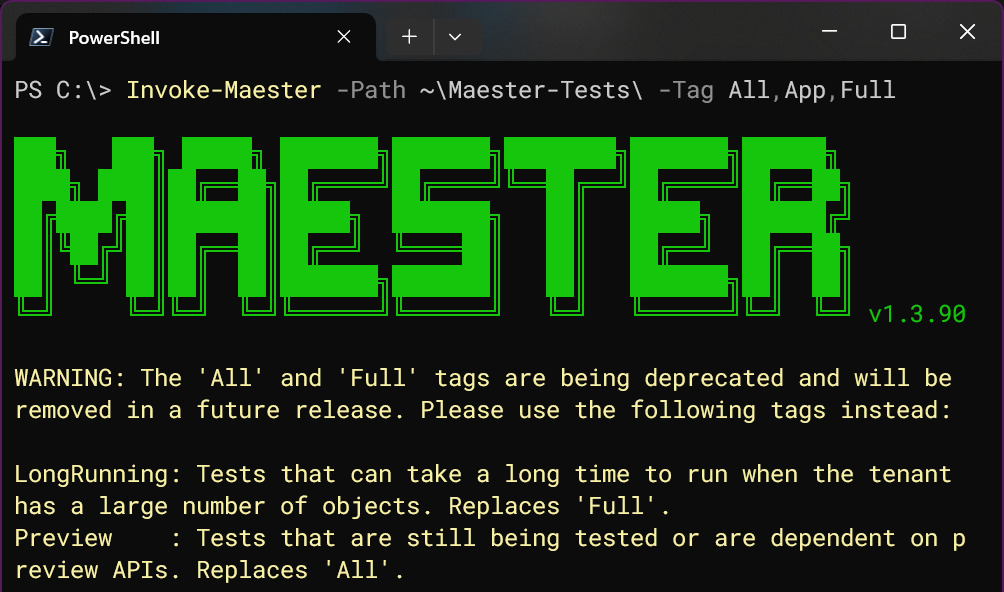
<p>In addition, if these deprecated tags are used, you will now see a warning in the output:</p>
<p><img decoding="async" loading="lazy" alt="WARNING: The &amp;#39;All&amp;#39; and &amp;#39;Full&amp;#39; tags are being deprecated and will be removed in a future release. Please use the following tags instead..." src="https://maester.dev/assets/images/Invoke_Maester_deprecated_tag_warning-f6bf05a2bd9766bebb074a6bdf58d0b5.png" width="1004" height="592" class="img_ev3q"></p>
<div class="theme-admonition theme-admonition-warning admonition_xJq3 alert alert--warning"><div class="admonitionHeading_Gvgb"><span class="admonitionIcon_Rf37"><svg viewBox="0 0 16 16"><path fill-rule="evenodd" d="M8.893 1.5c-.183-.31-.52-.5-.887-.5s-.703.19-.886.5L.138 13.499a.98.98 0 0 0 0 1.001c.193.31.53.501.886.501h13.964c.367 0 .704-.19.877-.5a1.03 1.03 0 0 0 .01-1.002L8.893 1.5zm.133 11.497H6.987v-2.003h2.039v2.003zm0-3.004H6.987V5.987h2.039v4.006z"></path></svg></span>warning</div><div class="admonitionContent_BuS1"><p>If you have implemented Maester through a scheduled task, workflow, or pipeline; please be sure to replace any use of the <code>All</code> and <code>Full</code> tags with their new switch parameter replacements.</p></div></div>
<h3 class="anchor anchorTargetStickyNavbar_Vzrq" id="bonus-get-mttestinventory">Bonus: Get-MtTestInventory<a href="https://maester.dev/blog/whats-new-with-maester-tags#bonus-get-mttestinventory" class="hash-link" aria-label="Direct link to Bonus: Get-MtTestInventory" title="Direct link to Bonus: Get-MtTestInventory" translate="no">​</a></h3>
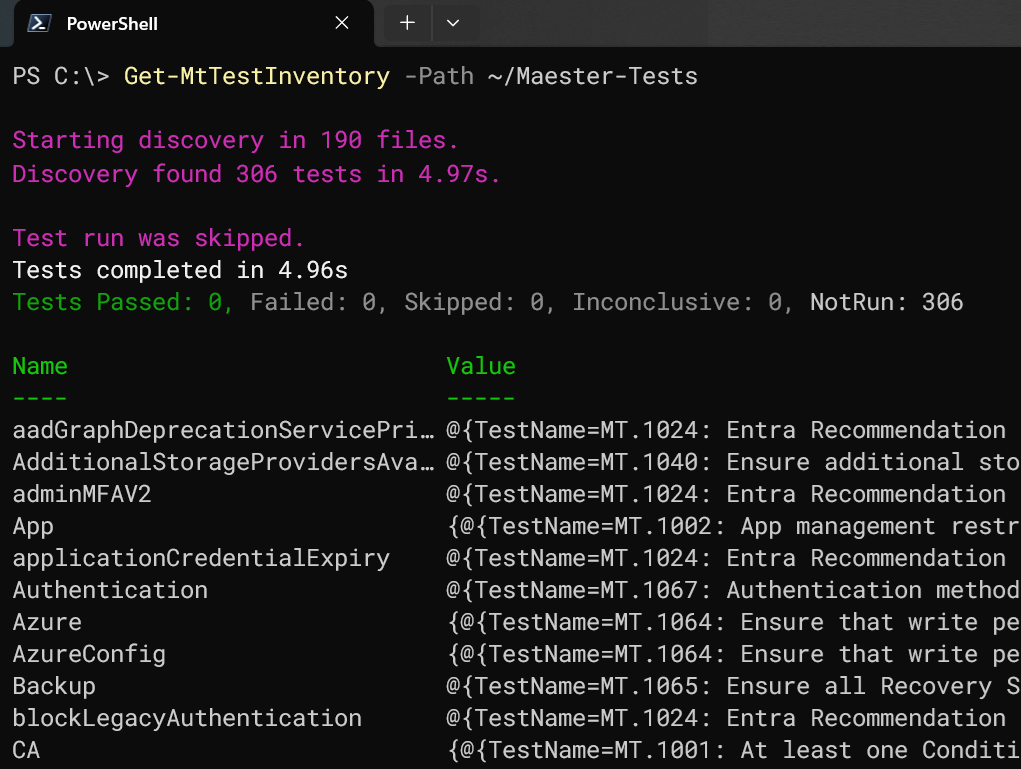
<p>Several commonly requested features have been related to the ability to get an inventory of the tests and their tags. The new <code>Get-MtTestInventory</code> function delivers exactly that. It enables users of Maester to gain more insights about the tests at their disposal.</p>
<p><img decoding="async" loading="lazy" alt="A screen shot of usage of the Get-MtTestInventory function." src="https://maester.dev/assets/images/Get-MtTestInventory_Example1-a5df676642b702ee899c0b596ac1dac8.png" width="1021" height="769" class="img_ev3q"></p>
<p>The test inventory results are returned as an ordered dictionary (hash table) with the tags as the keys, and a list of the related tests as their associated values.</p>
<p>One way that this can be used is to list all tests associated with a specific tag such as "CIS."</p>
<div class="language-powershell codeBlockContainer_Ckt0 theme-code-block" style="--prism-color:#9EFEFF;--prism-background-color:#2D2A55"><div class="codeBlockContent_QJqH"><pre tabindex="0" class="prism-code language-powershell codeBlock_bY9V thin-scrollbar" style="color:#9EFEFF;background-color:#2D2A55"><code class="codeBlockLines_e6Vv"><span class="token-line" style="color:#9EFEFF"><span class="token variable" style="color:rgb(255, 238, 128)">$TestInventory</span><span class="token plain"> = </span><span class="token function" style="color:rgb(250, 208, 0)">Get-MtTestInventory</span><span class="token plain"> </span><span class="token operator" style="color:rgb(255, 157, 0)">-</span><span class="token plain">Path ~</span><span class="token operator" style="color:rgb(255, 157, 0)">/</span><span class="token plain">Maester-Tests </span><span class="token operator" style="color:rgb(255, 157, 0)">-</span><span class="token plain">PassThru</span><br></span><span class="token-line" style="color:#9EFEFF"><span class="token plain"></span><span class="token variable" style="color:rgb(255, 238, 128)">$TestInventory</span><span class="token punctuation" style="color:rgb(255, 255, 255)">[</span><span class="token string" style="color:rgb(165, 255, 144)">'CIS'</span><span class="token punctuation" style="color:rgb(255, 255, 255)">]</span><br></span></code></pre></div></div>
<p>Try those two commands to see the output, and then explore the tests associated with other tags such as '<strong>XSPM</strong>.' You can also see the full list of discovered tags by running <code>$TestInventory.Keys</code> after the above command.</p>
<h3 class="anchor anchorTargetStickyNavbar_Vzrq" id="conclusion">Conclusion<a href="https://maester.dev/blog/whats-new-with-maester-tags#conclusion" class="hash-link" aria-label="Direct link to Conclusion" title="Direct link to Conclusion" translate="no">​</a></h3>
<p>For more information, please refer to the Maester documentation for <code>Invoke-Maester</code> and <code>Get-MtTestInventory</code>.</p>
<ul>
<li class=""><a href="https://maester.dev/docs/commands/Invoke-Maester" target="_blank" rel="noopener noreferrer" class="">Invoke-Maester</a></li>
<li class=""><a href="https://maester.dev/docs/commands/Get-MtTestInventory" target="_blank" rel="noopener noreferrer" class="">Get-MtTestInventory</a></li>
</ul>
<p>As always, Maester is a community project that thrives on your input! We gladly welcome any <a href="https://github.com/maester365/maester/discussions" target="_blank" rel="noopener noreferrer" class="">feedback</a> or <a href="https://github.com/maester365/maester/issues" target="_blank" rel="noopener noreferrer" class="">suggestions for improvements</a>. You can also join our community on <a href="https://discord.gg/CQs76Wa9" target="_blank" rel="noopener noreferrer" class="">Discord</a>. Thank you!</p>]]></content>
        <author>
            <name>Sam Erde</name>
            <uri>https://linktr.ee/samerde</uri>
        </author>
        <category label="tags" term="tags"/>
    </entry>
    <entry>
        <title type="html"><![CDATA[New version of Maester on Azure Web App]]></title>
        <id>https://maester.dev/blog/maester-bicep-webapp</id>
        <link href="https://maester.dev/blog/maester-bicep-webapp"/>
        <updated>2025-09-26T00:00:00.000Z</updated>
        <summary type="html"><![CDATA[Launch announcement of new version of Maester on Azure Web App]]></summary>
        <content type="html"><![CDATA[<p>Today, we are thrilled to announce the release of the new version of Maester on Azure Web App. 🔥</p>
<!-- -->
<h2 class="anchor anchorTargetStickyNavbar_Vzrq" id="new-version-of-maester-on-azure-webapp-">New version of Maester on Azure Web&nbsp;App 🎉<a href="https://maester.dev/blog/maester-bicep-webapp#new-version-of-maester-on-azure-webapp-" class="hash-link" aria-label="Direct link to New version of Maester on Azure Web&nbsp;App 🎉" title="Direct link to New version of Maester on Azure Web&nbsp;App 🎉" translate="no">​</a></h2>
<p><img decoding="async" loading="lazy" alt="Maester Bicep Web App" src="https://maester.dev/assets/images/maester-webapp-header-f91ca735c0f2d607ecefd69727ad49c8.png" width="1110" height="772" class="img_ev3q"></p>
<h3 class="anchor anchorTargetStickyNavbar_Vzrq" id="what-was-it-before">What was it before?<a href="https://maester.dev/blog/maester-bicep-webapp#what-was-it-before" class="hash-link" aria-label="Direct link to What was it before?" title="Direct link to What was it before?" translate="no">​</a></h3>
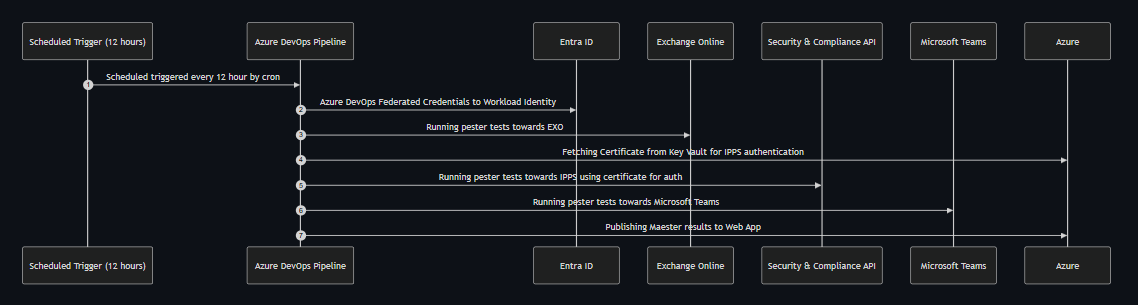
<p>The setup allowed Maester to run on an Azure Web App, enabling you to perform Microsoft Graph security configuration checks on your Microsoft tenant directly from the Azure Web App, secured with Entra ID Authentication through an Azure Bicep deployment. At that time, it only supported Microsoft Graph security configuration tests. Many people asked me to update the deployment to include also the other tests that are part of Maester, because we want to utilize all the available tests that Maester has.</p>
<h3 class="anchor anchorTargetStickyNavbar_Vzrq" id="what-has-changed">What has changed?<a href="https://maester.dev/blog/maester-bicep-webapp#what-has-changed" class="hash-link" aria-label="Direct link to What has changed?" title="Direct link to What has changed?" translate="no">​</a></h3>
<ul>
<li class="">🔥 Support for the latest Maester PowerShell module through the use of PowerShell 7.4 runtimes.&nbsp;</li>
<li class="">💪🏻 Support for Exchange Online security tests&nbsp;</li>
<li class="">🎉 Support for Security &amp; Compliance security tests&nbsp;</li>
<li class="">📱Support for Microsoft Teams security tests&nbsp;</li>
<li class="">🤙🏻 Support for Azure configuration security tests</li>
</ul>
<h3 class="anchor anchorTargetStickyNavbar_Vzrq" id="-documentation">📚 <strong>Documentation</strong><a href="https://maester.dev/blog/maester-bicep-webapp#-documentation" class="hash-link" aria-label="Direct link to -documentation" title="Direct link to -documentation" translate="no">​</a></h3>
<p>Follow the step-by-step guide to start using the Azure Bicep Deployment for Maester on Azure Web App:</p>
<ul>
<li class=""><a href="https://maester.dev/docs/monitoring/azure-web-app-bicep" target="_blank" rel="noopener noreferrer" class="">Setup Maester in Azure Web App using Azure Bicep</a></li>
</ul>
<h2 class="anchor anchorTargetStickyNavbar_Vzrq" id="contributors-">Contributors 🙏<a href="https://maester.dev/blog/maester-bicep-webapp#contributors-" class="hash-link" aria-label="Direct link to Contributors 🙏" title="Direct link to Contributors 🙏" translate="no">​</a></h2>
<p>We have built this Azure Bicep Deployment: 👇</p>
<div style="display:flex;flex-wrap:wrap;justify-content:center"><div style="margin:10px;text-align:center"><a href="https://github.com/merill" target="_blank" rel="noopener noreferrer"><img src="https://github.com/merill.png" width="60px" style="border-radius:50%" alt="Merill Fernando"><br><sub>Merill Fernando</sub></a></div><div style="margin:10px;text-align:center"><a href="https://github.com/brianveldman" target="_blank" rel="noopener noreferrer"><img src="https://github.com/brianveldman.png" width="60px" style="border-radius:50%" alt="Brian Veldman"><br><sub>Brian Veldman</sub></a></div></div>
<h2 class="anchor anchorTargetStickyNavbar_Vzrq" id="whats-next">What's Next?<a href="https://maester.dev/blog/maester-bicep-webapp#whats-next" class="hash-link" aria-label="Direct link to What's Next?" title="Direct link to What's Next?" translate="no">​</a></h2>
<p>We are incredibly excited about the updated Maester Web App Deployment and have many ideas for new features and improvements. Feel free to share your ideas and contribute as well. 🙌</p>]]></content>
        <author>
            <name>Brian Veldman</name>
            <uri>https://www.linkedin.com/in/brian-veldman/</uri>
        </author>
        <author>
            <name>Merill Fernando</name>
        </author>
        <category label="release" term="release"/>
    </entry>
    <entry>
        <title type="html"><![CDATA[Introduction to Compensating Controls 🎛️]]></title>
        <id>https://maester.dev/blog/compensating-controls</id>
        <link href="https://maester.dev/blog/compensating-controls"/>
        <updated>2025-08-16T00:00:00.000Z</updated>
        <summary type="html"><![CDATA[Review controls, the need for compensating controls, and how the concepts apply to Maester]]></summary>
        <content type="html"><![CDATA[<p>If you have ever seen one of my presentations on or we have ever discussed technology security or operations, you have likely heard me say something like: <em>At a certain maturity level everything is just exception management</em>. Keep reading to get more details on one of the most common exception management techniques, <strong>compensatory</strong> or <strong>compensating controls</strong>.</p>
<h2 class="anchor anchorTargetStickyNavbar_Vzrq" id="what-is-a-control">What is a control?<a href="https://maester.dev/blog/compensating-controls#what-is-a-control" class="hash-link" aria-label="Direct link to What is a control?" title="Direct link to What is a control?" translate="no">​</a></h2>
<p>The ComplianceForge team provides a nice definition:</p>
<p>"Controls are safeguards or countermeasures implemented to manage risks and protect assets. Cybersecurity controls can be technical, administrative, or physical and are designed to reduce vulnerabilities, prevent threats and ensure confidentiality, integrity and availability of information." <a href="https://complianceforge.com/what-are-controls/" target="_blank" rel="noopener noreferrer" class="">(ComplianceForge, 2025)</a></p>
<p>In the simplest of terms your organization has said, "We care about X". The control documents what you are doing to protect "X".</p>
<p>Keeping in mind too, that your control usually is a reference to a general situation or outcome you are hoping to manage the risk of. Through that reference you will typically aim to have a mapping to a procedure. The procedure should specify what steps are taken to align with a control for a given system or process.</p>
<p>Controls will also typically map to the upstream compliance requirements through policies, standards, or other documentation.</p>
<p>A very simple example of how this fits together:</p>
<ul>
<li class="">Policy - "Employees <em>must</em> protect organization data"</li>
<li class="">Control - "Computers <em>should</em> not remain unlocked when not in use for longer than 5 minutes"</li>
<li class="">Procedure - "Configure the Windows lock screen timeout setting to 5 minutes of inactivity"</li>
</ul>
<blockquote>
<p>💡 Callout</p>
<p>Above you can see keywords <em>should</em> and <em>must</em>, these have specific implications as to optional or mandatory respectively as well. See <a href="https://datatracker.ietf.org/doc/html/rfc2119" target="_blank" rel="noopener noreferrer" class="">RFC 2119</a> for more detail of one example of defining these terms.</p>
</blockquote>
<p>This example is a simple example, but the nuance and complexity becomes challenging to manage at scale, your organization may even have individuals dedicated in a partial or full time capacity to managing this.</p>
<p>For our example we can map our control against a well known control framework or benchmarck, the Center for Internet Security (CIS) Critical Security Controls (CSC) Version 8.1. For CIS CSC safeguard 4.3 they specify a 15 minute maximum inactivity period for general computing devices. There are many different control frameworks out there that reference similar control concepts, and some frameworks may even have contradicting controls.</p>
<p><a href="https://www.linkedin.com/posts/nathanmcnulty_while-im-on-the-topic-of-cis-benchmarks-activity-7357543171045642240-wrNm/" target="_blank" rel="noopener noreferrer" class=""><img width="825" height="323" alt="image" src="https://gist.github.com/user-attachments/assets/bed14a14-ebbe-44e4-86c1-870db49b0381"></a></p>
<blockquote>
<p>💡 Callout</p>
<p>Governance terminology (e.g., frameworks, policies, standards, and more) gets used in many contexts with many different meanings. An example being the United States National Institute of Standards and Technology (NIST), which publishes standards and more. The NIST Special Publication (SP) 1800 series is a common example of <strong>guidelines</strong>. Often these NIST SPs may be referenced as standards though. Standards bodies exist for many different topics in many different ways, such as the OpenID Foundation (OIDF) creating identity standards that are secure, interoperable and privacy-preserving, or ASTM International offers resources for standards development and use worldwide. This illustrates a nuance as well for internal versus external standards. Where external standards are typically consensus driven by an industry working group aroud common specifications for implementations, and internal standards define specific requirements your organization has for implementations.</p>
</blockquote>
<h3 class="anchor anchorTargetStickyNavbar_Vzrq" id="but-still-why-would-you-implement-that-control">But still... Why would you implement that control?<a href="https://maester.dev/blog/compensating-controls#but-still-why-would-you-implement-that-control" class="hash-link" aria-label="Direct link to But still... Why would you implement that control?" title="Direct link to But still... Why would you implement that control?" translate="no">​</a></h3>
<p>There are a many reasons your organization may want to implement a control like our example, but there are two general categories:</p>
<ul>
<li class="">Proactive risk mitigation<!-- -->
<ul>
<li class="">It is well known that cybersecurity has direct risk and impact to business operations. Understanding, identifying, and prioritizing these risks is beneficial for any organization. Some risks may be worth taking mitigating measures, such as implementing controls, proactively and others may not be a high enough priority.</li>
</ul>
</li>
<li class="">Regulatory compliance<!-- -->
<ul>
<li class="">Your organization may have specific regulatory or compliance obligations as part of your business operations as well. A common example of a regulatory obligation is Health Insurance Portability and Accountability Act (HIPAA) for healthcare covered entities and their business associates. Using our example control, <a href="https://www.ecfr.gov/current/title-45/part-164/subpart-C#p-164.312(a)(2)(iii)" target="_blank" rel="noopener noreferrer" class="">45 CFR 164.312(a)(2)(iii)</a> identifies a specific addresable requirement.</li>
</ul>
</li>
</ul>
<h2 class="anchor anchorTargetStickyNavbar_Vzrq" id="why-do-we-need-to-compensate">Why do we need to compensate?<a href="https://maester.dev/blog/compensating-controls#why-do-we-need-to-compensate" class="hash-link" aria-label="Direct link to Why do we need to compensate?" title="Direct link to Why do we need to compensate?" translate="no">​</a></h2>
<p>Continuing to use the screen lock out example. You may find yourself in situations where:</p>
<ul>
<li class="">There is no technical capability on a system to enforce a screen lockout to the specific maximum inactivity time or possibly at all.<!-- -->
<ul>
<li class="">An example may be a proprietary system that does not offer the technical capability.</li>
</ul>
</li>
<li class="">There is a business process that does not allow for a screen lockout within the specific maximum inactivity time or possibly at all.<!-- -->
<ul>
<li class="">An example may be a kiosk or shared workstation.</li>
</ul>
</li>
<li class="">There may be tangential services you offer that do not fall within scope of the requirements.<!-- -->
<ul>
<li class="">An example may be a personal use device provided to clients during waiting periods.</li>
</ul>
</li>
</ul>
<p>Each of these situations could justify a need for an exception to your policy. These could be examples of compensating controls.</p>
<ul>
<li class="">You may decide to implement a physical safeguard and prevent physical access to a proprietary system that does not allow for a screen lockout.</li>
<li class="">You may decide to exclude the shared workstations from policy, but require applications in use on those systems to enforce an inactivity requirement.</li>
<li class="">You may decide to exclude all personal use devices from policy and prevent access to organization resources.</li>
</ul>
<h2 class="anchor anchorTargetStickyNavbar_Vzrq" id="how-does-this-apply-to-maester">How does this apply to Maester?<a href="https://maester.dev/blog/compensating-controls#how-does-this-apply-to-maester" class="hash-link" aria-label="Direct link to How does this apply to Maester?" title="Direct link to How does this apply to Maester?" translate="no">​</a></h2>
<p>The Maester project provides a way for testing that a control's procedures are currently in place. Often times though your organization may have different requirements, exceptions, or preference in the controls you implement. Maester offers testing for multiple control procedures from community guidance (i.e., MT or EIDSCA), Cybersecurity &amp; Infrastructure Security Agency (CISA), CIS, and more. Though there is still some decisions on your part <a href="https://maester.dev/docs/commands/Invoke-Maester#-excludetag" target="_blank" rel="noopener noreferrer" class="">which tests you want to use</a> or if <a href="https://maester.dev/docs/writing-tests/" target="_blank" rel="noopener noreferrer" class="">you should use your own</a>.</p>
<p>The Maester project is providing you better visibility into the possible controls you may need to implement, but you still need to decide what is the best for your end user experience, acceptable risk tolerance, and business obligations.</p>
<h3 class="anchor anchorTargetStickyNavbar_Vzrq" id="examples-of-this-topic-in-the-wild">Examples of this topic in the wild<a href="https://maester.dev/blog/compensating-controls#examples-of-this-topic-in-the-wild" class="hash-link" aria-label="Direct link to Examples of this topic in the wild" title="Direct link to Examples of this topic in the wild" translate="no">​</a></h3>
<ul>
<li class=""><a href="https://github.com/maester365/maester/discussions/1068" target="_blank" rel="noopener noreferrer" class="">https://github.com/maester365/maester/discussions/1068</a></li>
<li class=""><a href="https://github.com/maester365/maester/discussions/429" target="_blank" rel="noopener noreferrer" class="">https://github.com/maester365/maester/discussions/429</a></li>
<li class=""><a href="https://github.com/maester365/maester/discussions/1093" target="_blank" rel="noopener noreferrer" class="">https://github.com/maester365/maester/discussions/1093</a></li>
<li class=""><a href="https://github.com/maester365/maester/issues/686" target="_blank" rel="noopener noreferrer" class="">https://github.com/maester365/maester/issues/686</a></li>
<li class=""><a href="https://github.com/maester365/maester/issues/1052" target="_blank" rel="noopener noreferrer" class="">https://github.com/maester365/maester/issues/1052</a></li>
<li class=""><a href="https://github.com/maester365/maester/issues/364" target="_blank" rel="noopener noreferrer" class="">https://github.com/maester365/maester/issues/364</a></li>
<li class=""><a href="https://github.com/maester365/maester/issues/282" target="_blank" rel="noopener noreferrer" class="">https://github.com/maester365/maester/issues/282</a></li>
<li class=""><a href="https://github.com/maester365/maester/issues/194" target="_blank" rel="noopener noreferrer" class="">https://github.com/maester365/maester/issues/194</a></li>
<li class=""><a href="https://github.com/maester365/maester/discussions/1049" target="_blank" rel="noopener noreferrer" class="">https://github.com/maester365/maester/discussions/1049</a></li>
</ul>]]></content>
        <author>
            <name>Mike Soule</name>
            <uri>https://www.linkedin.com/in/mikesoule/</uri>
        </author>
        <category label="blog" term="blog"/>
    </entry>
    <entry>
        <title type="html"><![CDATA[Maester June 2025 Release]]></title>
        <id>https://maester.dev/blog/maester-june-25</id>
        <link href="https://maester.dev/blog/maester-june-25"/>
        <updated>2025-06-12T00:00:00.000Z</updated>
        <summary type="html"><![CDATA[Find out all about the new Maester May release]]></summary>
        <content type="html"><![CDATA[<p>The Maester community of contributors have been hard at work and we are excited to announce the June 2025 release of Maester! 🎉</p>
<p><img decoding="async" loading="lazy" alt="June stats" src="https://maester.dev/assets/images/maester-june-release-stats-7e773685a46d9e9f0a0f8b440319a7a1.png" width="1506" height="1374" class="img_ev3q"></p>
<p>Here are some quick stats for you:</p>
<p>❇️ 55,000+ tenants have used Maester to improve their security posture</p>
<p>🚀 260,000+ downloads of Maester on PowerShell Gallery</p>
<p>💻 2,600+ commits on GitHub</p>
<p>🤝 72+ contributors</p>
<p>✳️ 285 Maester tests (90+ new tests!)</p>
<p>📦 252 releases</p>
<p>There's a lot to cover, so let's dive right in!</p>
<!-- -->
<p>We have added a lot of new features and improvements based on your feedback. Thank you for that! 🙏</p>
<p>Here are all the new features and improvements in this release:</p>
<h2 class="anchor anchorTargetStickyNavbar_Vzrq" id="-new-tests">🌟 <strong>New Tests</strong><a href="https://maester.dev/blog/maester-june-25#-new-tests" class="hash-link" aria-label="Direct link to -new-tests" title="Direct link to -new-tests" translate="no">​</a></h2>
<p>We've added a whole bunch of new tests to check your security configuration, growing from 194 to 286! 🎉 Check out the <a class="" href="https://maester.dev/docs/tests">test list</a> for the full breakdown.</p>
<p><img decoding="async" loading="lazy" alt="New tests in Maester" src="https://maester.dev/assets/images/maester-new-tests-908a7c0e9eadd18cba84d45db8d86b7e.png" width="1594" height="1986" class="img_ev3q"></p>
<h3 class="anchor anchorTargetStickyNavbar_Vzrq" id="orca">ORCA<a href="https://maester.dev/blog/maester-june-25#orca" class="hash-link" aria-label="Direct link to ORCA" title="Direct link to ORCA" translate="no">​</a></h3>
<p><a class="" href="https://maester.dev/blog/authors/mike">Mike Soule</a> came up with the idea to integrate <a href="https://github.com/cammurray" target="_blank" rel="noopener noreferrer" class="">Cam Murray</a>'s excellent <a href="https://github.com/cammurray/orca" target="_blank" rel="noopener noreferrer" class="">Office 365 Recommended Configuration Analyzer (ORCA)</a> with Maester.</p>
<p>We reached out to Cam and he was all for helping Microsoft customers become more secure. With the greenlight, Mike started integrating ORCA and we had amazing support from <a class="" href="https://maester.dev/blog/authors/thomasschmidt">Thomas Schmidt</a> who really helped improve the quality and polish of the ORCA tests in Maester. Call out to <a href="https://github.com/moorereason" target="_blank" rel="noopener noreferrer" class="">Cameron Moore</a> who pitched in with a huge number of PRs.</p>
<p>You can read more about this  in our previous blog post <a class="" href="https://maester.dev/blog/maester-with-orca">Maester adds ORCA tests</a></p>
<h3 class="anchor anchorTargetStickyNavbar_Vzrq" id="entra-app-tests">Entra app tests<a href="https://maester.dev/blog/maester-june-25#entra-app-tests" class="hash-link" aria-label="Direct link to Entra app tests" title="Direct link to Entra app tests" translate="no">​</a></h3>
<p>We have a number of app related tests that help you identify potential security issues with your Entra applications.</p>
<p>Note: We don't run these new app related tests by default since they can take a long time to run. You will need to explicitly include them using <code>Invoke-Maester -IncludeLongRunning</code>.</p>
<p>This is because it needs to query all applications and service principals in the tenant which can take many hours in large tenants.</p>
<p>The application risk tests are based on the excellent Azure Tiering research by <a href="https://github.com/emiliensocchi/azure-tiering" target="_blank" rel="noopener noreferrer" class="">Emilien Socchi</a>. These help identity apps that have a path to Global Admin permissions, which can lead to a full tenant takeover.</p>
<h2 class="anchor anchorTargetStickyNavbar_Vzrq" id="maester---platform-updates">Maester - Platform Updates<a href="https://maester.dev/blog/maester-june-25#maester---platform-updates" class="hash-link" aria-label="Direct link to Maester - Platform Updates" title="Direct link to Maester - Platform Updates" translate="no">​</a></h2>
<p>Special call out to Thomas Schmidt, Sam Erde, Stephan van Rooij and Cameron Moore for their amazing contributions to this release. They have been instrumental in making Maester more robust, performant and easier to use.</p>
<p>In addition, we have had a <strong>lot</strong> of contributions from the community, which has helped us improve Maester even further. Thank you to all our contributors! 🙏</p>
<p><img decoding="async" loading="lazy" alt="New tests in Maester" src="https://maester.dev/assets/images/maester-contributors-4b7261f805a1d6f5b3089ad99011fab1.png" width="1594" height="1984" class="img_ev3q"></p>
<h3 class="anchor anchorTargetStickyNavbar_Vzrq" id="-maester-github-action">🤖 <strong>Maester GitHub Action</strong><a href="https://maester.dev/blog/maester-june-25#-maester-github-action" class="hash-link" aria-label="Direct link to -maester-github-action" title="Direct link to -maester-github-action" translate="no">​</a></h3>
<p>We are excited to announce the new <a href="https://github.com/marketplace/actions/run-maester" target="_blank" rel="noopener noreferrer" class="">Maester GitHub Action</a>! 🎉</p>
<p>This version is a huge update and adds performance improvements as well a number of new features and configuration options.</p>
<p>We moved the Maester GitHub Action to a new repository, which allows us to better manage the action and its dependencies.</p>
<p>However, this means that you will need to update your workflow files to use the new action. See the Usage section in the <a href="https://github.com/marketplace/actions/run-maester#%EF%B8%8F-usage" target="_blank" rel="noopener noreferrer" class="">Maester GitHub Action documentation</a> for more details.</p>
<p><img decoding="async" loading="lazy" alt="New tests in Maester" src="https://maester.dev/assets/images/maester-github-action-102e571b01700c499ef3626f3289d5da.png" width="2058" height="1404" class="img_ev3q"></p>
<h3 class="anchor anchorTargetStickyNavbar_Vzrq" id="-excel-and-csv-export-formats">📋 Excel and CSV Export Formats<a href="https://maester.dev/blog/maester-june-25#-excel-and-csv-export-formats" class="hash-link" aria-label="Direct link to 📋 Excel and CSV Export Formats" title="Direct link to 📋 Excel and CSV Export Formats" translate="no">​</a></h3>
<p>We have added new export formats for the Maester report. You can now export the report in Excel and CSV formats, which makes it even more easier to share and analyze the results.</p>
<p>It's as simple as adding an <code>-ExportExcel</code> or <code>-ExportCsv</code> switch when running <code>Invoke-Maester</code>!</p>
<p><img decoding="async" loading="lazy" alt="Export to Excel" src="https://maester.dev/assets/images/maester-results-excel-086ff56e367a20cb4473c7530cc797f0.png" width="2312" height="1516" class="img_ev3q"></p>
<h3 class="anchor anchorTargetStickyNavbar_Vzrq" id="-severity-levels">🚥 Severity levels<a href="https://maester.dev/blog/maester-june-25#-severity-levels" class="hash-link" aria-label="Direct link to 🚥 Severity levels" title="Direct link to 🚥 Severity levels" translate="no">​</a></h3>
<p>Each test now includes a severity rating. This will help you prioritize the tests and focus on the most critical issues first.</p>
<p><img decoding="async" loading="lazy" alt="Severity rating" src="https://maester.dev/assets/images/maester-severity-rating-e5a242821c40e3463c537ad6e462cbfb.png" width="928" height="362" class="img_ev3q"></p>
<p>You can also change the severity levels of the tests to suite your needs.</p>
<p>Check the <a class="" href="https://maester.dev/docs/next/configuration/severity-levels">Severity Levels documentation</a> for all the details including how you can add Severity to your custom tests.</p>
<h3 class="anchor anchorTargetStickyNavbar_Vzrq" id="-maester-report-improvements">📊 <strong>Maester Report Improvements</strong><a href="https://maester.dev/blog/maester-june-25#-maester-report-improvements" class="hash-link" aria-label="Direct link to -maester-report-improvements" title="Direct link to -maester-report-improvements" translate="no">​</a></h3>
<p>You can now search and filter the results list by name, severity, tags and more.</p>
<p><img decoding="async" loading="lazy" alt="Search filter" src="https://maester.dev/assets/images/maester-report-filters-0b39565429cad5bd8162e0c59100b4f5.png" width="1930" height="802" class="img_ev3q"></p>
<p>The test details view now support navigating to the next and previous test, making it easier to review the results.</p>
<p><img decoding="async" loading="lazy" alt="Results navigate" src="https://maester.dev/assets/images/maester-results-navigate-69132c96815981d16e8ee1c8a58fc880.png" width="1858" height="924" class="img_ev3q"></p>
<h2 class="anchor anchorTargetStickyNavbar_Vzrq" id="thank-you-to-all-our-amazing-contributors-">Thank you to all our amazing contributors! 🙏<a href="https://maester.dev/blog/maester-june-25#thank-you-to-all-our-amazing-contributors-" class="hash-link" aria-label="Direct link to Thank you to all our amazing contributors! 🙏" title="Direct link to Thank you to all our amazing contributors! 🙏" translate="no">​</a></h2>
<p>There are many, many more new features, improvements and fixes that have gone in by this amazing list of contributors 👇</p>]]></content>
        <author>
            <name>Merill Fernando</name>
        </author>
        <category label="release" term="release"/>
    </entry>
    <entry>
        <title type="html"><![CDATA[Maester adds ORCA tests]]></title>
        <id>https://maester.dev/blog/maester-with-orca</id>
        <link href="https://maester.dev/blog/maester-with-orca"/>
        <updated>2025-05-12T00:00:00.000Z</updated>
        <summary type="html"><![CDATA[Maester now includes the valuable tests from the ORCA project]]></summary>
        <content type="html"><![CDATA[<p>The Maester module can now dynamically build the necessary files for testing and reporting on all the <a href="https://github.com/cammurray/orca" target="_blank" rel="noopener noreferrer" class="">Office 365 Recommended Configuration Analyzer (ORCA)</a> controls. Providing users with a single report covering many controls that existed before Maester and which are still valuable. 🚀</p>
<p>Here's a sneak peek at the some of the checks from ORCA that will be included in the next Maester release.</p>
<p><img decoding="async" loading="lazy" alt="Subset of Orca results in Maester" src="https://maester.dev/assets/images/maester-results-0d89f448119d5dc9e7ac9fc336d88e24.png" width="1948" height="1400" class="img_ev3q"></p>
<h2 class="anchor anchorTargetStickyNavbar_Vzrq" id="what-is-orca">What is ORCA?<a href="https://maester.dev/blog/maester-with-orca#what-is-orca" class="hash-link" aria-label="Direct link to What is ORCA?" title="Direct link to What is ORCA?" translate="no">​</a></h2>
<p><a href="https://github.com/cammurray" target="_blank" rel="noopener noreferrer" class="">Cam Murray</a> created the <a href="https://github.com/cammurray/orca" target="_blank" rel="noopener noreferrer" class="">Office 365 Recommended Configuration Analyzer (ORCA)</a> PowerShell module to help align tenant configuration with Microsoft's recommended configurations. Many of these settings are available in the <a href="https://learn.microsoft.com/en-us/defender-office-365/configuration-analyzer-for-security-policies" target="_blank" rel="noopener noreferrer" class="">configuration analyzer</a> today, but ORCA provided these insights earlier and often in a more concise approach. Building these configuration items as tests in Maester provided an awesome way to build on the core ORCA module value and bring even more context into the configuration state of a tenant.</p>
<h2 class="anchor anchorTargetStickyNavbar_Vzrq" id="how-to-build">How to build?<a href="https://maester.dev/blog/maester-with-orca#how-to-build" class="hash-link" aria-label="Direct link to How to build?" title="Direct link to How to build?" translate="no">​</a></h2>
<p>The ORCA module utilizes user defined types with <a href="https://learn.microsoft.com/en-us/powershell/module/microsoft.powershell.core/about/about_enum" target="_blank" rel="noopener noreferrer" class="">enumerations</a> and <a href="https://learn.microsoft.com/en-us/powershell/module/microsoft.powershell.core/about/about_classes" target="_blank" rel="noopener noreferrer" class="">classes</a> heavily. This is the best approach for an individual module and helps produce well-typed and structured code bases. It also can be challenging when trying to merge code bases dynamically as those types within the module need to exist outside the module.</p>
<blockquote>
<p><a href="https://git-scm.com/book/en/v2/Git-Tools-Submodules" target="_blank" rel="noopener noreferrer" class="">Git Submodules</a> have their own issues too so definitely avoid those unless the challenges are worth it.</p>
</blockquote>
<p>To handle this, PowerShell has this awesome feature called the <a href="https://learn.microsoft.com/en-us/dotnet/api/system.management.automation.language.ast" target="_blank" rel="noopener noreferrer" class="">abstract syntax tree (AST)</a>. This feature allows you to parse PowerShell files and interface with them as structured objects. Using the AST the Maester team was able to build a <a href="https://github.com/maester365/maester/blob/main/build/orca/Update-OrcaTests.ps1" target="_blank" rel="noopener noreferrer" class="">script</a> to parse the ORCA code base and dynamically build the necessary functions, tests, and report details for incorporating with the Maester module.</p>
<blockquote>
<p>Similarly and even more elegantly the EIDSCA team was able to incorporate their module as <a href="https://github.com/maester365/maester/blob/main/build/eidsca/Update-EidscaTests.ps1" target="_blank" rel="noopener noreferrer" class="">well</a>.</p>
</blockquote>
<h2 class="anchor anchorTargetStickyNavbar_Vzrq" id="how-to-contribute">How to contribute?<a href="https://maester.dev/blog/maester-with-orca#how-to-contribute" class="hash-link" aria-label="Direct link to How to contribute?" title="Direct link to How to contribute?" translate="no">​</a></h2>
<h3 class="anchor anchorTargetStickyNavbar_Vzrq" id="update-orcatestsps1">Update-OrcaTests.ps1<a href="https://maester.dev/blog/maester-with-orca#update-orcatestsps1" class="hash-link" aria-label="Direct link to Update-OrcaTests.ps1" title="Direct link to Update-OrcaTests.ps1" translate="no">​</a></h3>
<p>Located in <code>/build/orca/Update-OrcaTests.ps1</code> is the build mechanism for each test derived from ORCA.</p>
<ol>
<li class="">The latest ORCA module is pulled from <a href="https://github.com/cammurray/orca.git" target="_blank" rel="noopener noreferrer" class="">orca.git</a> into the subfolder <code>/orca</code>.</li>
<li class="">Prerequisites are initialized as described above and the following files are created in <code>/powershell/internal/orca</code>:<!-- -->
<ul>
<li class="">Add-IsPresetValue.ps1</li>
<li class="">Get-ORCACollection.ps1</li>
<li class="">Get-PolicyStateInt.ps1</li>
<li class="">Get-PolicyStates.ps1</li>
<li class="">Get-AnyPolicyState.ps1</li>
</ul>
</li>
<li class="">Each ORCA check located in <code>/build/orca/orca/Checks/</code> are processed and compiled into Maester tests like so:<!-- -->
<ol>
<li class="">A <code>$content</code> variable is prepared and contains the following properties:<!-- -->
<table><thead><tr><th>Property</th><th>Purpose</th></tr></thead><tbody><tr><td>file</td><td>Name of the check script</td></tr><tr><td>content</td><td>Content of the check script</td></tr><tr><td>name</td><td>Name of the check</td></tr><tr><td>pass</td><td>Text requirement of passing</td></tr><tr><td>fail</td><td>Text for remediation</td></tr><tr><td>func</td><td>Name of the test function</td></tr><tr><td>control</td><td>Check control number</td></tr><tr><td>area</td><td>Check category/area</td></tr><tr><td>description</td><td>Check description</td></tr><tr><td>links</td><td>Check related links</td></tr></tbody></table>
</li>
<li class="">Each property listed above are populated using regular expressions on the raw value of the ORCA check content.</li>
<li class=""><code>$testId</code> is derived from <code>$content.func</code> to fit the Maester test id format.<!-- -->
<blockquote>
<p>If it is not possible to derive it using the expected ORCA test function name format (ORCA.n or ORCA.n.n), where the last number is optional and can be any number of digits, it will skip processing this test. A manual fixed id must be added to <code>$mapping = @{}</code> at line ~187</p>
</blockquote>
</li>
<li class="">A pester test instruction file is generated and added to <code>/tests/orca/</code> for each processed test, that instructs Maester to run the below mentioned function and process the result.</li>
<li class="">A powershell function file is generated and added to <code>/powershell/public/orca/</code> that contains the logic of initiating and processing the ORCA check result.</li>
<li class="">A markdown file is generated and added to <code>/powershell/public/orca/</code> that is associated with the above mentioned PowerShell file in which the description, remediation action and related links are placed.</li>
</ol>
</li>
<li class=""><code>ScriptsToProcess</code> is made available for the Maester module manifest.</li>
<li class=""><code>FunctionsToExport</code> is made available for the Maester module manifest.</li>
</ol>
<p>When modifying the <code>/build/orca/Update-OrcaTests.ps1</code> it is important to run it as well in order to build all ORCA test files as described. See <a href="https://maester.dev/blog/maester-with-orca#how-to-build" class="">How to build?</a></p>
<h3 class="anchor anchorTargetStickyNavbar_Vzrq" id="test-function">Test function<a href="https://maester.dev/blog/maester-with-orca#test-function" class="hash-link" aria-label="Direct link to Test function" title="Direct link to Test function" translate="no">​</a></h3>
<p>Each test function generated for each ORCA check contains various logic:</p>
<ol>
<li class="">Skip if not connected to Exchange Online.</li>
<li class="">Set <code>$SCC</code> to <code>true</code> if connected to Security &amp; Compliance, otherwise set to <code>false</code>.</li>
<li class="">If <code>Get-ORCACollection</code> has not been run before and stored in <code>$__MtSession.OrcaCache</code> then execute <code>Get-ORCACollection -SCC:$SCC</code> and store it in the cache.</li>
<li class="">Run the ORCA class <code>New-Object -TypeName &lt;Check&gt;</code> associated with the test upon the ORCA result <code>$obj.Run($Collection)</code> stored in the cache.</li>
<li class="">First, if the ORCA check should be skipped if it <code>SkipInReport</code> is specified in the check output.</li>
<li class="">Second, determine if the ORCA check should be skipped by evaluating if <code>$obj.CheckFailed</code> is <code>true</code>, if <code>$obj.Completed</code> is <code>false</code> or if the check output specifies that this is a Security &amp; Compliance check and we are not connected to Security &amp; Compliance.</li>
<li class="">Determine if the check passed or failed based on <code>$obj.ResultStandard</code> (See <a href="https://maester.dev/blog/maester-with-orca#orca-config-level" class="">ORCA config level</a> for more information).</li>
<li class="">Determine if we need to expand the results of the check <code>$obj.ExpandResults</code> otherwise add details to Maester and return.</li>
<li class="">Expand each nested result in <code>$obj.ExpandResults</code> into a markdown table showing the result of each individual result.</li>
<li class="">Add details to Maester and return.</li>
</ol>
<h3 class="anchor anchorTargetStickyNavbar_Vzrq" id="markdown-file">Markdown file<a href="https://maester.dev/blog/maester-with-orca#markdown-file" class="hash-link" aria-label="Direct link to Markdown file" title="Direct link to Markdown file" translate="no">​</a></h3>
<p>Each test function has its associated markdown file that provides Maester with test descriptions. It is comprised of description, remediation action and related links from the ORCA check.</p>
<h2 class="anchor anchorTargetStickyNavbar_Vzrq" id="caveats-to-be-aware-of">Caveats to be aware of<a href="https://maester.dev/blog/maester-with-orca#caveats-to-be-aware-of" class="hash-link" aria-label="Direct link to Caveats to be aware of" title="Direct link to Caveats to be aware of" translate="no">​</a></h2>
<h3 class="anchor anchorTargetStickyNavbar_Vzrq" id="orca-result-is-only-processed-once">ORCA result is only processed once<a href="https://maester.dev/blog/maester-with-orca#orca-result-is-only-processed-once" class="hash-link" aria-label="Direct link to ORCA result is only processed once" title="Direct link to ORCA result is only processed once" translate="no">​</a></h3>
<p>Each test will call <code>Get-ORCACollection</code> only if it has not been run and stored in the cache <code>$__MtSession.OrcaCache</code> before.</p>
<h3 class="anchor anchorTargetStickyNavbar_Vzrq" id="skipinreport">SkipInReport<a href="https://maester.dev/blog/maester-with-orca#skipinreport" class="hash-link" aria-label="Direct link to SkipInReport" title="Direct link to SkipInReport" translate="no">​</a></h3>
<p>Some ORCA checks might have the property <code>SkipInReport</code> set. This must be handled in each test within a try-catch-finally block due to ORCA returning a <code>Continue</code> statement.</p>
<h3 class="anchor anchorTargetStickyNavbar_Vzrq" id="test-name-should-fit-maester-format">Test name should fit Maester format<a href="https://maester.dev/blog/maester-with-orca#test-name-should-fit-maester-format" class="hash-link" aria-label="Direct link to Test name should fit Maester format" title="Direct link to Test name should fit Maester format" translate="no">​</a></h3>
<p>Every ORCA test should fit into the Maester test name format.</p>
<h3 class="anchor anchorTargetStickyNavbar_Vzrq" id="regular-expressions">Regular expressions<a href="https://maester.dev/blog/maester-with-orca#regular-expressions" class="hash-link" aria-label="Direct link to Regular expressions" title="Direct link to Regular expressions" translate="no">​</a></h3>
<p>Regular expressions used to capture the raw content of each ORCA check is carefully crafted and allows us to adapt and overcome differences, such as:</p>
<ul>
<li class="">Always add punctuation to fail recommendation text if not present to stay consistent between tests.</li>
<li class="">Dynamically populate name of the test if there are more than one ORCA check (The file name contains <code>_</code>) determined by property uniqueness.</li>
<li class="">Replace <code>_</code> with <code>.</code></li>
<li class="">Capture entire text of ORCA check importance, even if it varies between apostrophe and quotes.</li>
<li class="">Remove HTML tags from ORCA check description.</li>
</ul>
<h3 class="anchor anchorTargetStickyNavbar_Vzrq" id="security--compliance">Security &amp; Compliance<a href="https://maester.dev/blog/maester-with-orca#security--compliance" class="hash-link" aria-label="Direct link to Security &amp; Compliance" title="Direct link to Security &amp; Compliance" translate="no">​</a></h3>
<p>The command <code>Get-ORCACollection</code> requires the parameter of <code>-SCC</code> in order to include Security &amp; Compliance tests in each test. However, we only set this to true if we are connected to Security &amp; Compliance.</p>
<blockquote>
<p>⚠️ WARNING: We require each ORCA check to include the property <code>SCC</code> in its object output in order for us to skip it in Maester if we are not connected to Security &amp; Compliance. A <a href="https://github.com/cammurray/orca/pull/326" target="_blank" rel="noopener noreferrer" class="">pull request</a> has been submitted by <a href="https://github.com/tdcthosc" target="_blank" rel="noopener noreferrer" class="">Thomas S. Schmidt</a> to add this in the upstream module and is awaiting approval. For now it has been manually implemented in <code>/build/orca/orca/ORCA.psm1 @ line 388</code> and <code>/build/orca/orca/Checks/check-ORCA242.ps1 @ line 29</code>.</p>
</blockquote>
<h3 class="anchor anchorTargetStickyNavbar_Vzrq" id="orca-config-level">ORCA config level<a href="https://maester.dev/blog/maester-with-orca#orca-config-level" class="hash-link" aria-label="Direct link to ORCA config level" title="Direct link to ORCA config level" translate="no">​</a></h3>
<p>Maester base the result on ORCA config level <strong>Standard</strong>. The property <code>ResultStandard</code> of the ORCA check output will be either <strong>Pass</strong> or <strong>Informational</strong> if the test passed.</p>
<h2 class="anchor anchorTargetStickyNavbar_Vzrq" id="results">Results<a href="https://maester.dev/blog/maester-with-orca#results" class="hash-link" aria-label="Direct link to Results" title="Direct link to Results" translate="no">​</a></h2>
<p>With this build script, the Maester module can now dynamically build the necessary files for testing and reporting on all the ORCA controls. Providing users with a single report covering many controls that existed before Maester and which are still valuable.</p>
<p><img decoding="async" loading="lazy" alt="ORCA" src="https://maester.dev/assets/images/orca-9662b82237b6d4232bfd2d20ad6cf45b.png" width="890" height="924" class="img_ev3q"></p>
<h2 class="anchor anchorTargetStickyNavbar_Vzrq" id="acknowledgements">Acknowledgements<a href="https://maester.dev/blog/maester-with-orca#acknowledgements" class="hash-link" aria-label="Direct link to Acknowledgements" title="Direct link to Acknowledgements" translate="no">​</a></h2>
<p>Huge shoutout to the Maester team for all of their awesome contributions in this substantial addition, including:</p>
<ul>
<li class=""><a href="https://github.com/tdcthosc" target="_blank" rel="noopener noreferrer" class="">Thomas S. Schmidt</a> @ <a href="https://tdc.dk/securityinsights/" target="_blank" rel="noopener noreferrer" class="">TDC Erhverv Security Insights</a></li>
<li class=""><a href="https://github.com/moorereason" target="_blank" rel="noopener noreferrer" class="">Cameron Moore</a></li>
<li class=""><a href="https://github.com/cammurray" target="_blank" rel="noopener noreferrer" class="">Cam Murray</a></li>
</ul>
<h2 class="anchor anchorTargetStickyNavbar_Vzrq" id="contributors">Contributors<a href="https://maester.dev/blog/maester-with-orca#contributors" class="hash-link" aria-label="Direct link to Contributors" title="Direct link to Contributors" translate="no">​</a></h2>
<ul>
<li class=""><a class="" href="https://maester.dev/blog/authors/mike">Mike Soule</a></li>
<li class=""><a class="" href="https://maester.dev/blog/authors/thomasschmidt">Thomas S. Schmidt</a></li>
</ul>]]></content>
        <author>
            <name>Mike Soule</name>
            <uri>https://www.linkedin.com/in/mikesoule/</uri>
        </author>
        <author>
            <name>Thomas S. Schmidt</name>
            <uri>https://www.linkedin.com/in/sindalschmidt/</uri>
        </author>
        <category label="release" term="release"/>
        <category label="ORCA" term="ORCA"/>
        <category label="Tests" term="Tests"/>
    </entry>
    <entry>
        <title type="html"><![CDATA[Maester results on Azure Web App!]]></title>
        <id>https://maester.dev/blog/maester-with-azdo-webapp</id>
        <link href="https://maester.dev/blog/maester-with-azdo-webapp"/>
        <updated>2025-03-27T00:00:00.000Z</updated>
        <summary type="html"><![CDATA[Maester deployed to a Azure WebApp using Azure DevOps]]></summary>
        <content type="html"><![CDATA[<p>We are excited to announce that you can now deploy your Maester results (using Azure DevOps) to a web app in Azure! 🚀</p>
<p>Teams using Azure DevOps pipelines can now easily integrate Maester into their CI/CD workflows to run automated security checks and enhance their security monitoring on a daily basis.</p>
<p>Utiziling an Azure web app providing access to the results using Entra id as authentication.</p>
<h2 class="anchor anchorTargetStickyNavbar_Vzrq" id="azure-devops-web-app-flowchart">Azure DevOps Web App Flowchart<a href="https://maester.dev/blog/maester-with-azdo-webapp#azure-devops-web-app-flowchart" class="hash-link" aria-label="Direct link to Azure DevOps Web App Flowchart" title="Direct link to Azure DevOps Web App Flowchart" translate="no">​</a></h2>
<p><img decoding="async" loading="lazy" alt="Maester Azure DevOps" src="https://maester.dev/assets/images/azure-devops-webapp-diagram-68678e4bbbdabd8c2a05fbc5a3f5a9ac.png" width="1138" height="305" class="img_ev3q"></p>
<h3 class="anchor anchorTargetStickyNavbar_Vzrq" id="quick-stats">Quick Stats<a href="https://maester.dev/blog/maester-with-azdo-webapp#quick-stats" class="hash-link" aria-label="Direct link to Quick Stats" title="Direct link to Quick Stats" translate="no">​</a></h3>
<ul>
<li class="">🚀 Automated security tests using Azure DevOps Pipelines updated every 12th hour by default</li>
<li class="">🔥 Up and running within 10 minutes</li>
<li class="">🤝 Viewable Maester reports using Azure Web App</li>
<li class="">🔐 Pipeline with authentication support for Exchange Online, ISSP (using certificate based authentication) and Microsoft Teams</li>
</ul>
<h3 class="anchor anchorTargetStickyNavbar_Vzrq" id="get-started">Get Started<a href="https://maester.dev/blog/maester-with-azdo-webapp#get-started" class="hash-link" aria-label="Direct link to Get Started" title="Direct link to Get Started" translate="no">​</a></h3>
<p>Follow the step-by-step guide to set up Maester in Azure DevOps with required resources:</p>
<ul>
<li class="">Documentation: <a class="" href="https://maester.dev/docs/monitoring/azure-devops-web-app-bicep">Set up Maester in Azure DevOps with Web App</a></li>
</ul>
<h2 class="anchor anchorTargetStickyNavbar_Vzrq" id="contributor">Contributor<a href="https://maester.dev/blog/maester-with-azdo-webapp#contributor" class="hash-link" aria-label="Direct link to Contributor" title="Direct link to Contributor" translate="no">​</a></h2>
<ul>
<li class=""><a class="" href="https://maester.dev/blog/authors/sebastian">Sebastian Claesson</a></li>
</ul>]]></content>
        <author>
            <name>Sebastian Claesson</name>
            <uri>https://www.linkedin.com/in/sebastianclaesson/</uri>
        </author>
        <category label="AzureDevOps" term="AzureDevOps"/>
        <category label="WebApp" term="WebApp"/>
        <category label="Bicep" term="Bicep"/>
    </entry>
    <entry>
        <title type="html"><![CDATA[Maester ❤️ BitBucket]]></title>
        <id>https://maester.dev/blog/maester-with-BitBucket</id>
        <link href="https://maester.dev/blog/maester-with-BitBucket"/>
        <updated>2025-03-20T00:00:00.000Z</updated>
        <summary type="html"><![CDATA[Maester is now available for BitBucket]]></summary>
        <content type="html"><![CDATA[<p>Maester now works seamlessly with BitBucket 👏!</p>
<p>Teams using BitBucket pipelines can easily integrate Maester into their CI/CD workflows to run automated security checks and enhance their security monitoring.</p>
<h2 class="anchor anchorTargetStickyNavbar_Vzrq" id="maester-running-on-bitbucket">Maester running on BitBucket<a href="https://maester.dev/blog/maester-with-BitBucket#maester-running-on-bitbucket" class="hash-link" aria-label="Direct link to Maester running on BitBucket" title="Direct link to Maester running on BitBucket" translate="no">​</a></h2>
<p><img decoding="async" loading="lazy" alt="Maester BitBucket" src="https://maester.dev/assets/images/maester-bitbucket-8295cbf4e67e392b5d16741c05b38cd4.png" width="1366" height="838" class="img_ev3q"></p>
<h3 class="anchor anchorTargetStickyNavbar_Vzrq" id="why-it-matters">Why It Matters<a href="https://maester.dev/blog/maester-with-BitBucket#why-it-matters" class="hash-link" aria-label="Direct link to Why It Matters" title="Direct link to Why It Matters" translate="no">​</a></h3>
<ul>
<li class="">Run automated Microsoft 365 security tests in BitBucket pipelines</li>
<li class="">Quick setup - get started in minutes</li>
<li class="">Clear and actionable security test reports</li>
</ul>
<h3 class="anchor anchorTargetStickyNavbar_Vzrq" id="get-started">Get Started<a href="https://maester.dev/blog/maester-with-BitBucket#get-started" class="hash-link" aria-label="Direct link to Get Started" title="Direct link to Get Started" translate="no">​</a></h3>
<p>Follow the step-by-step guide to set up Maester in BitBucket:</p>
<ul>
<li class="">Documentation: <a class="" href="https://maester.dev/docs/monitoring/bitbucket">Set up Maester in BitBucket</a></li>
</ul>
<h2 class="anchor anchorTargetStickyNavbar_Vzrq" id="contributor">Contributor<a href="https://maester.dev/blog/maester-with-BitBucket#contributor" class="hash-link" aria-label="Direct link to Contributor" title="Direct link to Contributor" translate="no">​</a></h2>
<ul>
<li class=""><a class="" href="https://maester.dev/blog/authors/suryendu">Suryendu Bhattacharyya</a></li>
</ul>]]></content>
        <author>
            <name>Suryendu Bhattacharyya</name>
            <uri>https://www.linkedin.com/in/suryendub/</uri>
        </author>
        <category label="BitBucket" term="BitBucket"/>
    </entry>
    <entry>
        <title type="html"><![CDATA[Maester Adds Support for GitLab]]></title>
        <id>https://maester.dev/blog/maester-with-gitlab</id>
        <link href="https://maester.dev/blog/maester-with-gitlab"/>
        <updated>2025-03-12T00:00:00.000Z</updated>
        <summary type="html"><![CDATA[Maester is now available for GitLab]]></summary>
        <content type="html"><![CDATA[<p>Maester now works seamlessly with GitLab 👏!</p>
<p>Teams using GitLab pipelines can easily integrate Maester into their CI/CD workflows to run automated security checks and enhance their security monitoring.</p>
<h2 class="anchor anchorTargetStickyNavbar_Vzrq" id="maester-running-on-gitlab">Maester running on GitLab<a href="https://maester.dev/blog/maester-with-gitlab#maester-running-on-gitlab" class="hash-link" aria-label="Direct link to Maester running on GitLab" title="Direct link to Maester running on GitLab" translate="no">​</a></h2>
<p><img decoding="async" loading="lazy" alt="Maester Gitlab" src="https://maester.dev/assets/images/maester-gitlab-a7bb6bac845361ab3b2f3b38563c4dda.png" width="1290" height="633" class="img_ev3q"></p>
<h3 class="anchor anchorTargetStickyNavbar_Vzrq" id="why-it-matters">Why It Matters<a href="https://maester.dev/blog/maester-with-gitlab#why-it-matters" class="hash-link" aria-label="Direct link to Why It Matters" title="Direct link to Why It Matters" translate="no">​</a></h3>
<ul>
<li class="">Run automated Microsoft 365 security tests in GitLab pipelines</li>
<li class="">Quick setup - get started in minutes</li>
<li class="">Clear and actionable security test reports</li>
</ul>
<h3 class="anchor anchorTargetStickyNavbar_Vzrq" id="get-started">Get Started<a href="https://maester.dev/blog/maester-with-gitlab#get-started" class="hash-link" aria-label="Direct link to Get Started" title="Direct link to Get Started" translate="no">​</a></h3>
<p>Follow the step-by-step guide to set up Maester in GitLab:</p>
<ul>
<li class="">Documentation: <a href="https://maester.dev/docs/monitoring/gitlab" target="_blank" rel="noopener noreferrer" class="">Set up Maester in GitLab</a></li>
</ul>
<h2 class="anchor anchorTargetStickyNavbar_Vzrq" id="contributor">Contributor<a href="https://maester.dev/blog/maester-with-gitlab#contributor" class="hash-link" aria-label="Direct link to Contributor" title="Direct link to Contributor" translate="no">​</a></h2>
<ul>
<li class=""><a href="https://maester.dev/blog/authors/wey" target="_blank" rel="noopener noreferrer" class="">Stefan Wey</a></li>
</ul>]]></content>
        <author>
            <name>Stefan Wey</name>
            <uri>https://www.linkedin.com/in/stefanwey</uri>
        </author>
        <category label="gitlab" term="gitlab"/>
    </entry>
    <entry>
        <title type="html"><![CDATA[Maester Terraform Module]]></title>
        <id>https://maester.dev/blog/maester-terraform-module</id>
        <link href="https://maester.dev/blog/maester-terraform-module"/>
        <updated>2025-02-20T00:00:00.000Z</updated>
        <summary type="html"><![CDATA[Launch announcement of the Maester Terraform Module]]></summary>
        <content type="html"><![CDATA[<p>Today, we are thrilled to announce the release of the Maester DevOps Terraform Module! This module streamlines the setup of Maester in Azure DevOps and automates test execution via Azure DevOps Pipelines. 🔥</p>
<!-- -->
<h2 class="anchor anchorTargetStickyNavbar_Vzrq" id="maester-terraform-module-">Maester Terraform Module 🎉<a href="https://maester.dev/blog/maester-terraform-module#maester-terraform-module-" class="hash-link" aria-label="Direct link to Maester Terraform Module 🎉" title="Direct link to Maester Terraform Module 🎉" translate="no">​</a></h2>
<p><img decoding="async" loading="lazy" alt="Maester Terraform Module" src="https://maester.dev/assets/images/maester-terraform-module-de5a35b0c435df599d524e2b6f08176f.png" width="880" height="290" class="img_ev3q"></p>
<h3 class="anchor anchorTargetStickyNavbar_Vzrq" id="quick-stats">Quick Stats<a href="https://maester.dev/blog/maester-terraform-module#quick-stats" class="hash-link" aria-label="Direct link to Quick Stats" title="Direct link to Quick Stats" translate="no">​</a></h3>
<ul>
<li class="">🚀 Automated security tests using Azure DevOps Pipelines</li>
<li class="">🔥 Up and running within 5 minutes</li>
<li class="">🤝 Downloadable and viewable Maester reports</li>
<li class="">✳️ Detailed view of each test, including name, duration, and status</li>
</ul>
<h3 class="anchor anchorTargetStickyNavbar_Vzrq" id="devops-tests-page">DevOps Tests Page<a href="https://maester.dev/blog/maester-terraform-module#devops-tests-page" class="hash-link" aria-label="Direct link to DevOps Tests Page" title="Direct link to DevOps Tests Page" translate="no">​</a></h3>
<p><img decoding="async" loading="lazy" alt="DevOps Tests Page" src="https://maester.dev/assets/images/azure-devops-terraform-tests-page-93c3768479a7b18bcf001a706c0d8d02.png" width="2984" height="1608" class="img_ev3q"></p>
<h3 class="anchor anchorTargetStickyNavbar_Vzrq" id="-documentation">📚 <strong>Documentation</strong><a href="https://maester.dev/blog/maester-terraform-module#-documentation" class="hash-link" aria-label="Direct link to -documentation" title="Direct link to -documentation" translate="no">​</a></h3>
<p>Follow the step-by-step guide to start using the Terraform Module:</p>
<ul>
<li class=""><a href="https://maester.dev/docs/monitoring/azure-devops-terraform" target="_blank" rel="noopener noreferrer" class="">Azure DevOps with Terraform Module</a></li>
<li class=""><a href="https://registry.terraform.io/modules/maester365/maester/azuredevops/latest" target="_blank" rel="noopener noreferrer" class="">Terraform Registry</a></li>
</ul>
<h2 class="anchor anchorTargetStickyNavbar_Vzrq" id="contributors-">Contributors 🙏<a href="https://maester.dev/blog/maester-terraform-module#contributors-" class="hash-link" aria-label="Direct link to Contributors 🙏" title="Direct link to Contributors 🙏" translate="no">​</a></h2>
<p>We have built this Terraform Module: 👇</p>
<div style="display:flex;flex-wrap:wrap;justify-content:center"><div style="margin:10px;text-align:center"><a href="https://github.com/merill" target="_blank" rel="noopener noreferrer"><img src="https://github.com/merill.png" width="60px" style="border-radius:50%" alt="Merill Fernando"><br><sub>Merill Fernando</sub></a></div><div style="margin:10px;text-align:center"><a href="https://github.com/brianveldman" target="_blank" rel="noopener noreferrer"><img src="https://github.com/brianveldman.png" width="60px" style="border-radius:50%" alt="Brian Veldman"><br><sub>Brian Veldman</sub></a></div></div>
<h2 class="anchor anchorTargetStickyNavbar_Vzrq" id="whats-next">What's Next?<a href="https://maester.dev/blog/maester-terraform-module#whats-next" class="hash-link" aria-label="Direct link to What's Next?" title="Direct link to What's Next?" translate="no">​</a></h2>
<p>We are incredibly excited about the Maester Terraform Module and have many ideas for new features and improvements. 🙌</p>]]></content>
        <author>
            <name>Brian Veldman</name>
            <uri>https://www.linkedin.com/in/brian-veldman/</uri>
        </author>
        <author>
            <name>Merill Fernando</name>
        </author>
        <category label="release" term="release"/>
    </entry>
    <entry>
        <title type="html"><![CDATA[Maester v1]]></title>
        <id>https://maester.dev/blog/maester-v1</id>
        <link href="https://maester.dev/blog/maester-v1"/>
        <updated>2024-12-12T00:00:00.000Z</updated>
        <summary type="html"><![CDATA[Find out all about the new Maester v1 release]]></summary>
        <content type="html"><![CDATA[<p>Today we are super excited to announce a huge milestone.</p>
<h2 class="anchor anchorTargetStickyNavbar_Vzrq" id="maester-reaches-v1-">Maester reaches v1! 🎉<a href="https://maester.dev/blog/maester-v1#maester-reaches-v1-" class="hash-link" aria-label="Direct link to Maester reaches v1! 🎉" title="Direct link to Maester reaches v1! 🎉" translate="no">​</a></h2>
<p><img decoding="async" loading="lazy" alt="Maester - v1" src="https://maester.dev/assets/images/maester-v1-261ac26d3810e4e3f75f9d0ae1c58ebd.png" width="1944" height="706" class="img_ev3q"></p>
<!-- -->
<p>We <a href="https://www.youtube.com/watch?v=xfs02tjSU24" target="_blank" rel="noopener noreferrer" class="">launched Maester</a> at the PowerShell + DevOps Global Summit in March this year and it has been an amazing journey since then.</p>
<p>Here are some quick stats for you:</p>
<ul>
<li class="">🚀 100,000+ downloads on PowerShell Gallery</li>
<li class="">🌐 17,000 monthly visitors to <a href="https://maester.dev/" target="_blank" rel="noopener noreferrer" class="">maester.dev</a></li>
<li class="">💻 1,800+ commits on GitHub</li>
<li class="">🤝 48+ contributors</li>
<li class="">✳️ 194 Maester tests</li>
<li class="">📦 155 releases</li>
</ul>
<p>We have added a lot of new features and improvements based on your feedback. Thank you for that! 🙏</p>
<h2 class="anchor anchorTargetStickyNavbar_Vzrq" id="whats-new-since-march-v010">What's new since March v0.1.0<a href="https://maester.dev/blog/maester-v1#whats-new-since-march-v010" class="hash-link" aria-label="Direct link to What's new since March v0.1.0" title="Direct link to What's new since March v0.1.0" translate="no">​</a></h2>
<p>It’s taken a whole village to bring you <strong>Maester v1</strong>. 🌟 Here are some of the highlights:</p>
<h3 class="anchor anchorTargetStickyNavbar_Vzrq" id="-new-tests">🧪 <strong>New Tests</strong><a href="https://maester.dev/blog/maester-v1#-new-tests" class="hash-link" aria-label="Direct link to -new-tests" title="Direct link to -new-tests" translate="no">​</a></h3>
<p>We've almost doubled the number of tests, growing from 96 to 194! 🎉 Check out the <a href="https://github.com/maester365/maester/blob/main/docs/tests.md" target="_blank" rel="noopener noreferrer" class="">test list</a> for the full breakdown. Special mentions go to:</p>
<ul>
<li class=""><a href="https://github.com/soulemike" target="_blank" rel="noopener noreferrer" class=""><strong>Mike</strong></a> – Mike started adding <a class="" href="https://maester.dev/docs/tests/cisa/entra">CISA tests</a> to Maester the very next day after Maester was unveiled at the PowerShell conference. 🚀 Since then, he’s been instrumental in contributing code, replying to issues on GitHub, and engaging on Discord. Maester wouldn’t be where it is today without him. Thank you, Mike! 🙌</li>
<li class=""><a href="https://github.com/NZLostboy" target="_blank" rel="noopener noreferrer" class=""><strong>Ben</strong></a> – Ben took the initiative to add <a class="" href="https://maester.dev/docs/tests/cis/">CIS benchmark tests</a> and is now our #6 highest contributor. Thanks, Ben, for the tremendous value you've brought to Maester! 💪</li>
</ul>
<h3 class="anchor anchorTargetStickyNavbar_Vzrq" id="-maester-github-action">🤖 <strong>Maester GitHub Action</strong><a href="https://maester.dev/blog/maester-v1#-maester-github-action" class="hash-link" aria-label="Direct link to -maester-github-action" title="Direct link to -maester-github-action" translate="no">​</a></h3>
<p><a href="https://github.com/f-bader" target="_blank" rel="noopener noreferrer" class=""><strong>Fabian</strong></a> built the <a href="https://github.com/marketplace/actions/maester-action" target="_blank" rel="noopener noreferrer" class="">Maester - GitHub Action</a>, simplifying the setup and running of Maester on GitHub. He completed this just in time for the <a href="https://www.youtube.com/watch?v=SGXExUmwmBQ" target="_blank" rel="noopener noreferrer" class="">PowerShell Conference Europe</a>. Thank you, Fabian! 👏</p>
<h3 class="anchor anchorTargetStickyNavbar_Vzrq" id="️-entra-id---security-config-analyzer-updates">🛡️ <strong>Entra ID - Security Config Analyzer Updates</strong><a href="https://maester.dev/blog/maester-v1#%EF%B8%8F-entra-id---security-config-analyzer-updates" class="hash-link" aria-label="Direct link to ️-entra-id---security-config-analyzer-updates" title="Direct link to ️-entra-id---security-config-analyzer-updates" translate="no">​</a></h3>
<p><a href="https://github.com/Cloud-Architekt" target="_blank" rel="noopener noreferrer" class=""><strong>Thomas</strong></a> has done phenomenal work keeping Maester updated with <a class="" href="https://maester.dev/docs/tests/eidsca/">EIDSCA</a>. His vigilance in monitoring Entra ID and adding new security checks has been invaluable in improving the security posture of countless Entra tenants. 🙏</p>
<h3 class="anchor anchorTargetStickyNavbar_Vzrq" id="-pester-test--report-improvements">📊 <strong>Pester Test &amp; Report Improvements</strong><a href="https://maester.dev/blog/maester-v1#-pester-test--report-improvements" class="hash-link" aria-label="Direct link to -pester-test--report-improvements" title="Direct link to -pester-test--report-improvements" translate="no">​</a></h3>
<p>A massive shout-out to <a href="https://github.com/fflaten" target="_blank" rel="noopener noreferrer" class=""><strong>Frode Flaten</strong></a> for refactoring the Maester codebase and elevating it to new heights. 🚀 From enhancing performance for PSScriptAnalyzer to improving test reports with filtering and tag support, Frode has made Maester run smoother and more efficiently. Thank you, Frode! 🌟</p>
<h3 class="anchor anchorTargetStickyNavbar_Vzrq" id="️-new--improved-test-folder-installation">🛠️ <strong>New &amp; Improved Test Folder Installation</strong><a href="https://maester.dev/blog/maester-v1#%EF%B8%8F-new--improved-test-folder-installation" class="hash-link" aria-label="Direct link to ️-new--improved-test-folder-installation" title="Direct link to ️-new--improved-test-folder-installation" translate="no">​</a></h3>
<p>Thanks to <a href="https://github.com/SamErde" target="_blank" rel="noopener noreferrer" class=""><strong>Sam Erde</strong></a> for making Maester more robust. From improving the test install/update process to fixing PowerShell mistakes (😉), Sam has been a powerhouse!</p>
<h3 class="anchor anchorTargetStickyNavbar_Vzrq" id="-new-teams-tests">🫂 <strong>New Teams Tests</strong><a href="https://maester.dev/blog/maester-v1#-new-teams-tests" class="hash-link" aria-label="Direct link to -new-teams-tests" title="Direct link to -new-teams-tests" translate="no">​</a></h3>
<p>Kudos to <a href="https://github.com/weyCC81" target="_blank" rel="noopener noreferrer" class=""><strong>Stefan Wey</strong></a> for a whirlwind of contributions! Stefan added new tests for Microsoft Teams meeting policies, fixed Entra Recommendations tests, and ensured PowerShell 5 compatibility. Incredible work! 👏</p>
<h3 class="anchor anchorTargetStickyNavbar_Vzrq" id="-teams-alerts">💬 <strong>Teams Alerts</strong><a href="https://maester.dev/blog/maester-v1#-teams-alerts" class="hash-link" aria-label="Direct link to -teams-alerts" title="Direct link to -teams-alerts" translate="no">​</a></h3>
<p>Thanks to <a href="https://github.com/GuidoBaijense" target="_blank" rel="noopener noreferrer" class=""><strong>Guido Baijense</strong></a> for adding support to send Teams alerts from Maester using a cmdlet with Adaptive Card templates. 💬</p>
<h3 class="anchor anchorTargetStickyNavbar_Vzrq" id="️-slack-alerts">🗨️ <strong>Slack Alerts</strong><a href="https://maester.dev/blog/maester-v1#%EF%B8%8F-slack-alerts" class="hash-link" aria-label="Direct link to ️-slack-alerts" title="Direct link to ️-slack-alerts" translate="no">​</a></h3>
<p>Shout-out to <a href="https://github.com/fdicarlo" target="_blank" rel="noopener noreferrer" class=""><strong>Fabrizio Di Carlo</strong></a> for adding Slack alert support to Maester. 💻</p>
<h3 class="anchor anchorTargetStickyNavbar_Vzrq" id="️-azure-automation">☁️ <strong>Azure Automation</strong><a href="https://maester.dev/blog/maester-v1#%EF%B8%8F-azure-automation" class="hash-link" aria-label="Direct link to ️-azure-automation" title="Direct link to ️-azure-automation" translate="no">​</a></h3>
<p><a href="https://github.com/DanielBradley1" target="_blank" rel="noopener noreferrer" class=""><strong>Daniel Bradley</strong></a> added Azure Automation support to Maester. 🚀</p>
<h3 class="anchor anchorTargetStickyNavbar_Vzrq" id="️-azure-automation-with-bicep">🏗️ <strong>Azure Automation with Bicep</strong><a href="https://maester.dev/blog/maester-v1#%EF%B8%8F-azure-automation-with-bicep" class="hash-link" aria-label="Direct link to ️-azure-automation-with-bicep" title="Direct link to ️-azure-automation-with-bicep" translate="no">​</a></h3>
<p><a href="https://github.com/brianveldman" target="_blank" rel="noopener noreferrer" class=""><strong>Brian Veldman</strong></a> elevated Azure Automation by adding Bicep support. Amazing! 🙌</p>
<h3 class="anchor anchorTargetStickyNavbar_Vzrq" id="-azure-container-app-job">🐳 <strong>Azure Container App Job</strong><a href="https://maester.dev/blog/maester-v1#-azure-container-app-job" class="hash-link" aria-label="Direct link to -azure-container-app-job" title="Direct link to -azure-container-app-job" translate="no">​</a></h3>
<p>Thanks to <a href="https://github.com/soulemike" target="_blank" rel="noopener noreferrer" class=""><strong>Mike Soule</strong></a> for enabling Docker and Azure Container App Job support for Maester. ⚙️</p>
<h3 class="anchor anchorTargetStickyNavbar_Vzrq" id="️-azure-devops---virtual-machine-scale-set-support">🖥️ <strong>Azure DevOps - Virtual Machine Scale Set Support</strong><a href="https://maester.dev/blog/maester-v1#%EF%B8%8F-azure-devops---virtual-machine-scale-set-support" class="hash-link" aria-label="Direct link to ️-azure-devops---virtual-machine-scale-set-support" title="Direct link to ️-azure-devops---virtual-machine-scale-set-support" translate="no">​</a></h3>
<p><a href="https://github.com/iranogajec" target="_blank" rel="noopener noreferrer" class=""><strong>Ilija Ranogajec</strong></a> added support for running Maester in VMSS hosted agents. Awesome work! 🚀</p>
<h3 class="anchor anchorTargetStickyNavbar_Vzrq" id="️-new-maester-blog">✍️ <strong>New Maester Blog</strong><a href="https://maester.dev/blog/maester-v1#%EF%B8%8F-new-maester-blog" class="hash-link" aria-label="Direct link to ️-new-maester-blog" title="Direct link to ️-new-maester-blog" translate="no">​</a></h3>
<p>We’ve started a <a href="https://maester365.github.io/" target="_blank" rel="noopener noreferrer" class="">new blog</a> to share ideas on tests, security, DevOps, and automation. Don’t forget to subscribe via RSS! 📰</p>
<h3 class="anchor anchorTargetStickyNavbar_Vzrq" id="-test-documentation-updates">📚 <strong>Test Documentation Updates</strong><a href="https://maester.dev/blog/maester-v1#-test-documentation-updates" class="hash-link" aria-label="Direct link to -test-documentation-updates" title="Direct link to -test-documentation-updates" translate="no">​</a></h3>
<p>Big thanks to the following contributors for improving remediation steps for tests, making them clearer and easier to follow:</p>
<ul>
<li class=""><a href="https://github.com/michaelmsonne" target="_blank" rel="noopener noreferrer" class=""><strong>Michael Morten Sonne</strong></a></li>
<li class=""><a href="https://github.com/BakkerJan" target="_blank" rel="noopener noreferrer" class=""><strong>Jan Bakker</strong></a></li>
<li class=""><a href="https://github.com/ChrFrohn" target="_blank" rel="noopener noreferrer" class=""><strong>Christian Frohn</strong></a></li>
</ul>
<h2 class="anchor anchorTargetStickyNavbar_Vzrq" id="thank-you-to-all-our-amazing-contributors-">Thank you to all our amazing contributors! 🙏<a href="https://maester.dev/blog/maester-v1#thank-you-to-all-our-amazing-contributors-" class="hash-link" aria-label="Direct link to Thank you to all our amazing contributors! 🙏" title="Direct link to Thank you to all our amazing contributors! 🙏" translate="no">​</a></h2>
<p>There are many, many more new features, improvements and fixes that have gone in by this amazing list of contributors 👇</p>
<div style="display:flex;flex-wrap:wrap;justify-content:center"><div style="margin:10px;text-align:center"><a href="https://github.com/soulemike" target="_blank" rel="noopener noreferrer"><img src="https://github.com/soulemike.png" width="60px" style="border-radius:50%" alt="Mike Soule"><br><sub>Mike Soule</sub></a></div><div style="margin:10px;text-align:center"><a href="https://github.com/f-bader" target="_blank" rel="noopener noreferrer"><img src="https://github.com/f-bader.png" width="60px" style="border-radius:50%" alt="Fabian"><br><sub>Fabian</sub></a></div><div style="margin:10px;text-align:center"><a href="https://github.com/Cloud-Architekt" target="_blank" rel="noopener noreferrer"><img src="https://github.com/Cloud-Architekt.png" width="60px" style="border-radius:50%" alt="Thomas"><br><sub>Thomas</sub></a></div><div style="margin:10px;text-align:center"><a href="https://github.com/fflaten" target="_blank" rel="noopener noreferrer"><img src="https://github.com/fflaten.png" width="60px" style="border-radius:50%" alt="Frode Flaten"><br><sub>Frode Flaten</sub></a></div><div style="margin:10px;text-align:center"><a href="https://github.com/NZLostboy" target="_blank" rel="noopener noreferrer"><img src="https://github.com/NZLostboy.png" width="60px" style="border-radius:50%" alt="Ben"><br><sub>Ben</sub></a></div><div style="margin:10px;text-align:center"><a href="https://github.com/SamErde" target="_blank" rel="noopener noreferrer"><img src="https://github.com/SamErde.png" width="60px" style="border-radius:50%" alt="Sam Erde"><br><sub>Sam Erde</sub></a></div><div style="margin:10px;text-align:center"><a href="https://github.com/michaelmsonne" target="_blank" rel="noopener noreferrer"><img src="https://github.com/michaelmsonne.png" width="60px" style="border-radius:50%" alt="Michael Sonne"><br><sub>Michael Sonne</sub></a></div><div style="margin:10px;text-align:center"><a href="https://github.com/ChrFrohn" target="_blank" rel="noopener noreferrer"><img src="https://github.com/ChrFrohn.png" width="60px" style="border-radius:50%" alt="Christian Frohn"><br><sub>Christian Frohn</sub></a></div><div style="margin:10px;text-align:center"><a href="https://github.com/weyCC81" target="_blank" rel="noopener noreferrer"><img src="https://github.com/weyCC81.png" width="60px" style="border-radius:50%" alt="Stefan Wey"><br><sub>Stefan Wey</sub></a></div><div style="margin:10px;text-align:center"><a href="https://github.com/DanielBradley1" target="_blank" rel="noopener noreferrer"><img src="https://github.com/DanielBradley1.png" width="60px" style="border-radius:50%" alt="Daniel Bradley"><br><sub>Daniel Bradley</sub></a></div><div style="margin:10px;text-align:center"><a href="https://github.com/tdcthosc" target="_blank" rel="noopener noreferrer"><img src="https://github.com/tdcthosc.png" width="60px" style="border-radius:50%" alt="Thomas Schmidt"><br><sub>Thomas Schmidt</sub></a></div><div style="margin:10px;text-align:center"><a href="https://github.com/Arcath" target="_blank" rel="noopener noreferrer"><img src="https://github.com/Arcath.png" width="60px" style="border-radius:50%" alt="Adam Laycock"><br><sub>Adam Laycock</sub></a></div><div style="margin:10px;text-align:center"><a href="https://github.com/GuidoBaijense" target="_blank" rel="noopener noreferrer"><img src="https://github.com/GuidoBaijense.png" width="60px" style="border-radius:50%" alt="Guido Baijense"><br><sub>Guido Baijense</sub></a></div><div style="margin:10px;text-align:center"><a href="https://github.com/corpca-Admin" target="_blank" rel="noopener noreferrer"><img src="https://github.com/corpca-Admin.png" width="60px" style="border-radius:50%" alt="corpca-Admin"><br><sub>corpca-Admin</sub></a></div><div style="margin:10px;text-align:center"><a href="https://github.com/BenStreet365" target="_blank" rel="noopener noreferrer"><img src="https://github.com/BenStreet365.png" width="60px" style="border-radius:50%" alt="Ben Street"><br><sub>Ben Street</sub></a></div><div style="margin:10px;text-align:center"><a href="https://github.com/dnsinit" target="_blank" rel="noopener noreferrer"><img src="https://github.com/dnsinit.png" width="60px" style="border-radius:50%" alt="dnsinit"><br><sub>dnsinit</sub></a></div><div style="margin:10px;text-align:center"><a href="https://github.com/Oppedijk" target="_blank" rel="noopener noreferrer"><img src="https://github.com/Oppedijk.png" width="60px" style="border-radius:50%" alt="Erik Oppedijk"><br><sub>Erik Oppedijk</sub></a></div><div style="margin:10px;text-align:center"><a href="https://github.com/tbisque" target="_blank" rel="noopener noreferrer"><img src="https://github.com/tbisque.png" width="60px" style="border-radius:50%" alt="Tom Biscardi"><br><sub>Tom Biscardi</sub></a></div><div style="margin:10px;text-align:center"><a href="https://github.com/brianveldman" target="_blank" rel="noopener noreferrer"><img src="https://github.com/brianveldman.png" width="60px" style="border-radius:50%" alt="Brian Veldman"><br><sub>Brian Veldman</sub></a></div><div style="margin:10px;text-align:center"><a href="https://github.com/DrPye" target="_blank" rel="noopener noreferrer"><img src="https://github.com/DrPye.png" width="60px" style="border-radius:50%" alt="Tom Pye"><br><sub>Tom Pye</sub></a></div><div style="margin:10px;text-align:center"><a href="https://github.com/deleugpn" target="_blank" rel="noopener noreferrer"><img src="https://github.com/deleugpn.png" width="60px" style="border-radius:50%" alt="Marco Deleu"><br><sub>Marco Deleu</sub></a></div><div style="margin:10px;text-align:center"><a href="https://github.com/pkothare" target="_blank" rel="noopener noreferrer"><img src="https://github.com/pkothare.png" width="60px" style="border-radius:50%" alt="Pranav Kothare"><br><sub>Pranav Kothare</sub></a></div><div style="margin:10px;text-align:center"><a href="https://github.com/PTMohr" target="_blank" rel="noopener noreferrer"><img src="https://github.com/PTMohr.png" width="60px" style="border-radius:50%" alt="PT Mohr"><br><sub>PT Mohr</sub></a></div><div style="margin:10px;text-align:center"><a href="https://github.com/DanielWahlgren" target="_blank" rel="noopener noreferrer"><img src="https://github.com/DanielWahlgren.png" width="60px" style="border-radius:50%" alt="Daniel Wahlgren"><br><sub>Daniel Wahlgren</sub></a></div><div style="margin:10px;text-align:center"><a href="https://github.com/tlaukkanen" target="_blank" rel="noopener noreferrer"><img src="https://github.com/tlaukkanen.png" width="60px" style="border-radius:50%" alt="Tommi Laukkanen"><br><sub>Tommi Laukkanen</sub></a></div><div style="margin:10px;text-align:center"><a href="https://github.com/wesmacdonald" target="_blank" rel="noopener noreferrer"><img src="https://github.com/wesmacdonald.png" width="60px" style="border-radius:50%" alt="Wes MacDonald"><br><sub>Wes MacDonald</sub></a></div><div style="margin:10px;text-align:center"><a href="https://github.com/nathanmcnulty" target="_blank" rel="noopener noreferrer"><img src="https://github.com/nathanmcnulty.png" width="60px" style="border-radius:50%" alt="Nathan McNulty"><br><sub>Nathan McNulty</sub></a></div><div style="margin:10px;text-align:center"><a href="https://github.com/joshuafdo" target="_blank" rel="noopener noreferrer"><img src="https://github.com/joshuafdo.png" width="60px" style="border-radius:50%" alt="Joshua Fernando"><br><sub>Joshua Fernando</sub></a></div><div style="margin:10px;text-align:center"><a href="https://github.com/milanschwartz" target="_blank" rel="noopener noreferrer"><img src="https://github.com/milanschwartz.png" width="60px" style="border-radius:50%" alt="Milan Schwartz"><br><sub>Milan Schwartz</sub></a></div><div style="margin:10px;text-align:center"><a href="https://github.com/irwins" target="_blank" rel="noopener noreferrer"><img src="https://github.com/irwins.png" width="60px" style="border-radius:50%" alt="Irwin Strachan"><br><sub>Irwin Strachan</sub></a></div><div style="margin:10px;text-align:center"><a href="https://github.com/fdicarlo" target="_blank" rel="noopener noreferrer"><img src="https://github.com/fdicarlo.png" width="60px" style="border-radius:50%" alt="Fabrizio Di Carlo"><br><sub>Fabrizio Di Carlo</sub></a></div><div style="margin:10px;text-align:center"><a href="https://github.com/iranogajec" target="_blank" rel="noopener noreferrer"><img src="https://github.com/iranogajec.png" width="60px" style="border-radius:50%" alt="Ilija Ranogajec"><br><sub>Ilija Ranogajec</sub></a></div><div style="margin:10px;text-align:center"><a href="https://github.com/BakkerJan" target="_blank" rel="noopener noreferrer"><img src="https://github.com/BakkerJan.png" width="60px" style="border-radius:50%" alt="Jan Bakker"><br><sub>Jan Bakker</sub></a></div><div style="margin:10px;text-align:center"><a href="https://github.com/RobinDadswell" target="_blank" rel="noopener noreferrer"><img src="https://github.com/RobinDadswell.png" width="60px" style="border-radius:50%" alt="Robin Dadswell"><br><sub>Robin Dadswell</sub></a></div><div style="margin:10px;text-align:center"><a href="https://github.com/FrederikLeed" target="_blank" rel="noopener noreferrer"><img src="https://github.com/FrederikLeed.png" width="60px" style="border-radius:50%" alt="Frederik Leed"><br><sub>Frederik Leed</sub></a></div><div style="margin:10px;text-align:center"><a href="https://github.com/ThorstenSauter" target="_blank" rel="noopener noreferrer"><img src="https://github.com/ThorstenSauter.png" width="60px" style="border-radius:50%" alt="Thorsten Sauter"><br><sub>Thorsten Sauter</sub></a></div><div style="margin:10px;text-align:center"><a href="https://github.com/Haakonak" target="_blank" rel="noopener noreferrer"><img src="https://github.com/Haakonak.png" width="60px" style="border-radius:50%" alt="Håkon Kristiansen"><br><sub>Håkon Kristiansen</sub></a></div><div style="margin:10px;text-align:center"><a href="https://github.com/BurgerhoutJ" target="_blank" rel="noopener noreferrer"><img src="https://github.com/BurgerhoutJ.png" width="60px" style="border-radius:50%" alt="Jeroen Burgerhout"><br><sub>Jeroen Burgerhout</sub></a></div><div style="margin:10px;text-align:center"><a href="https://github.com/m-hanisch" target="_blank" rel="noopener noreferrer"><img src="https://github.com/m-hanisch.png" width="60px" style="border-radius:50%" alt="m-hanisch"><br><sub>m-hanisch</sub></a></div><div style="margin:10px;text-align:center"><a href="https://github.com/mattcave" target="_blank" rel="noopener noreferrer"><img src="https://github.com/mattcave.png" width="60px" style="border-radius:50%" alt="Matt Cave"><br><sub>Matt Cave</sub></a></div><div style="margin:10px;text-align:center"><a href="https://github.com/lbrauns" target="_blank" rel="noopener noreferrer"><img src="https://github.com/lbrauns.png" width="60px" style="border-radius:50%" alt="Lennart"><br><sub>Lennart</sub></a></div><div style="margin:10px;text-align:center"><a href="https://github.com/DevSecNinja" target="_blank" rel="noopener noreferrer"><img src="https://github.com/DevSecNinja.png" width="60px" style="border-radius:50%" alt="Jean-Paul"><br><sub>Jean-Paul</sub></a></div><div style="margin:10px;text-align:center"><a href="https://github.com/PetterFauske" target="_blank" rel="noopener noreferrer"><img src="https://github.com/PetterFauske.png" width="60px" style="border-radius:50%" alt="Petter Fauske"><br><sub>Petter Fauske</sub></a></div><div style="margin:10px;text-align:center"><a href="https://github.com/gerlasch" target="_blank" rel="noopener noreferrer"><img src="https://github.com/gerlasch.png" width="60px" style="border-radius:50%" alt="Gerald Lasch"><br><sub>Gerald Lasch</sub></a></div><div style="margin:10px;text-align:center"><a href="https://github.com/tbalthazar" target="_blank" rel="noopener noreferrer"><img src="https://github.com/tbalthazar.png" width="60px" style="border-radius:50%" alt="Thomas Balthazar"><br><sub>Thomas Balthazar</sub></a></div><div style="margin:10px;text-align:center"><a href="https://github.com/svrooij" target="_blank" rel="noopener noreferrer"><img src="https://github.com/svrooij.png" width="60px" style="border-radius:50%" alt="Stephan van Rooij"><br><sub>Stephan van Rooij</sub></a></div><div style="margin:10px;text-align:center"><a href="https://github.com/mircodemo" target="_blank" rel="noopener noreferrer"><img src="https://github.com/mircodemo.png" width="60px" style="border-radius:50%" alt="mircodemo"><br><sub>mircodemo</sub></a></div></div>
<h2 class="anchor anchorTargetStickyNavbar_Vzrq" id="whats-next">What's next?<a href="https://maester.dev/blog/maester-v1#whats-next" class="hash-link" aria-label="Direct link to What's next?" title="Direct link to What's next?" translate="no">​</a></h2>
<p>We are super excited about the future of Maester and we have a lot of ideas for new features and improvements. We are even more excited to have you come and shape the future of Maester with us! 🙌</p>]]></content>
        <author>
            <name>Merill Fernando</name>
        </author>
        <category label="release" term="release"/>
    </entry>
    <entry>
        <title type="html"><![CDATA[Maester Presentation Slide Decks]]></title>
        <id>https://maester.dev/blog/maester-presentation</id>
        <link href="https://maester.dev/blog/maester-presentation"/>
        <updated>2024-12-12T00:00:00.000Z</updated>
        <summary type="html"><![CDATA[Interested in presenting Maester at a conference or at your organization? Here are the slide decks to get you started!]]></summary>
        <content type="html"><![CDATA[<p>Are you interested in presenting about Maester at a conference or at your organization?</p>
<p>We've created a repository to host slide decks that you can use to get started.</p>
<!-- -->
<p>You can find the slide decks in the <a href="https://github.com/maester365/content-hub" target="_blank" rel="noopener noreferrer" class="">Maester Content Hub</a>.</p>
<p><img decoding="async" loading="lazy" alt="Maester Presentation" src="https://maester.dev/assets/images/maester-presentation-8e64f82828b02c1ed2f43b15f518c442.png" width="3154" height="1992" class="img_ev3q"></p>
<p>If you make updates, create a new variation or have a slide deck or other content that you would like to share, please create a pull request.</p>
<p>We would love to see your contributions!</p>]]></content>
        <author>
            <name>Merill Fernando</name>
        </author>
        <category label="presentation" term="presentation"/>
    </entry>
    <entry>
        <title type="html"><![CDATA[AMA with Maester Team]]></title>
        <id>https://maester.dev/blog/ama-with-maester-team</id>
        <link href="https://maester.dev/blog/ama-with-maester-team"/>
        <updated>2024-12-08T00:00:00.000Z</updated>
        <summary type="html"><![CDATA[Join us on Discord for an AMA with the Maester team.]]></summary>
        <content type="html"><![CDATA[<p>This week the Maester team (Fabian, Thomas, Mike &amp; Merill) will be joining [Microsoft EMS Community] Discord for an AMA. Join us to ask your questions about Maester, the community, plans for the future and anything else you want to know.</p>
<p>Sign up for the <a href="https://discord.com/channels/1008077287813550090/1031676568117972992/1311310045639737425" target="_blank" rel="noopener noreferrer" class="">Discord event here</a> and click <code>Interested</code> to be alerted when the AMA starts.</p>
<p><img decoding="async" loading="lazy" alt="Maester - Microsoft Teams Alerts" src="https://maester.dev/assets/images/ama-with-maester-team-38e1d9d74e4fa0cef433203f4f89e9d4.png" width="1266" height="898" class="img_ev3q"></p>
<h2 class="anchor anchorTargetStickyNavbar_Vzrq" id="when">When?<a href="https://maester.dev/blog/ama-with-maester-team#when" class="hash-link" aria-label="Direct link to When?" title="Direct link to When?" translate="no">​</a></h2>
<p>Click on the Discord event link to see the date and time in your timezone.</p>]]></content>
        <author>
            <name>Fabian Bader</name>
            <uri>https://www.linkedin.com/in/fabianbader/</uri>
        </author>
        <author>
            <name>Thomas Naunheim</name>
            <uri>https://linkedin.com/in/thomasnaunheim/</uri>
        </author>
        <author>
            <name>Mike Soule</name>
            <uri>https://www.linkedin.com/in/mikesoule/</uri>
        </author>
        <author>
            <name>Merill Fernando</name>
        </author>
        <category label="ama" term="ama"/>
    </entry>
    <entry>
        <title type="html"><![CDATA[Maester alerts → Microsoft Teams]]></title>
        <id>https://maester.dev/blog/maester-teams-alert</id>
        <link href="https://maester.dev/blog/maester-teams-alert"/>
        <updated>2024-12-08T00:00:00.000Z</updated>
        <summary type="html"><![CDATA[Find out how you can send your Maester daily results to a Teams channel]]></summary>
        <content type="html"><![CDATA[<p>The command <code>Send-MtTeamsMessage</code> to post your Maester results to a Teams channel has been there for a while but we did forget to write the documentation for it. This is now fixed!</p>
<p><img decoding="async" loading="lazy" alt="Maester - Microsoft Teams Alerts" src="https://maester.dev/assets/images/maester-teams-alert-43f2d59c00278138fa8af60f288b5f60.png" width="2149" height="1276" class="img_ev3q"></p>
<!-- -->
<p>You can find the steps in the <a class="" href="https://maester.dev/docs/next/alerts/teams">Teams Alerts</a> page.</p>
<p>A huge shout out to <a href="https://blog.pentiago365.nl/" target="_blank" rel="noopener noreferrer" class="">Guido Baijense</a> for contributing the code for this feature!</p>
<p>This is what I really ❤️ about the Maester community. 🙏</p>
<p>Next up, we need to add this as configurable option to the GitHub Action. This way you can easily enable it for your workflows without having to write scripts. If you are interested in helping out with this, check out the <a href="https://github.com/maester365/maester/blob/main/action.yml" target="_blank" rel="noopener noreferrer" class="">action.yml</a> that needs to be updated.</p>
<p>Reach out on the Maester channel on our <a href="https://discord.com/channels/1125617152368594976/1226351860693205062" target="_blank" rel="noopener noreferrer" class="">Discord server</a> if you have any questions or feedback.</p>]]></content>
        <author>
            <name>Merill Fernando</name>
        </author>
        <category label="teams" term="teams"/>
        <category label="alerts" term="alerts"/>
    </entry>
    <entry>
        <title type="html"><![CDATA[Welcome to the 🔥 Maester blog]]></title>
        <id>https://maester.dev/blog/hello-maester-blog</id>
        <link href="https://maester.dev/blog/hello-maester-blog"/>
        <updated>2024-12-07T00:00:00.000Z</updated>
        <summary type="html"><![CDATA[Launch announcement of the Maester blog]]></summary>
        <content type="html"><![CDATA[<p>Hey folks! 👋</p>
<p>Welcome to the Maester blog. The Maester blog is a place where Maester contributors will share their thoughts on all things Maester. We will share updates, breaking changes, tutorials, why we made certain decisions, and much more.</p>
<p>If you are interested in contributing to this blog, please feel free to submit a PR to the <a href="https://github.com/maester365/maester/website/blog" target="_blank" rel="noopener noreferrer" class="">Maester repository blog</a>.</p>]]></content>
        <author>
            <name>Merill Fernando</name>
        </author>
        <category label="hello" term="hello"/>
        <category label="blog" term="blog"/>
    </entry>
</feed>